Monitor Stand for Work Desk: Ergonomic and Organized for Productivity
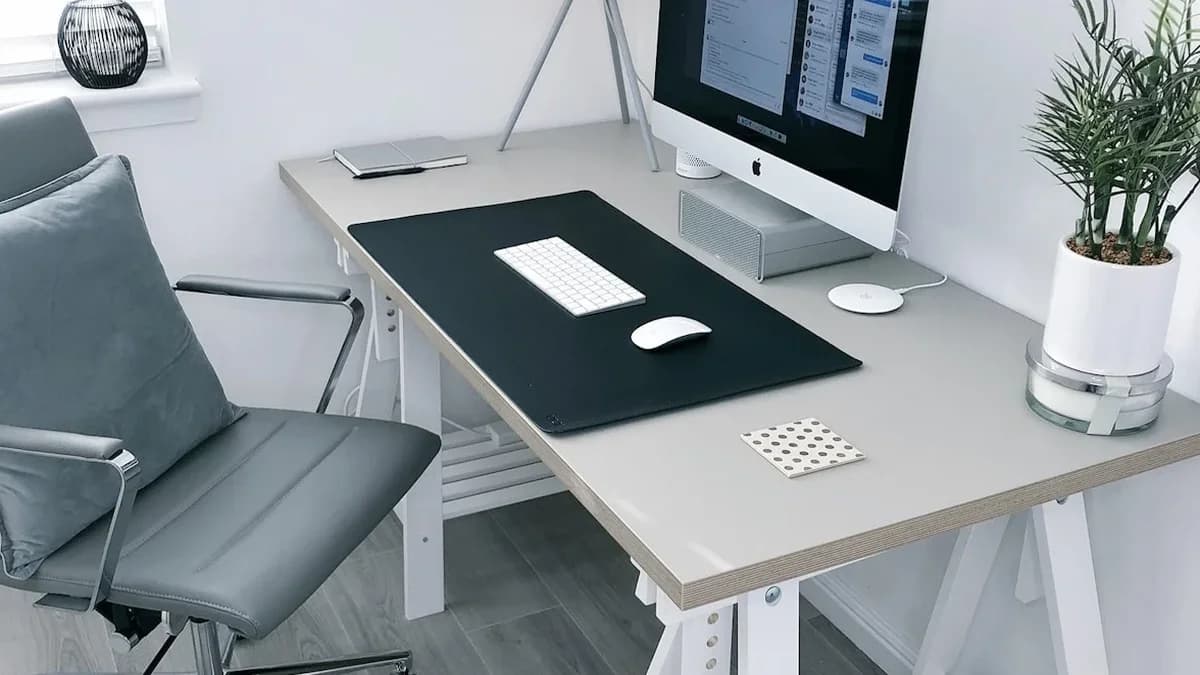
A monitor stand for your work desk is a simple accessory that makes a big impact on your comfort and work productivity. By raising your monitor to eye level, a monitor stand helps you maintain proper posture while creating additional storage space underneath for your keyboard, documents, or office supplies.
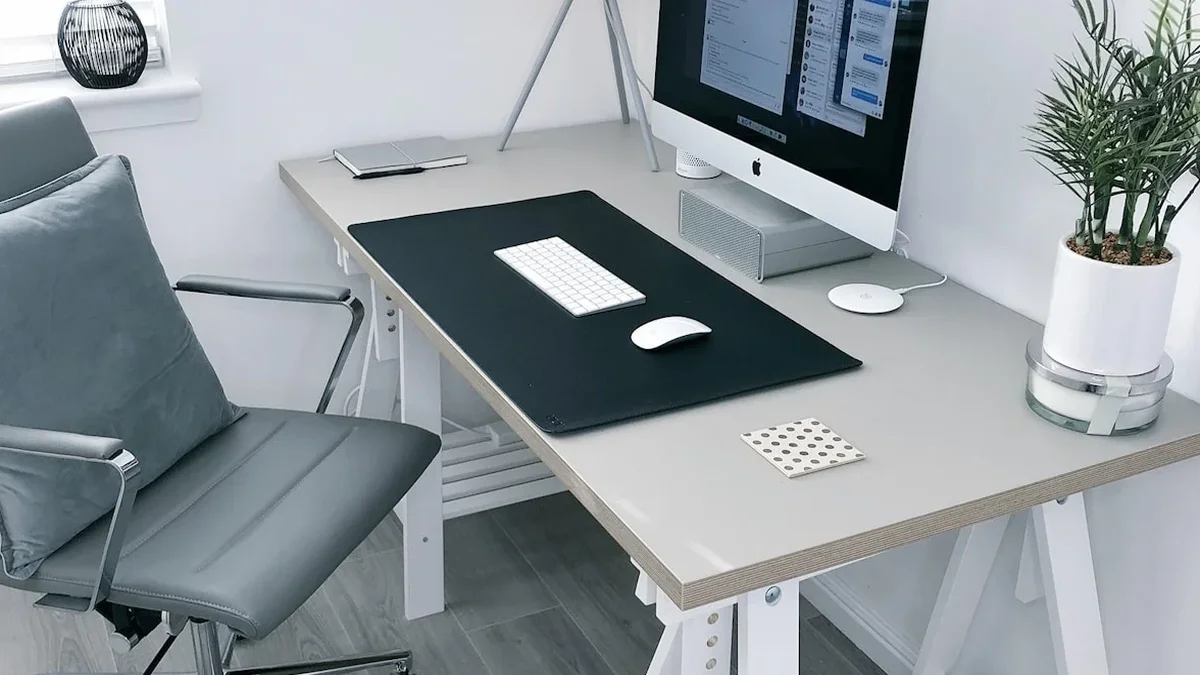
For office workers and remote workers in Indonesia, the average time spent in front of a computer can reach 8-10 hours a day. When a monitor sits too low, it forces your neck to bend constantly, causing neck muscle tension, shoulder pain, and headaches. A monitor stand solves this problem in an affordable and effective way.
Why Do You Need a Monitor Stand?
Ergonomic Reasons
The American Optometric Association recommends that the top of your monitor screen be level with or slightly below your eye line when sitting upright. Without a monitor stand, most monitors sit too low on the desk, forcing you to slouch and bend forward. Over time, this causes:
- Neck and shoulder pain from muscle tension due to slouching
- Back pain from hunched posture
- Eye fatigue from suboptimal viewing distance and angle
- Headaches triggered by neck muscle tension
A monitor stand raises your screen 4-6 inches higher, bringing your eyes and neck into a more comfortable neutral position.
Organization Reasons
Beyond ergonomic benefits, a monitor stand also creates valuable storage space on your work desk:
- Space underneath the stand to store your keyboard when not in use, freeing up desk area
- Additional surface next to the monitor for placing small accessories
- Drawers or compartments (on some models) for pens, sticky notes, or small gadgets
- Cable slots for neater cable management
Types of Monitor Stands for Work Desks
1. Wooden Monitor Stand
Made from solid wood, plywood, or bamboo. Provides a warm and natural appearance that works well for home offices. Usually features a simple design with a flat platform and legs on both sides. Some models come with small drawers or slots for smartphones.
2. Metal/Aluminum Monitor Stand
Metal frame with glass, wood, or mesh surface. Lighter than solid wood stands and offers an industrial or modern look. Mesh models allow good air circulation underneath. Perfect for minimalist setups.
3. Adjustable Monitor Stand
Height can be adjusted to suit the user's needs. Some models use rotating feet, while others use a tiered riser system. Ideal if your work desk is used by multiple people of different heights.
4. Monitor Stand with USB Hub
Modern model equipped with integrated USB ports for charging devices or connecting accessories. Very practical for reducing cable clutter on your desk since devices can be plugged directly into the monitor stand.
Monitor Stand Comparison Table
| Type | Material | Main Features | Load Capacity | Price Range |
|---|---|---|---|---|
| Wood/Bamboo | Solid wood, bamboo | Natural, small drawers | 15-30 kg | $9-30 |
| Metal/Aluminum | Metal, glass | Lightweight, modern | 10-25 kg | $6-25 |
| Adjustable | Mixed | Adjustable height | 10-20 kg | $12-42 |
| USB Hub | Mixed | Integrated USB ports | 10-20 kg | $18-60 |
How to Determine the Right Monitor Stand Size
The monitor stand size should match your work desk and monitor dimensions. Here's a practical guide.
Monitor Stand Width
The monitor stand width should be 60-80% of your desk width. If your desk is 120 cm wide, choose a monitor stand that's 75-95 cm wide. Too wide will dominate your desk, too narrow will make the monitor unstable.
Monitor Stand Depth
A depth of 8-12 inches is sufficient for most monitors. Make sure the stand is deep enough to safely support your monitor base. For monitors with larger stands, choose a minimum depth of 10 inches.
Monitor Stand Height
The ideal monitor stand height is 3-6 inches. Use this simple formula: sit upright in your work chair, measure the distance between your desk surface and your eye line, then subtract your monitor's height. The difference is the monitor stand height you need. If unsure, choose an adjustable model.
Sizing Based on Desk Depth
| Desk Width | Ideal Stand Width | Ideal Stand Depth | Ideal Stand Height |
|---|---|---|---|
| 80 cm | 50-65 cm | 8-10 in | 3-5 in |
| 100 cm | 65-80 cm | 8-10 in | 3-5 in |
| 120 cm | 75-95 cm | 9-11 in | 4-6 in |
| 140 cm | 85-110 cm | 10-12 in | 4-6 in |
| 160 cm+ | 100-130 cm | 10-12 in | 4-6 in |
Setting Up an Ergonomic Work Desk with a Monitor Stand
A monitor stand is just one part of an ergonomic work desk setup. To get maximum benefits, also pay attention to these elements.
Proper Monitor Position
- Distance from eyes to monitor: 20-28 inches (arm's length)
- Top of screen level with or slightly below eye line
- Monitor tilted slightly backward (10-20 degrees) to avoid glare
- If using dual monitors, place the main monitor directly in front and the second monitor to the side at a 30-degree angle
Keyboard and Mouse Position
Your keyboard should be at a height that allows your elbows to form a 90-degree angle or slightly more. With a monitor stand, you can store your keyboard underneath when not in use and pull it out when working. This frees up your desk for other tasks like writing or drawing.
Sitting Position
Your chair should be adjusted so your feet rest flat on the floor and your thighs are parallel to the ground. The backrest should support the natural curve of your spine. With proper sitting posture and monitor at the right height thanks to the monitor stand, the risk of musculoskeletal pain decreases significantly.
Monitor Stand for Dual Monitor Setup
Workers using two monitors need special considerations when choosing a monitor stand.
Choose a monitor stand wide enough to support both monitors simultaneously, usually at least 32-40 inches depending on monitor size. Make sure the stand's load capacity is sufficient for the weight of two monitors. If using monitors of different sizes, consider using two separate monitor stands with adjustable heights so both screens are level.
Another option is to use a monitor arm (monitor mount) clamped to your desk. Monitor arms offer much greater positioning flexibility than static stands and free up your entire desk area underneath.
Tips for Organizing Your Desk with a Monitor Stand
A monitor stand isn't the only element for a tidy work desk. Here are tips for organizing your whole desk.
- Minimize items on your desk surface - only keep things you use every day on top of your desk
- Group accessories in one place - use a desk organizer or pen holder to collect pens, pencils, and small accessories
- Manage cables - use cable clips, cable trays, or velcro strips to organize cables behind and under your desk
- Clean your desk at the end of each workday - this simple habit ensures you start the next day with a clean and fresh desk
- Rotate infrequently used items - move things you only use occasionally to separate drawers or shelves
- Add personal touches - a small plant or family photo is enough to make your desk feel personal without looking cluttered
Maintaining Your Monitor Stand
Monitor stands are generally low-maintenance, but basic care helps preserve their appearance and function.
- Wipe dust regularly - dusty stand surfaces can affect nearby electronic components
- Check stability - ensure the stand's feet or supports are still sturdy, tighten any loose screws
- Don't exceed load capacity - every stand has a weight limit; exceeding it can cause the stand to bend or break
- For wooden stands - avoid direct water exposure, wipe up spills immediately to prevent swelling
- For stands with USB hub - clean USB ports of dust periodically using compressed air
FAQ - Frequently Asked Questions
1. Can a monitor stand be used for a laptop?
Yes, many people use monitor stands to elevate their laptop when using an external keyboard and mouse. Make sure air circulation under the laptop remains good - choose a stand with a mesh or ventilated surface so your laptop doesn't overheat.
2. What's the ideal monitor stand height for Indonesian users?
With the average height of Indonesians around 5'3"-5'7" and standard chair height, a monitor stand around 3-5 inches tall is usually sufficient. However, this can vary depending on your desk and chair height. What matters most is that the top of your monitor should be level with your eye line when sitting upright.
3. Is a bamboo monitor stand strong enough?
Bamboo actually has excellent tensile strength - even higher than some solid wood types. A quality bamboo monitor stand can handle 33-55 pounds of weight, more than enough for a standard monitor. Make sure the bamboo has been properly treated to resist moisture.
4. Which is better - monitor stand or monitor arm?
Both have their advantages. Monitor stands are cheaper, stable, and provide extra storage space. Monitor arms are more flexible for position adjustments and free up your entire desk area. If your budget is limited and you need extra storage, a monitor stand is the right choice. If you often change your monitor position or use dual monitors, a monitor arm is more suitable.
5. Can a monitor stand reduce existing neck pain?
A monitor stand helps improve your work posture, which can gradually reduce tension and neck pain. However, if you already have chronic neck pain, a stand alone isn't enough. Combine it with regular stretching every 30-60 minutes, an ergonomic chair, and consult a healthcare professional if pain persists.
Weekly Home Tips
Get home organization ideas, product picks, and exclusive deals delivered weekly.
No spam. Unsubscribe anytime.