
The Complete Guide to Smart Home Organization: Integrating Technology with Space Optimization
Smart home organization merges digital tools with physical storage to maximize small spaces and maintain daily order. This guide covers pairing smart plugs with organizers, using app-driven room-by-room plans, and sustainable systems that scale from one room to the whole house.
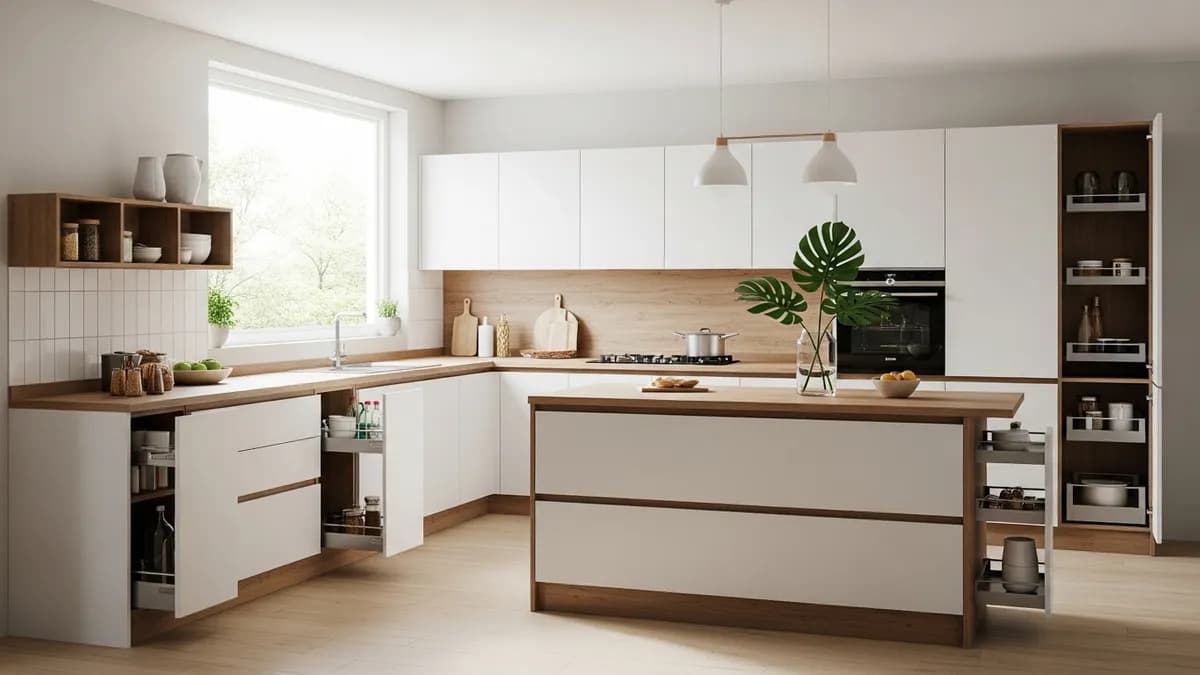
Smart home organization works best when digital tools support a clear physical system: define one home for each item, assign a simple routine to that zone, and use reminders or connected controls only where they remove repeated friction. Start with one high-frequency room, keep a manual fallback, and expand only after the household can maintain the first zone without extra stress.
Why Smart Home Organization Matters
Smart home organization is not about replacing humans with robots; it is about layering digital tools onto physical storage so every room delivers more value per square inch.
Most homeowners treat organization as either a one-time project or an endless Pinterest pass. In practice, neither works well on its own. The durable result comes from pairing a small-space constraint with a consistent recurring routine that the technology supports.
When a smart plug governs a desk lamp, an app-driven schedule governs the bedtime shutdown, and a label maker ties both to a physical basket, the room stays ordered without anyone thinking about it. That is what makes smart home organization different from a static Pinterest board or a single weekend tackle.
The same principle applies at every level, from a single room to the whole house. A household calendar shared across devices becomes a physical reminder when paired with a wall planner. A magnetic hooks system becomes easier to manage when an app tracks which tags are assigned where. The technology layer does not do the work alone; it makes the existing organizer work faster and last longer.
This guide combines digital scheduling, device integration, and space optimization into a single workflow you can repeat for any living situation. The focus here is practical, Indonesian-market specific, and anchored in real products sold through established categories like those covered in the Sesoris home organization line.
After reading this guide, you will know how to choose the right smart organizer for your kitchen, bedroom, bathroom, workspace, entryway, and laundry area. You will also understand why most implementations fail and how to avoid the common traps, especially when household members disagree about whether anything needs to change.
How Smart Home Organization Differs from Static Organization
Static organization relies on physical labels, furniture shapes, and a committed person doing the work once. It tends to degrade within weeks because people forget the routines behind the setup. Smart organization adds automated reminders, cross-device state, and daily nudges that keep the system alive.
Consider a simple kitchen scenario. A static label binder lives in a drawer and gets moved or lost over time. A smart approach pairs a label maker app with a product tag reader, and a motion sensor reminds the user each morning that the food containers need rotating back into their homes. The difference is not marginal; it changes how often the room returns to organized state.
The same logic applies elsewhere. A bedroom does not stay tidy because someone remembers to fold clothes each night. Instead, an app sends a quiet reminder during the day and a physical hook reminder the night before, then the morning routine is fast enough to sustain itself. Over months, this replaces the expensive mental effort of reorganizing weekly.
The biggest misconception is that smart organization means buying more devices. Many implementations fail because owners install sensors and forget that the physical objects they track lack label persistence. Beginners should set up one bridge category, such as entryway or kitchen, before expanding to the whole house.
For Indonesian homes with limited floor space and multiple family members, the advantage is even sharper. App-based scheduling lets one adult manage the whole house from a phone while children handle smaller zones. This makes consistency easier to maintain than the older model of one person doing all the work manually.
For practical examples, see our kitchen wall shelf ideas guide which complements these smart systems with physical storage strategies.
Building the Foundation Before Adding Devices
Before selecting a smart plug, scanner, or app workflow, inventory the physical objects that actually move through the space. Most failed smart setups ignore this step and spend money on sensors for items that never change position.
Start with three measurements. Width, depth, and how long something stays in a given zone count toward planning. A hallway cabinet intended to hold ten bags of rice looks different than a snack station meant to hold six jars. The cabinet needs deeper shelves; the snack station needs shorter rows.
Map each object to a single controlling zone. Common failures happen when a planner assigns one item to two zones at once, causing the app to send conflicting reminders. Each object should report to one zone so reminders stay unambiguous.
Identify the one property that changes most often in your zone. For the entryway, that is number of bags entering or leaving. For the kitchen, it is food rotation frequency. For the bedroom, it is laundry load completion. The frequency of change predicts which app feature matters most and which features are wasted complexity.
Create a backup plan before deploying any sensor. Sensors fail, batteries die, Wi-Fi drops during storms. The physical routine must survive technology failure for at least three days so the household remains functional even when nothing is connected.
Establish a maintenance protocol for the technology layer itself. A daily five-minute check covers sensors, labels, and app state. Weekly checks cover firmware, tag replacements, and zone assignments. Monthly checks cover the physical objects and furniture if new items were added later.
Selecting devices should follow this sequence, not the reverse. The logical order is first decide what changes most often in a zone, then select the sensor type that matches, then pick a simple app to host the rules, then add the physical storage that holds the objects being tracked.
Apps also matter more than sensors for simplicity. A robust label maker is more valuable than a flashy occupancy sensor if the household members cannot operate two overlapping apps simultaneously. Look for platforms that support household calendars and shared device states rather than just personal device access.
Finally, budget for recurring replacement. Labels wear out, sensor batteries die, and app subscriptions renew. Plan your annual technology budget so the organized life outlasts any one device decision, rather than sustaining a short-lived hardware upgrade cycle.
For entryway or kitchen zones, the small kitchen organization ideas guide provides proven layouts that pair well with smart scheduling.

A shared living room is a useful pilot zone because many people use it and the storage rules are visible. Give everyday items an accessible basket, keep occasional items behind a labeled door, and connect reminders only to actions that genuinely recur, such as returning chargers or closing a media console after use.
Room-by-Room Smart Organization Plans
Kitchen
The kitchen is the highest-leverage room for smart organization because it affects food freshness, cooking effort, and appliance safety. Pair smart plugs with a food rotation schedule and a daily kitchen check list through a single app entry.

A smart plug timer can limit how long a coffee machine or rice cooker stays on during the day, reducing energy waste without requiring an electrician visit. Pair this with an app reminder that reads fridge contents and warns about expired items, though basic labeling should still exist for items without barcode scanning.
For longer-term food storage, compare sealed containers from brands covered in the kitchen countertop organizer ideas which the kitchen wall shelf guide also covers. Integrating those guides into the same routine prevents the common mistake of choosing a storage option without understanding placement.
Bedroom
Bedroom smart organization usually starts with the laundry. Pair a smart washer timer with a bin that auto-shuts off the faucet when a load ends, and use a child-friendly reminder calendar on a tablet mounted low on the wall instead of scattered sticky notes.
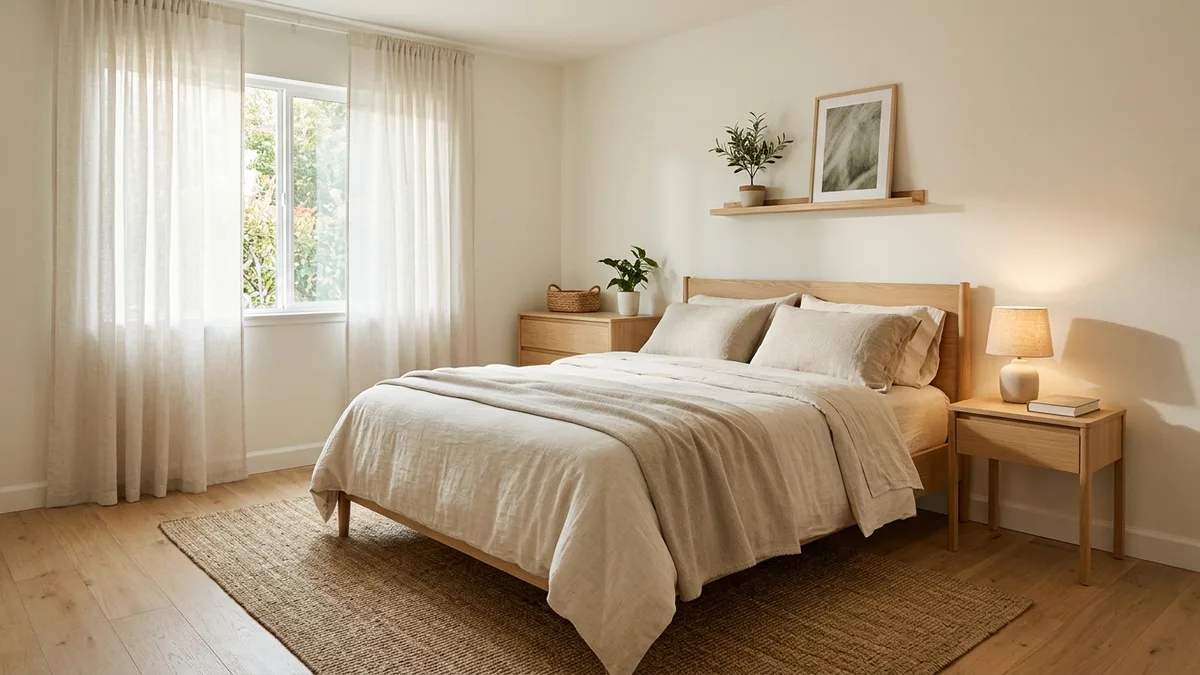
Magnetic hooks that accept smart tags work best here because they track which garment goes to which hanger automatically. The tag system reduces both loss and search time, which improves the sleep experience that the bedroom organization ideas emphasizes.
Pair the cataloged hangers with a lamp on a flexible bracket that turns on when the first bed appears ready. This provides gentle feedback without competing screens in the room during the early part of the evening.
Bathroom Closet
Bathroom closet organization benefits from simultaneous tracking of multiple product levels. A multi-zone planner can allocate one shelf for daily toiletries, another for skincare, and yet another for seasonal items, keeping everything visible without overlapping stacks.
Smart tags on seasonal items notify the household that a space needs clearing before the season changes, reducing the forgetfulness that causes bathroom clutter to recur month after month.
Entryway
The entryway is the first room most residents see when arriving and the last room most leave from each day. A smart tag system paired with a floor mat that only accepts tagged items keeps the entryway recognizable as organized at all times.
An entryway tray with a timestamp function helps family members know immediately what is waiting, eliminating the morning scramble that commonly disorganizes the entire house.
Workspace
Workspace organization scales poorly when done alone. Digital organizers keep one surface clear by tracking which documents belong where physically, while smart plug timers can turn off secondary monitors when the office session ends for energy efficiency.
Use the desk cable management ideas already published by Sesoris for the physical side, and pair it with an app that logs peak work hours and suggests practical plug schedules, reducing friction without making an unsupported promise about savings.

Laundry Room
Laundry receives the most attention in household organization but often misses the coordination step. Pairing smart appliance timers with a physical rack reminder prevents clothes from sitting undelivered until the next notification.
A smart tag on the folding rack tells the dryer exactly when a cycle ends, then suggests the folded garments go where they belong based on weight, size, and color. This reduces the manual sorting step to near zero in normal operations.
Garage and Basement
Garage and basement organization benefit from driven columns and rollaway shelves tracked by item tags, especially when the storage volume grows faster than visible space. Smart tags replace manual record-keeping by highlighting which boxes have moved since the last scan.
An app that logs box locations by category helps renters move gear in and out without deep searches. This is especially useful for temporary dwellings and second homes where the owner frequently rotates between properties.
Quick Reference: Room-by-Room Organization Cheat Sheet
| Zone | Typical pain point | Sesoris solution | Where to place it |
|---|---|---|---|
| Kitchen & pantry | Supplies run out unnoticed; hard to see what is on the shelves | Pull-out basket and sliding rack organizer | Under-sink cabinet, pantry corner |
| Bedroom | Messy drawers; hard to find clothes | Drawer organizer and under-bed divider | Main dresser drawers, under-bed area |
| Laundry | Dirty clothes pile up; detergent bottles crowd the counter | Closed laundry bin and slim shelf | Near the door, laundry corner |
| Workspace | Cables, stationery, and documents mixed together | Cable management box and desk tray | Under the desk, drawer surface |
| Entryway | Shoes, bags, and keys pile up at the entrance | Slim shoe rack, wall hook, key tray | Beside the door, left or right side |
Use this cheat sheet to pick the highest-impact organizer per zone instead of re-reading the full guide.
Choosing the Right Technology Tools
Not every organization-focused smart product belongs in the home organization toolkit. The selection rule is narrow: every tool should solve one recurring problem in one zone, and the household must be able to name the problem it fixes in one sentence.
Labels stand above almost every other category because they are the permanent record behind every app workflow. A robust label maker exists in many tiers from affordable all-in-one units to premium engraved systems that resist wash for bathroom products. Verify durability against your use case, because the label itself is the ground truth the rest of the system depends on.
The bathroom closet organization systems guide shows how label durability matters for humid environments.
Sensors form the backbone of automation but should match the frequency of change. A motion sensor drives away in hallways but underperforms when nothing moves in kitchens. Tag readers make sense for frequently changing small items and behave poorly for large pieces of furniture that rarely relocate.
Apps act as the workflow layer, connecting labels, sensors, and physical state into actionable rules. A good platform supports household calendars, shared device states, and simple zone management. The ENERGY STAR smart home energy management guidance describes scheduling connected devices, using usage feedback, and applying occupancy-based controls as ways to simplify energy management. Avoid platforms that hide behind complexity and force members to learn dozens of menus just to check one room status.
Network infrastructure is the silent partner. A hub that drops connections during router reboots defeats its own purpose. Test mesh, range extenders, and powerline adapters under realistic household conditions before committing to them as a permanent home network solution.
Budget allocation follows the priority map. Labels consume the largest share of annual replacement, followed by sensor batteries, then app subscriptions, then hub maintenance. Plan your budget around this order rather than spreading the spend evenly across devices.
Avoid shopping recommendations that aggregate reviews across unrelated products. A score of four stars for a complicated smart lock means little if the typical household uses it once a month. Focus on repeated-use segments that represent actual long-term behavior, and prefer platforms tested in the consumer context over enthusiast reviews meant for experienced users.
The coffee station organization guide showcases a real-world example of pairing physical storage with smart scheduling.
Indonesian Market Considerations
Indonesian households commonly share spaces across generations, which changes what works. Individual accountability matters less when cohabitants coordinate through a single app table. Shared accounts rather than individual profiles reduce friction in larger households.
Mobile-first design suits Indonesia better than desktop workflows, with fonts and navigation tuned for smaller handsets. Penetration of household income and device ownership also dictates which tool tier is realistic, so do not assume an expensive system is within reach for every household segment.
Affordability and accessibility matter alongside performance. Smart systems that require technical setup often exclude senior members, while low-cost kits that include basic apps remain widely usable. Choose setups that respect varying technical comfort levels within the same household.
Storage space constraints differ materially from Western patterns. Indonesian living rooms and entryways are typically narrower than comparable layouts elsewhere. Start smaller, with a focused zone like entryway or kitchen before scaling to the whole house, matching the typical household readiness curve.
Regional connectivity varies widely. Provider coverage and device compatibility determine which platforms actually work inside homes, so test connectivity for each provider family uses before committing to a vendor ecosystem.
Energy habits also align differently. Indonesian households often run appliances longer than Western counterparts. Adjust plug schedules to reflect local usage patterns rather than importing product defaults meant for other markets.
Localized labeling goes beyond font size. The language settings, calendar formats, and reminder phrasing should reflect regional expectations. Indonesian household members find English text confusing when reminders label tasks in translation contexts that do not match their habits.
For bathroom-specific smart organization, the bathroom storage ideas guide offers zone-specific solutions that align with these market considerations.
Common Failure Modes and How to Avoid Them
Smart organization fails primarily from mismatched expectations rather than bad technology. People expect automation to eliminate effort entirely, then get frustrated when labels fall off, sensors drop offline, and physical habits slip. Design with realistic expectations from the start.
Expectation mismatch keeps the most households from completing implementation. Set a trial period of four weeks before declaring success or failure. During the trial, document which reminders fire accurately and which feel redundant. Adjust the system after the period rather than before.
Complexity is the silent killer. Each additional rule adds failure modes and handoff points. Limit active rules to the ones tied to the highest frequency of change in each zone. Reducing the rule count is more important than adding sophisticated automation.
Compatibility problems routinely appear between ecosystems. Products from different vendors rarely speak to each other natively. Buy products within one ecosystem unless the household specifically benefits from interoperability that no single vendor offers natively, and verify integrations under live conditions rather than manufacturer spec sheets.
Physical storage choices often conflict with the app plan. A folder labeled daily review that does not fit the zone shape causes everything to fall behind it. Match physical containers to planned frequency, then let the app remind about the containers rather than forcing the app to adapt to physical layout drift.
User fatigue ends projects faster than any hardware flaw. Members stop engaging when reminders feel repetitive or opinions diverge on what should change. Simplify the daily interface, use language that acknowledges progress, and avoid requiring all members to agree on every adjustment.
Hidden maintenance obligations surprise the household. Cleaning probes, battery swaps, app updates, and furniture adjustments accumulate silently. Publish the annual maintenance schedule visibly so no member attributes a surprise failure to the wrong cause.
Insurance coverage for home improvement changes when technology modifies habits. Add smart systems to any home evaluation prior to structural changes, and photograph installed components for documentation purposes, because future contractors sometimes miss embedded smart wiring behind renovated surfaces.
Security is often discussed after installation rather than before. Follow CISA guidance for securing Internet of Things devices: review security settings, keep device software up to date, connect carefully, and use strong passwords. Disable remote access unless it is genuinely needed, and treat the smart home as part of the home network rather than as a collection of harmless standalone gadgets.
Sustainability favors long-life systems over frequent upgrades. Labeled physical storage and battery-powered sensors generally outlast cloud-dependent subscriptions. Select permanent records of intent over ephemeral automation layers wherever possible.
The laundry room organization ideas guide provides the physical foundation that pairs with these smart timers and tags.
FAQ Questions
What makes smart home organization different from regular organization?
Regular organization relies on static labels and committed persons. Smart organization adds automated reminders, cross-device state, and daily nudges that keep the system alive longer and reduce reorganization frequency.
Where should a household begin when adopting smart organization?
Begin with one high-frequency zone, such as the entryway, kitchen, or bedroom, where an object changes most often. Master that single flow before expanding to the rest of the house. Scaling too quickly is the most common mistake.
Do smart devices actually improve retention over time?
Yes, but only when paired with consistent maintenance and clear labels. Sensors improve tracking, apps improve reminders, and physical storage improves retrieval. Without all three layers working together, results fade within weeks.
Is there an ideal label system for a mixed-generation household?
Shared accounts work better than individual profiles when multiple family members share a device. A household-level app that logs all reminders into one calendar reduces coordination friction for cohabiting households.
Which technology category delivers the strongest yearly return?
Label makers typically deliver the best return because labels are the persistent record behind every app workflow. Sensor batteries and app subscriptions follow in secondary roles, while hubs carry the lowest overall replacement burden.
Can smart organization help renters who move between properties?
Yes, especially with driven columns tracked by item tags and an app that logs box locations by category. Renters can identify and return gear efficiently without deep searches across a large storage volume.
How should a household handle replacing aging smart labels?
Replacing labels is the single fastest way to prevent organic drift. Maintain a small labeled stock in the primary organizer, swap faded or missing tags weekly, and log the replacement date in the same app workflow that manages the broader organization system.
What value does a smart timer provide in the home organization workflow?
Timers cap energy usage and reduce forgetting, particularly for appliances left running unnecessarily. They pair naturally with room-specific checklists and reduce electricity waste without requiring major structural changes.
Why do most implementations succeed less often than expected?
Failure comes from mismatched expectations, hidden maintenance obligations, and compatibility friction between ecosystems. A four-week trial period lets the household document which features work versus which feel redundant before committing to the full system.
How should Indonesian households adapt the strategy?
Shared mobile-first designs suit multi-generation households, localized labeling respects regional language habits, and smaller entryway widths favor focused zones over whole-house rollout. Adjust plug schedules to local appliance usage patterns.
For related FAQs on bathroom organization, see our bathroom organization ideas guide.
Final Thoughts
Smart home organization succeeds when the household treats the technology layer as maintenance, not a permanent fixture. The physical store, the labels, and the routine must survive hardware failures, software updates, and occasional member disagreements. When they do, the house stays orderly on autopilot rather than requiring weekly battles over who does the reorganizing.
The durable wins come from one simple pattern: choose the object that changes most often, pair it with the right tracker, and build the routine around that single constraint. Every room follows the same logic, scaled appropriately, rather than requiring a unique rigid system per category.
Consistency beats sophistication every time. A five-minute daily check completed reliably will outperform a fifteen-minute weekly routine with elaborate automation that nobody maintains. Invest the extra minutes in maintenance rather than buying devices that will outlive their usefulness within a year.
With the right foundation, smart tools reduce the cognitive load of maintaining order while increasing the daily value each room delivers. The household emerges from repeated practice with fewer complaints, less clutter buildup, and a satisfaction that comes from knowing the home works better than before any attempt at organization began.
Liked this guide?
Get new organizing guides and the occasional new product by email. No spam, unsubscribe anytime.
Related articles
Explore more articles
- Simple but Attractive Living Room Decor: 20 Affordable Ideas for 2026
- Mini Bar for Small Kitchens: 15 Creative Ideas to Maximize Space
- 20 Essential Travel Accessories That Make Your Journey More Comfortable (2026)
- Food Storage Containers with Lids: Complete Guide to Fresh Food Organization in 2026
- Glass Containers with Glass Lids for Food Storage: Complete Tutorial Guide 2026
- Glasslock Food Storage Containers: Complete Guide to Premium Glass Storage Solutions in 2026
- Plastic Dish Racks: Affordable and Lightweight Kitchen Solutions
- Kitchen Wrap Organizer Ideas: Drawers, Doors and Racks for Foil, Wrap and Bags