
20+ Best Desk Cable Management Ideas to Build a Clean, Productive Workspace in 2026
Discover 20+ practical desk cable management ideas to eliminate cord chaos and build a cleaner, more productive workspace in 2026. Start organizing today!
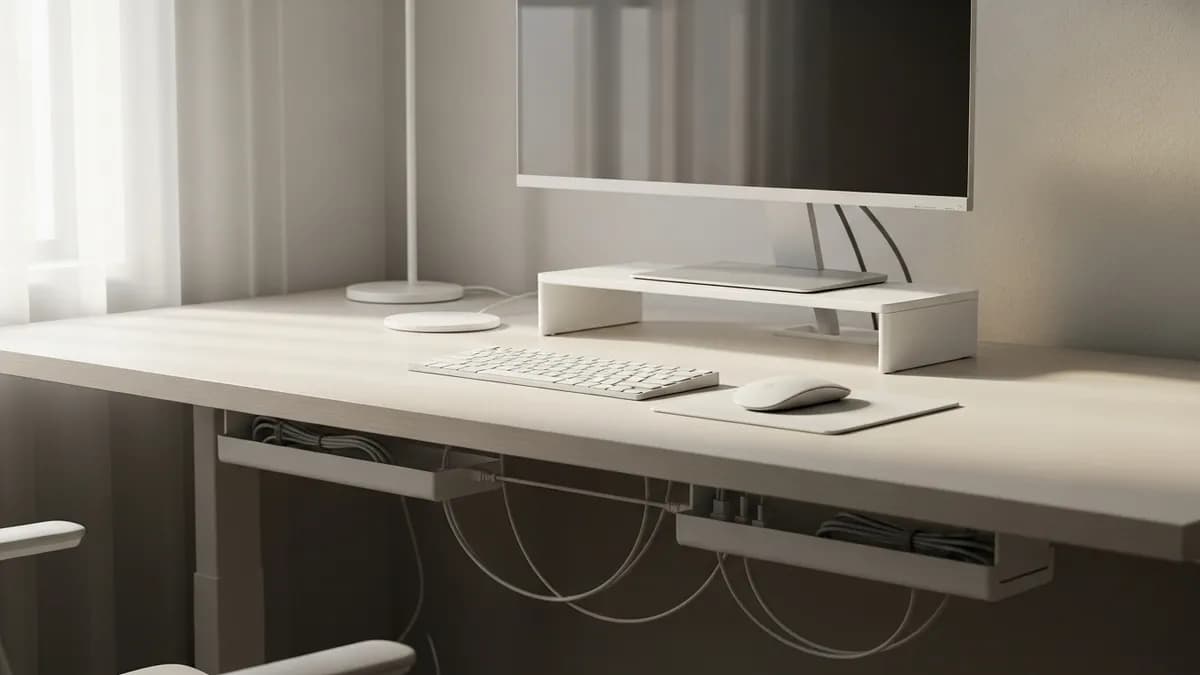
If you have ever sat down at your desk and felt instant stress just from the tangle of cords snaking across every surface, you are absolutely not alone. In 2026, more Americans are working, gaming, and creating from home than ever before, which means the number of devices on a typical desk keeps growing. Whether you are dealing with a charging cable jungle or a power strip buried under a mountain of cords, these desk cable management ideas will help you take back control of your workspace so you can actually focus on the work that matters.
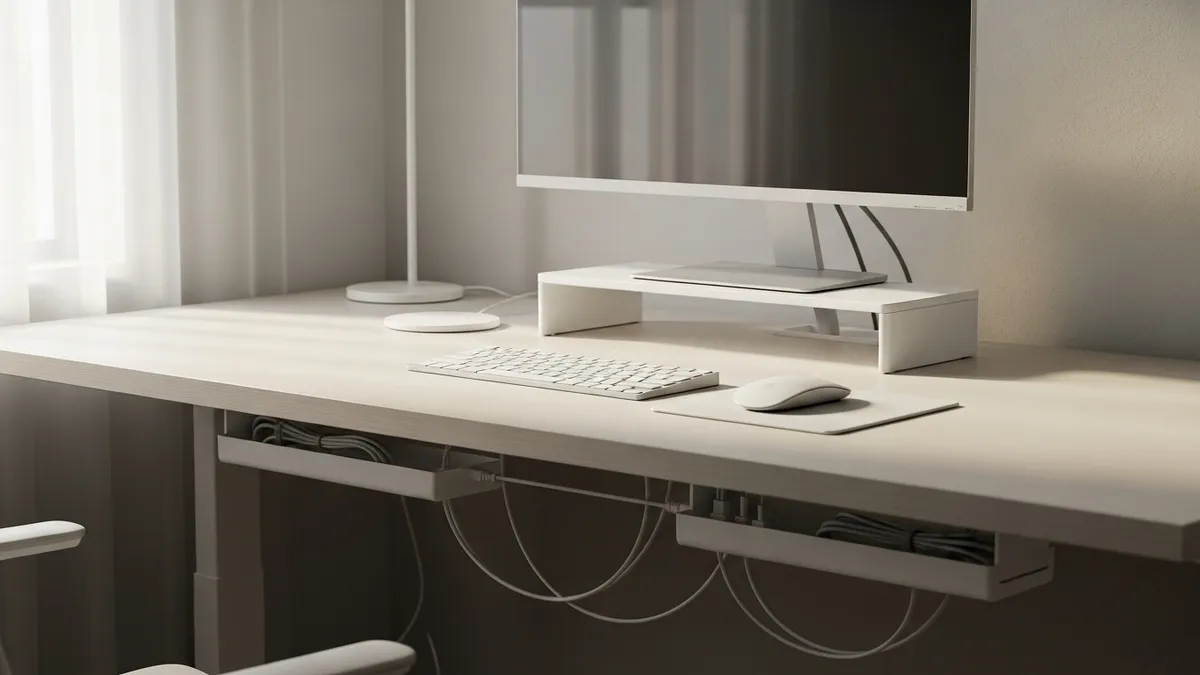
Why Desk Cable Management Ideas Matter More Than You Think
A cluttered desk is not just an eyesore. Research published by Princeton Neuroscience Institute via The Spruce shows that physical clutter in your visual field competes for your attention and reduces your ability to focus. When you apply smart desk cable management ideas, you are not just tidying up for aesthetics. You are removing a constant, low-level source of distraction that chips away at your productivity every single day.
Beyond focus, there are real practical reasons to get your cables under control:
- Safety: Loose cables on the floor are a tripping hazard, especially in a home office with kids or pets nearby.
- Equipment longevity: Cables that are bent, pinched, or tangled wear out faster. Proper management extends the life of your cords.
- Easier cleaning: When cables are off the floor and neatly routed, vacuuming and dusting your workspace takes half the time.
- Better airflow: Bundled cables trapped against electronics can trap heat. Organized routing improves ventilation for your gear.
- Resale value: A clean, well-organized desk setup photographs beautifully if you ever sell your equipment.
If you are ready to transform your workspace from chaotic to calm, let's dive into the best ideas you can start using today.
The Essential Tools for Any Desk Cable Management Setup
Before jumping into specific ideas, it helps to understand the core products that make cable management possible. Most solutions fall into a few categories, and mixing and matching them gives you the most flexible result. You can browse many of these organizational essentials in the Sesoris collections.
Cable Clips and Adhesive Cord Holders
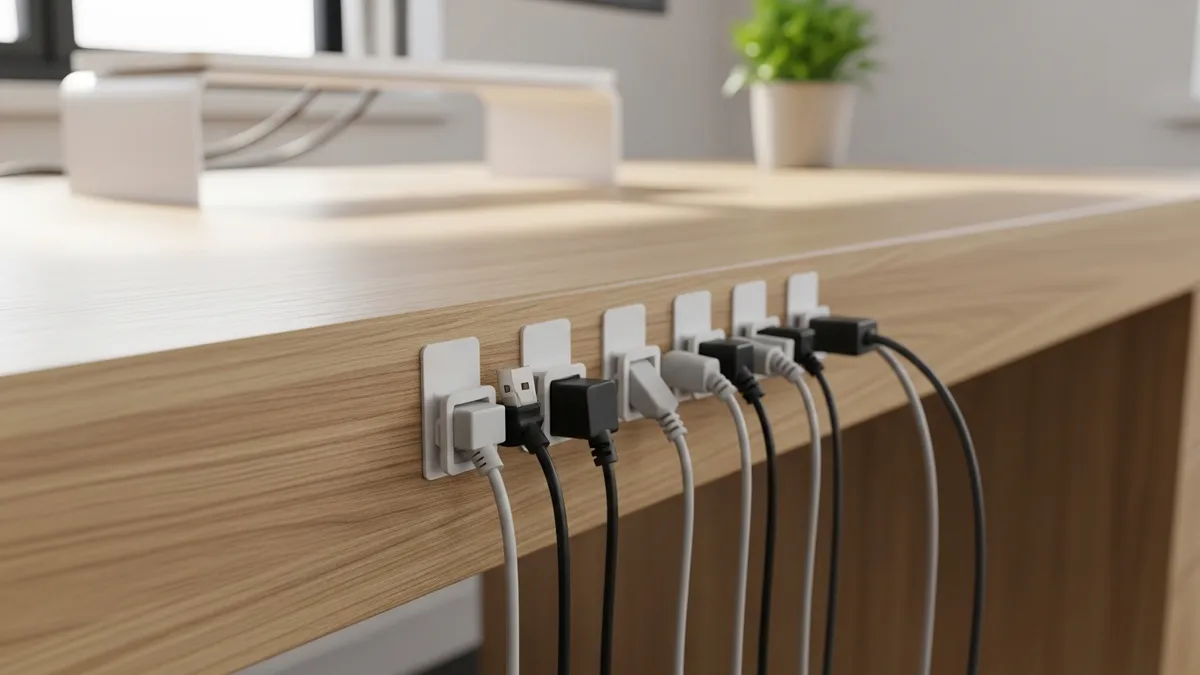
These small adhesive-backed clips mount to the edge or underside of your desk and hold individual cables in a defined path. They are inexpensive, easy to install, and completely removable if you change your setup. Look for clips that accommodate multiple cable thicknesses, since your USB-C charging cable and your monitor's DisplayPort cable are very different sizes.
Cable Sleeves and Spiral Wrap
A cable sleeve bundles multiple cords into a single, clean tube. Neoprene zip-up sleeves are popular for their clean look, while spiral wrap gives you more flexibility to add or remove cables without cutting the sleeve open. These are ideal for the vertical run of cables from your desk down to the floor.
Under-Desk Cable Management Trays
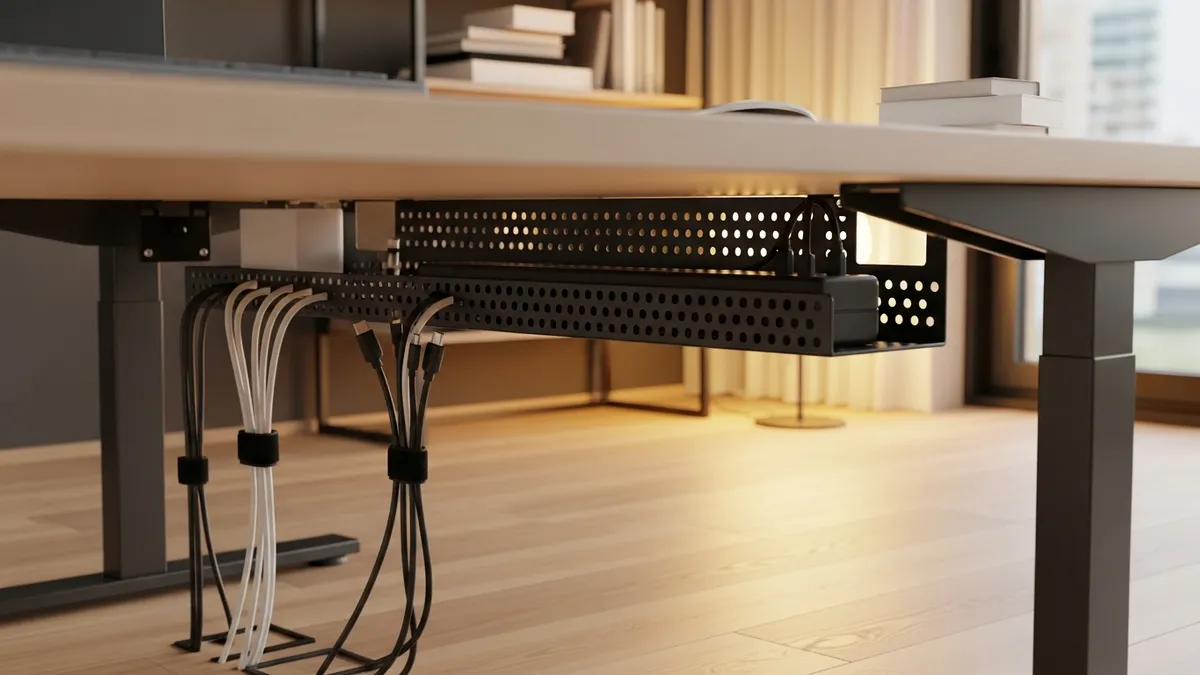
A cable tray mounts directly to the underside of your desk and holds a power strip plus all your cable bundles completely off the floor and out of sight. This single upgrade makes a dramatic visual difference and is one of the most recommended solutions on platforms like Houzz. Most trays are installed with just four screws and can hold several pounds of cables and a full-size power strip.
Cable Management Boxes
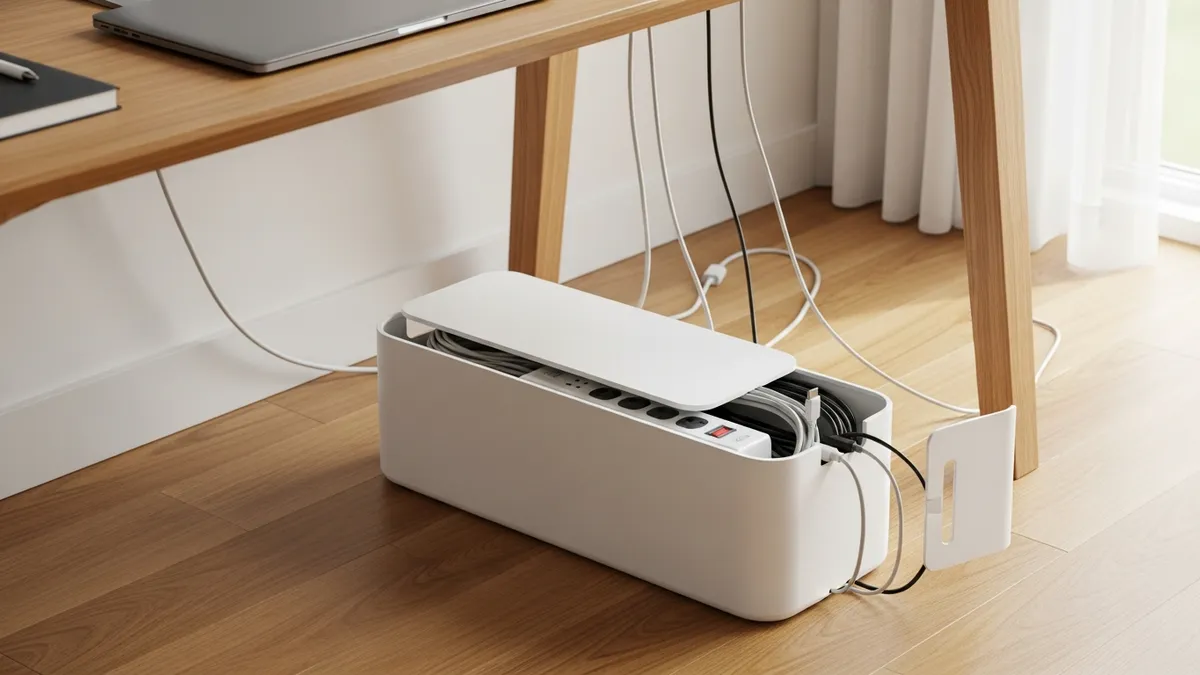
A cable management box is essentially a decorative enclosure that hides your power strip and the excess cable bulk entirely. You feed cables in through cutouts on the sides and the box sits cleanly on your floor or a shelf. These come in white, black, and wood-grain finishes to match any desk aesthetic.
Velcro Cable Ties and Reusable Straps
Unlike single-use zip ties, Velcro cable ties let you bundle cables together and then easily rearrange them later. Every organized desk setup should have a bag of these on hand at all times.
Desk Grommets
A grommet is a finished hole with a plastic or metal ring insert that you can have cut into your desktop. Cables pass through the grommet from the surface down to the under-desk area, keeping the top of your desk completely wire-free. Some desks come with grommets pre-installed; if yours does not, a drill and a 2.5-inch hole-saw bit can add one.
20+ Practical Desk Cable Management Ideas to Try in 2026
Now that you know your toolkit, here are the specific ideas you can implement, from the simplest to the most thorough.
1. Start with a Cable Audit
Before buying a single product, unplug every cable from your desk and lay them all out. Ask yourself which ones you actually use every day versus which ones have just been sitting there out of habit. Eliminating unnecessary cables is the single most effective cable management strategy because there is nothing to manage if the cable is not there.
2. Mount a Cable Tray Under Your Desk
This is the single highest-impact upgrade for most desks. A metal mesh or solid cable tray bolts to the underside and lifts your entire power strip and cable bundle completely off the floor. Your desk instantly looks cleaner from every angle.
3. Use Adhesive Cable Clips Along the Desk Edge
Route individual cables around the perimeter of your desk using adhesive clips. Keep the monitor cable along the back edge, the USB hub cable along the side, and charging cables along the front lip. Every cable has a designated path and stays off the work surface.
4. Bundle Cables with Velcro Ties Every 12 Inches
Any time you have two or more cables running in the same direction, bundle them together with a Velcro strap every 12 inches or so. This transforms a messy cluster into a single organized loom that looks intentional.
5. Hide Your Power Strip in a Cable Box
A cable management box is one of the easiest wins in any workspace. Drop your power strip inside, feed the cables through the side slots, and suddenly that brick of cords looks like a tasteful accessory instead of an eyesore.
6. Run Cables Through a Desk Grommet
If you have a solid-surface desk, cutting or using a pre-existing grommet hole lets you drop cables straight through the desktop. This means your monitor cable, USB hub, and charging cables all disappear below the surface and you see nothing but your accessories on top.
7. Use a Cable Sleeve for the Floor-to-Desk Run
The vertical stretch of cable from your desk down to the wall outlet or surge protector is one of the most visually cluttered areas. A neoprene or braided cable sleeve bundles everything into one clean column that blends with a desk leg or runs neatly along the baseboard.
8. Mount Your Power Strip Directly Under the Desk
Instead of placing your power strip on the floor, use the included or purchased mounting bracket to screw it directly to the underside of your desk. Now you plug cables into it from above through a grommet, and the whole power distribution system is invisible.
9. Use Binder Clips as Free Cable Holders
This is the classic low-cost solution. Large binder clips clamped to the edge of your desk act as free cable guides. Thread each cable through the metal loop of a clip and it stays put and off the desk surface. It is not the prettiest option, but it costs almost nothing and works perfectly as a starting point.
10. Label Every Cable at Both Ends
Use a label maker or even simple masking tape flags to label each cable at both its device end and its power end. When you need to unplug something, you will grab the right cable on the first try every single time. This is a small step that saves a surprising amount of frustration.
11. Choose Wireless Peripherals Where Possible
The best cable management is eliminating the cable entirely. Switching to a wireless keyboard, wireless mouse, and wireless headphones removes three or four cables from your desk immediately. Modern wireless peripherals in 2026 have battery life that lasts weeks on a single charge, so the convenience tradeoff is minimal.
12. Use a Monitor Arm with Built-In Cable Management
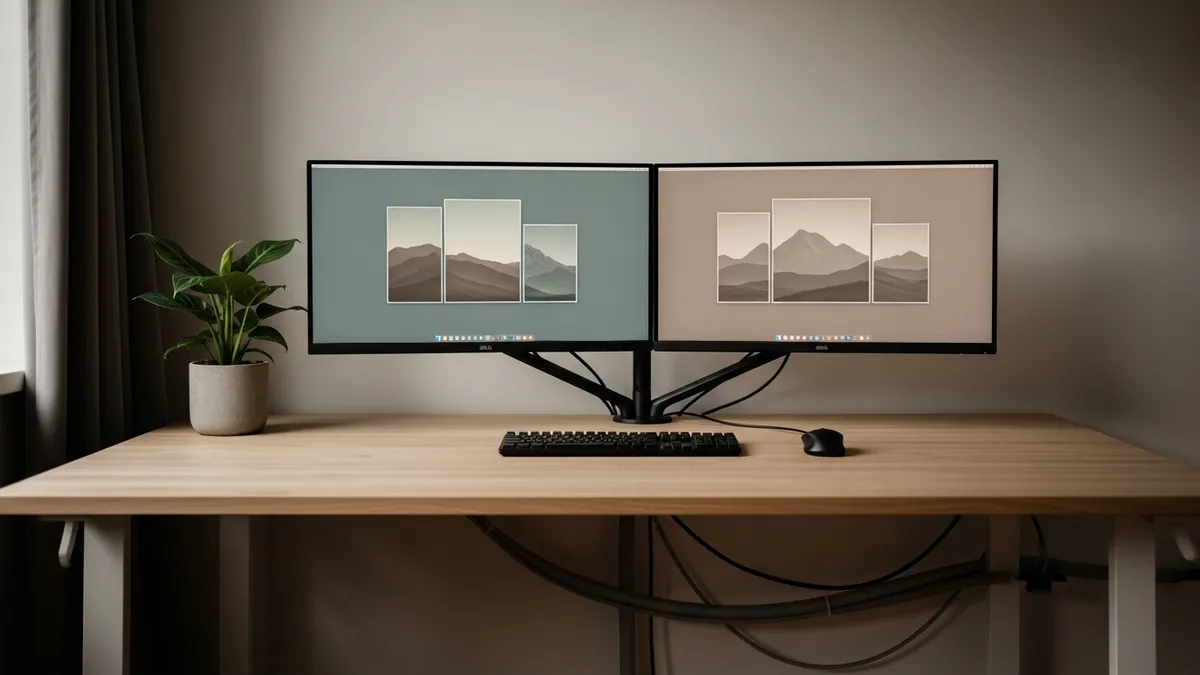
Most quality monitor arms include a built-in cable routing channel along the arm itself. The monitor's power and display cables thread through the arm and emerge neatly at the base, hiding every inch of wire that would otherwise drape down from your screen.
13. Install Raceway Cable Channels Along the Wall
If your desk is against a wall, plastic raceway channels that adhere to the baseboard or wall surface are a clean solution for hiding cables on the floor-to-outlet run. They paint over easily to match your wall color and give a completely finished look. You can find inspiration for wall-integrated setups on Pinterest.
14. Use a Charging Station for Small Devices
A multi-device charging station with built-in cable management slots consolidates all your phone, tablet, and earbud charging into a single tower. Instead of three separate chargers sprawled across your desk, everything charges from one organized hub.
15. Color-Code Your Cables
Buy a set of colored cable labels or colored Velcro ties and assign a color to each category of cable. For example, blue for audio, red for power, and yellow for USB data. The visual system makes it immediately clear what each cable does and where it goes.
16. Use Magnetic Cable Organizers on Metal Desk Surfaces
If you have a metal desk frame or metal under-desk surface, magnetic cable clips are a completely tool-free solution. They snap onto any metal surface and hold cables firmly without adhesive or screws. They are fully reusable and repositionable.
17. Create a Dedicated "Cable Drop Zone" at the Desk Edge
Install two or three cable clips along the front edge of your desk specifically for cables you frequently plug and unplug, like your laptop charging cable and phone charging cable. Keeping these cables clipped at a consistent spot means they are always within reach but never in the way.
18. Use a Standing Desk with Built-In Cable Management
Many modern standing desks sold in 2026 come with integrated cable management solutions, including built-in trays, spine covers for the lifting columns, and grommet holes. If you are upgrading your desk anyway, prioritize models that include these features.
19. Hide Cables Behind Desk Legs with Cable Clips
Any cable that needs to run from the desktop to the floor can be routed along the back of a desk leg using adhesive clips spaced every 6 inches. The cable hugs the leg and becomes nearly invisible from any normal viewing angle.
20. Periodically Re-Audit Your Cable Setup Every Six Months
Cable creep is real. Over time, new devices get added, old cables get left behind, and the setup slowly becomes tangled again. Set a calendar reminder every six months to spend 20 minutes re-auditing your cables, removing what you do not need, and re-routing what has shifted. Regular maintenance is what keeps a clean setup clean.
Desk Cable Management Ideas for Specific Desk Types
Not every desk is the same, and the best approach depends on your specific setup. Here is a quick guide tailored to common desk configurations.
Small or Compact Desks
For compact desks in small home offices or apartments, prioritize solutions that do not add physical bulk. Adhesive cable clips, a small cable box tucked to one side, and wireless peripherals are your best friends. You can read more about maximizing tight spaces in our guide to home organization ideas for small spaces.
L-Shaped Desks
L-shaped desks have a long perimeter that makes cable routing more complex. Use cable clips to create a defined cable path around the full back edge of both sections. A cable tray under each desk section, connected by a cable sleeve through the corner joint, keeps everything unified.
Standing Desks
The key challenge with standing desks is managing the cables that need to flex and extend as the desk moves up and down. Use a cable spine or a retractable cable sleeve on the lifting column, and make sure to leave enough slack in every cable routed to the desk surface to accommodate the full height range of the desk. Never run cables tightly against a sit-stand desk because the movement will stress the connectors.
Gaming Desks
Gaming setups often have the most cables of any desk configuration: monitors, headsets, controllers, capture cards, RGB lighting strips, and more. Prioritize a heavy-duty under-desk cable tray, use a cable spine on every desk leg that carries cables, and invest in a quality cable management box that can hold a large power strip. You can see plenty of inspiration in our gaming desk setup ideas guide.
Common Desk Cable Management Mistakes to Avoid
Even with the best intentions, it is easy to create new problems while trying to solve old ones. Here are the most common mistakes people make and how to avoid them.
Over-bundling cables that generate heat: Power cables, especially for monitors and desktop computers, can generate heat. Wrapping them too tightly in a sleeve or bundling them with data cables can trap heat. Leave power cables with a little breathing room and never wrap them in an extremely tight coil.
Using permanent zip ties: Single-use zip ties are the enemy of flexibility. Every time you need to change a cable, you have to cut the tie and replace it. Use Velcro straps exclusively so you can re-route cables without destroying your entire cable management system.
Ignoring the path from desk to outlet: Many people carefully manage cables on and under the desk but leave a chaotic mess running from the desk to the wall outlet. The floor-to-outlet section is just as visible and just as important to route cleanly.
Forgetting to leave service loops: A service loop is a small, intentional extra length of cable coiled at a connection point. It gives you flexibility to move the device slightly without putting tension on the connector. Cutting cables absolutely to their shortest possible length sounds clean but actually stresses connections and reduces cable life.
Budget Breakdown: What Desk Cable Management Actually Costs
One of the best things about cable management is that you can achieve a dramatically cleaner setup without spending a lot of money. Here is a realistic breakdown of what core supplies cost in the US market in 2026.
- Adhesive cable clips (50-pack): US$8 to US$15
- Velcro cable ties (100-pack): US$10 to US$18
- Under-desk cable management tray: US$20 to US$45
- Cable sleeve (6-foot): US$8 to US$20
- Cable management box: US$18 to $35
- Raceway cable channel kit: US$15 to US$30
- Monitor arm with cable management: US$35 to US$120
A full starter setup using clips, Velcro ties, a cable tray, and a cable sleeve can run you as little as US$40 to US$60 total, and the improvement to your workspace is immediately obvious. You can explore organizational tools and workspace accessories at the Sesoris shop for ideas on products that complement a tidy desk setup.
A clean desk is not a luxury. It is a productivity tool. Every cable you hide is one fewer distraction competing for your attention.
Related Products from Sesoris
If you want to turn this guide into a real setup, start with Slide-Out Cabinet Drawer, Black Steel and Stackable Storage Bins, 24 Pack. For broader options, browse the Home & Decor collection so the article journey does not stop at reading only.
Our practical rule: choose one product that solves the main clutter problem first, then add supporting organizers only when the daily workflow is already clear. This keeps the shopping path useful, not pushy.
FAQ: Frequently Asked Questions About Desk Cable Management Ideas
Q: What is the single best desk cable management idea for a beginner?
Start with an under-desk cable management tray. It is a single purchase and a single installation step that moves your power strip and most of your cable bulk completely off the floor and out of sight. The visual improvement is immediate and dramatic, and it motivates you to tackle the rest of the setup.
Q: How do I manage cables on a glass desk where I cannot drill or screw anything?
Use adhesive cable clips and adhesive-backed raceway channels, both of which attach without any drilling. Choose products with strong 3M-style adhesive backing and clean the glass surface thoroughly with isopropyl alcohol before applying. A cable management box sitting on the floor beside the desk handles the power strip situation without touching the desk surface at all.
Q: Is it safe to bundle power cables together with data cables?
For most home office applications, running power and data cables in the same bundle is acceptable, but try to keep them separated when possible. High-voltage power cables can introduce electromagnetic interference that affects audio and data signal quality. If you notice signal noise or data drops after bundling, try separating your power cables from your USB and audio cables.
Q: How often should I redo my desk cable management?
A full cable management setup done properly should last for months without needing attention. Plan to do a quick re-audit every six months or any time you add a significant new device to your desk. Catching cable creep early keeps the setup from ever getting as bad as it was before you started.
Q: Can cable management help with my internet speed?
Indirectly, yes. A cable management review often reveals that people are using longer cables than necessary, which can cause signal degradation in some cable types. It also encourages switching to wired ethernet for critical connections instead of relying on Wi-Fi, which can improve connection stability and speed.
Q: Where can I find more workspace organization ideas?
Check out our 30+ best office desk setup ideas and our 25+ best work from home desk setup ideas for a full range of inspiration beyond just cable management.
Conclusion: Transform Your Workspace with These Desk Cable Management Ideas
A clean, organized desk is not out of reach. With the right combination of desk cable management ideas including under-desk trays, adhesive cable clips, cable sleeves, Velcro ties, and smart cable routing practices, you can transform even the most chaotic workstation into a focused, professional-looking setup in just a few hours. The payoff goes far beyond aesthetics. A tidy workspace reduces stress, sharpens focus, and makes every hour at your desk more enjoyable and productive.
Start small if you need to. Pick one idea from this list, grab the supplies, and spend 30 minutes on a Saturday morning making your desk a little cleaner. Once you see the difference, you will be motivated to tackle the next step. For more workspace and home organization inspiration, check out the Sesoris blog and explore our full range of organizational products at Sesoris. Live More Organized.
Liked this guide?
Get new organizing guides and the occasional new product by email. No spam, unsubscribe anytime.
Related articles

Explore more articles
- Plastic Storage Containers Food: The Complete 2026 Guide to Safe, Fresh Kitchen Organization
- Glass Food Storage Containers with Lid: The Ultimate 2026 Review & Buying Guide
- 30+ Best Open Shelving Kitchen Ideas to Transform Your Cooking Space in 2026
- Newborn Closet Organization: The Complete 2026 Guide to a Perfect Baby Storage Space
- Pantry Organization Bins: The Complete 2026 Guide to a Clutter-Free Kitchen
- 30+ Best Laundry Room Storage Ideas to Maximize Every Inch in 2026
- Tool Storage & Organization: The Complete 2026 Guide to a Clutter-Free Garage & Workshop
- Spice Rack Organization: The Complete 2026 Guide to a Tidy, Functional Kitchen