
Productive WFH Setup for a Small Home
A productive WFH setup in a small minimalist home runs into one hard truth: every square foot of a compact house, studio apartment, or rented room already has a job before your laptop shows up. The dining table is for eating, the bedroom is for sleeping. The question is not how to build a new workspace, but how to tuck a proper work area into space that is already spoken for.
This guide covers what actually matters: picking the corner, folding desk versus fixed desk, work surface height, cable management, vertical storage, and how to switch off work mode in a room that turns back into a resting space at night.
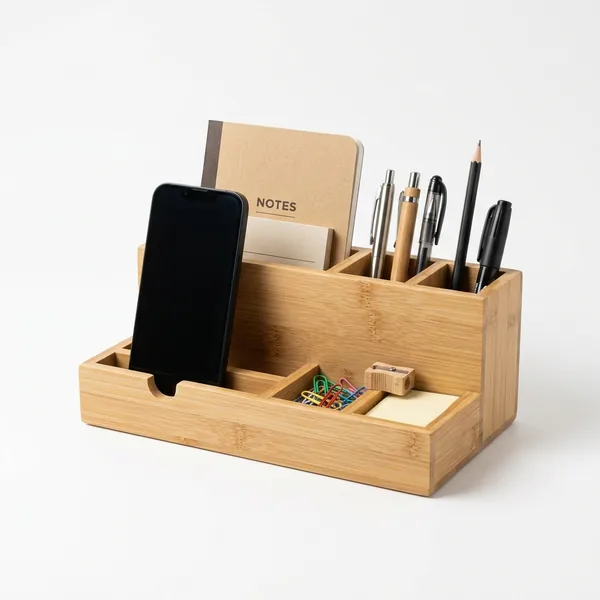
Table of Contents
- Choosing the Right Work Corner - Folding Desk or Fixed Desk - Desk and Chair Height to Protect Your Back - Cable Management Under the Desk - Vertical Storage to Free Up the Desk - Separating Work Mode From Rest Mode - Frequently Asked Questions - Conclusion
Choosing the Right Work Corner
Before buying anything, check your home at three times of day: 9 a.m., 1 p.m., and 7 p.m. A corner that is pleasantly shaded in the morning can turn into an oven by 2 p.m. if it faces west without curtains. The best light position is a window to your left or right, because a window behind your back leaves your face dark on camera and a window in front of you throws glare on the screen.
For a video call background, all you need is one plain stretch of wall about 5 feet wide behind your chair. Avoid angles where the camera catches your bed, the bathroom door, or laundry drying on the balcony. If that wall is stained, repainting a single section is cheaper than buying a backdrop.
The most overlooked factor is household traffic. Do not put the desk in the path between the kitchen and the bathroom, or in front of a closet door, because your chair will get bumped all day. The minimum humane work corner is about 4 feet wide by 28 inches deep, which includes roughly 24 inches of chair pull-back room, and it should sit no more than 6 feet from an outlet.
Practical tip: Tape out the desk and chair footprint on the floor with painter's tape, then live in the house normally for two days. If you or your family keep crossing that line, the corner is wrong, and you have only spent the price of a roll of tape, not the price of a desk.
Folding Desk or Fixed Desk
The decision rule is simple. If you work more than four hours a day every weekday and the corner never needs to change function, get a fixed desk. If the space has to turn back into a dining area every evening, a folding desk is more realistic, because a fixed desk in a multipurpose room usually ends up buried under clutter within a month.
A wall-mounted folding desk is the biggest space saver for rented rooms and studios: 24 to 32 inches wide, 16 to 18 inches deep, at a budget-friendly to mid-range price installed. A portable steel-frame version around 40 x 20 inches costs even less. Before paying, check the load rating (look for at least 45 lbs) and the leg-locking mechanism, because cheap plastic hinges make your screen wobble every time you type.
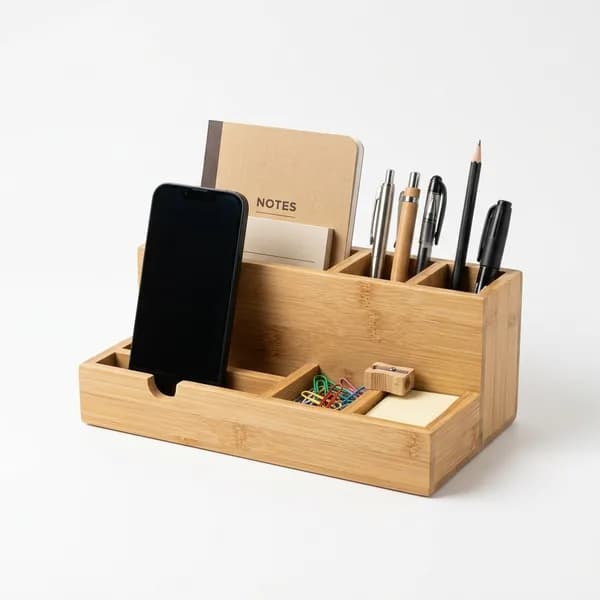
A fixed desk around 40 to 48 inches wide and 24 inches deep with steel legs sits in the mid-range. That 24-inch depth matters because the comfortable eye-to-screen distance is 20 to 28 inches. If your desk is only 16 inches deep, use a laptop stand and an external keyboard so the screen can move back. Small items on the desktop fit neatly in one compact caddy like the Bamboo Desk Organizer, and we go deeper on desktop organization in our home office organizer guide.
Desk and Chair Height to Protect Your Back
Most desks on the market have a surface height of 28 to 30 inches, a number based on people around 5 feet 7 inches and taller. If you are 5 feet 1 to 5 feet 5, a 30-inch desk forces your shoulders up and your wrists to bend upward all day. That is where the shoulder aches that appear after two to three weeks of WFH come from; it is not just the cheap chair.
How to measure: sit upright in the chair you plan to use, feet flat on the floor, elbows bent at 90 degrees, then measure from the floor to the bottom of your elbow. That is your ideal desk surface height, and for someone around 5 feet 3 it usually lands at 26 to 27 inches. If the desk is too tall and cannot be cut down, raise the chair seat and add an inexpensive footrest so your feet still touch down.
For the screen, the top edge should sit at eye level. A laptop lying flat forces your neck to bend down constantly, and that is what stiffens the back of your neck. A budget laptop stand plus an external keyboard solves this for far less than a new desk would cost. Height-adjustable task chairs start at budget-friendly prices, while ergonomic chairs with lumbar support start in the mid-range.
Cable Management Under the Desk
Count the cables that actually live in your work area: laptop charger, phone charger, monitor cable, lamp cord, sometimes a router. Five cables are enough to turn the space under the desk into a nest: dust piles up, feet get snagged, and every time you unplug one cable you drag out four others.
Step one, get the power strip off the floor and stick it to the underside of the desk with velcro tape or foam mounting tape, which costs almost nothing. The cables draping to the floor shrink instantly once the power point moves up, and it also keeps electronics safe from spills and mopping day.
Step two, tame the excess length. Coil the slack and bind it with velcro straps (a ten-pack is cheap), then bundle cables running the same direction inside an inexpensive cable sleeve. Adhesive cable clips on the desk edge hold charger ends in place so they do not dive under the desk every time you unplug.
Step three, give everything a container: an under-desk cable tray for large power bricks, plus one collapsible fabric bin underneath for power banks and spare cables. Two things never to do: daisy-chaining power strips to add outlets, and running cables under a rug, because the trapped heat is a fire hazard.
Vertical Storage to Free Up the Desk
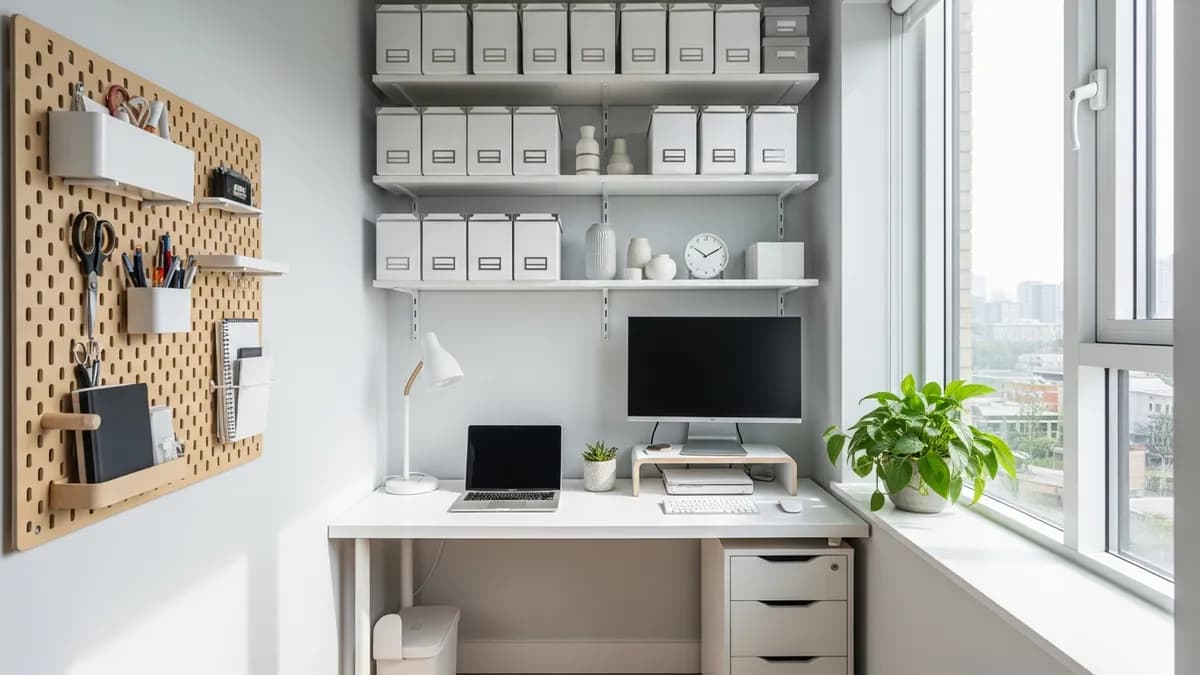
In a small home, the spare space is almost always on the walls, not on the floor. The principle: only things you use every day earn a spot on the desk surface. A floating wall shelf 24 to 32 inches wide is ideal mounted 16 to 20 inches above the desk, enough clearance for books and small boxes without banging your head. Individual shelves are budget-friendly, and a set like the Floating Wall Shelf Set makes it easy to hang two rows at once.
Check your wall type before drilling. Brick and concrete block hold standard wall plugs with ordinary screws, aerated concrete needs expanding anchors designed for its porous core, and drywall must never carry a loaded shelf unless the screws bite into the studs behind it. You can find studs by knocking along the wall until the sound turns solid; misjudging the wall means the shelf comes down with your laptop on it.
For hangable items like headsets, cables, and scissors, a 24 x 16 inch pegboard is more flexible than a drawer. You can borrow more vertical storage ideas for tight rooms from our practical home organizing tips.
Separating Work Mode From Rest Mode
The heaviest problem with WFH in a small home is not the desk; it is a brain that never feels off the clock. If the desk is visible from your bed, work follows you into your rest hours. Since there is no spare room to act as a boundary, use time boundaries and visual boundaries instead.
Build a shutdown ritual that takes only two minutes. At 6 p.m., the laptop, mouse, notebook, and charger go into one bin, the desk gets wiped, the chair gets pushed in. A folding desk gets fully folded, while a fixed desk gets covered with a tray or cloth as a signal that the desk is off duty.
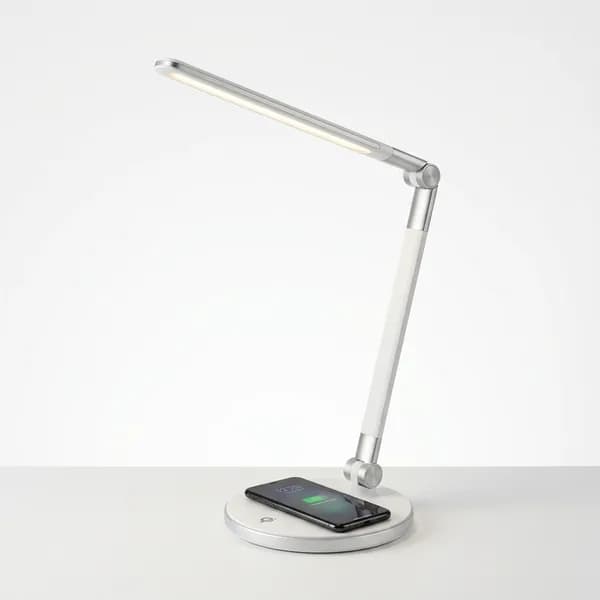
Lighting plays a role too. A desk lamp in neutral white (4000K to 5000K) supports focus during work hours, while warm room lighting (2700K to 3000K) signals wind-down at night. If you work at the dining table, keep one tray that can carry your entire setup at once, so when mealtime comes you lift a single container. One thing not to compromise on: do not work from the bed.
Practical tip: If your work area is in the bedroom, store work gear in closed bins, not on open shelves. Work items that stay visible after hours are the most common reason remote workers cannot get work off their minds at night.
Frequently Asked Questions
What is the minimum footprint for a WFH work area in a small home?
About 4 feet wide by 28 inches deep: a desk around 40 inches wide plus roughly 24 inches of chair pull-back room. If you use an external monitor, look for a desk at least 24 inches deep so the eye-to-screen distance stays at 20 to 28 inches.
Can a folding desk support a monitor?
Most steel-frame folding desks hold 45 to 65 lbs, while a 24-inch monitor weighs only about 7 to 11 lbs. The real issue is usually hinge wobble, not weight. Tighten the bolts every two to three months and add rubber pads under the feet.
What if there is no outlet near my work corner?
Use a 10 to 16 foot extension cord and run it along the wall with cable clips; never cut across the middle of the floor. Avoid hiding cords under a rug, because the trapped heat is a fire risk.
Can a dining chair work for a full workday?
For under two hours it is fine, especially with a small cushion at the lumbar curve and a footrest. If you sit more than four hours a day, a budget-friendly task chair is a far better deal than paying to treat back pain later.
My bedroom walls are full. What about my video call background?
You only need one plain section about 5 feet wide directly behind your chair, not the whole wall. Tidy any shelf that enters the frame, remove hanging clothes, and raise the camera to eye level with a laptop stand so your face is not shot from below.
What is the highest-impact first purchase on a tight budget?
A laptop stand plus an external keyboard. Together they immediately fix your neck and wrist positions, the two biggest complaint sources for remote workers. An ergonomic chair can follow next month, and a new desk is usually not the first priority.
Conclusion
A WFH setup that lasts in a small home is built in the right order: choose the corner based on light, video call background, and household traffic, then decide between a folding or fixed desk based on how the room is used. After that, match the work surface height to your elbows, not to factory standards, and move belongings up the wall so the desk stays clear.
If the budget is tight, prioritize a laptop stand, an external keyboard, and cable management before buying new furniture. End the day with a two-minute ritual that returns the room to rest mode, because in a small home the boundary between work and rest is one you have to build yourself. For more organizing inspiration, see our roundup of 2026 home organization trends.
Weekly Home Tips
Get home organization ideas, product picks, and exclusive deals delivered weekly.
No spam. Unsubscribe anytime.
Explore More Articles
- 30+ Best Dresser Drawer Organization Ideas to Transform Your Bedroom in 2026
- 20+ Best Mini Fridge Organization Ideas to Maximize Every Inch in 2026
- 30+ Best Makeup Organization Ideas to Transform Your Beauty Space in 2026
- 20+ Best Desk Cable Management Ideas to Build a Clean, Productive Workspace in 2026
- 25+ Best Purse Organization Ideas to Keep Your Handbag Tidy in 2026
- Home Office Desk Organization: 20+ Smart Tips to Build a Productive Workspace in 2026
- Carry On Packing Tips: The Ultimate 2026 Guide to Stress-Free Travel
- 30+ Best Under Sink Organization Ideas to Maximize Every Inch in 2026