
30+ Best Desk Setup Ideas to Build a Productive Workspace in 2026
Discover 30+ desk setup ideas to boost productivity in 2026. From minimalist to gaming setups, transform your workspace today!
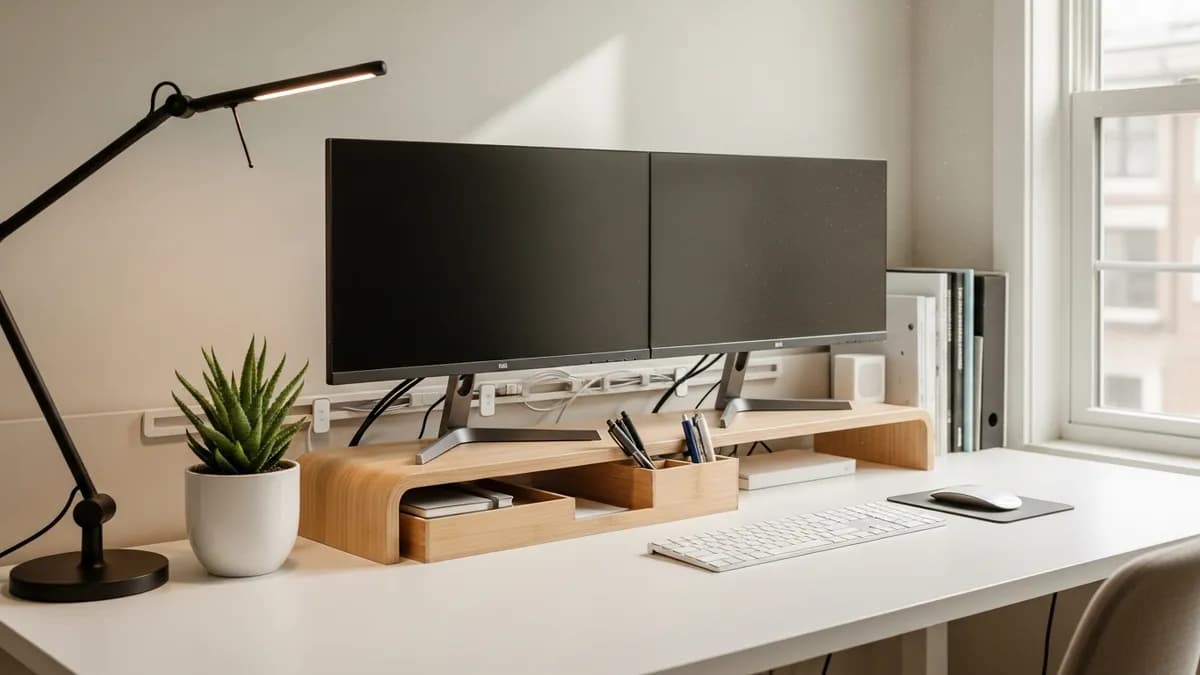
Whether you work from home full-time, study late into the night, or just want a dedicated creative corner, having the right desk setup ideas can completely change how you feel about sitting down to get things done. In 2026, more Americans than ever are investing in their home workspaces, and the good news is that building a setup that looks great and actually works for you does not have to cost a fortune. From sleek minimalist arrangements to fully loaded dual-monitor command centers, there is a desk setup out there for every style, budget, and space. In this guide, I am sharing 30+ of the best desk setup ideas to inspire you, along with practical tips to help you organize every inch of your workspace.
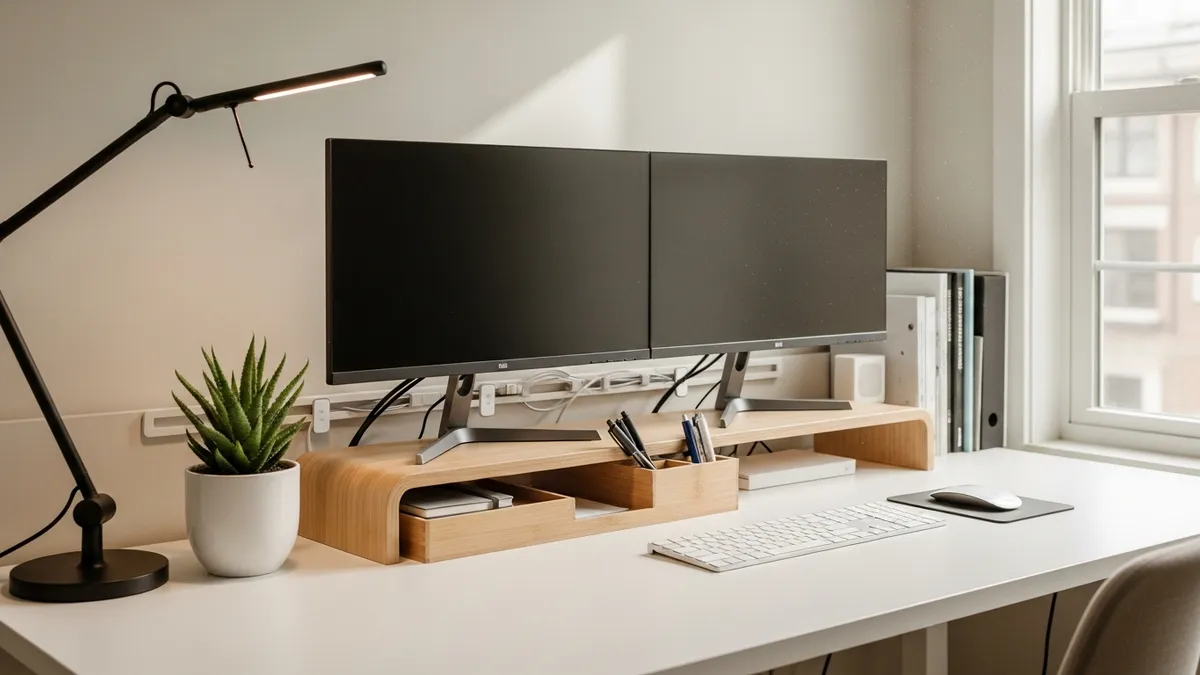
Why Your Desk Setup Ideas Matter More Than You Think
A cluttered, uncomfortable desk does more than just look messy. The National Eye Institute reports that visual clutter changes how efficiently information flows through the visual system. A thoughtfully arranged desk cannot guarantee productivity, but it can reduce competing visual input and make frequently used tools easier to reach.
Think of your desk as a personal productivity tool. Every item on it, under it, and around it either helps you or gets in your way. The desk setup ideas in this guide are organized by theme and space type so you can find what fits your real-life situation, not just what looks good in a design magazine.
Minimalist Desk Setup Ideas for a Clean, Calm Workspace
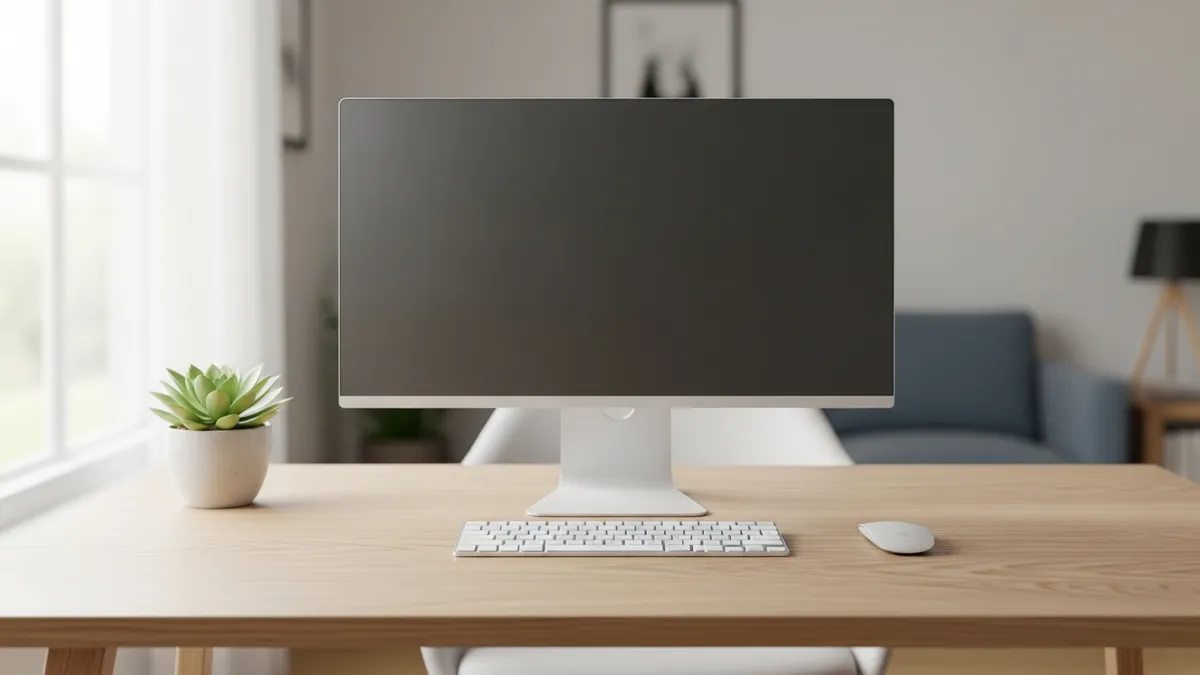
Minimalism is one of the most popular desk setup styles in 2026, and for good reason. A clean, uncluttered surface reduces visual noise and helps your brain focus on the task at hand. Here is how to nail the minimalist look without sacrificing function.
Go Wireless Wherever Possible
Wireless keyboards, mice, and chargers eliminate cable sprawl instantly. If you cannot go fully wireless, use a cable management box or under-desk tray to keep cords out of sight. Our article on cable management has a full breakdown of the best methods.
Choose a Neutral Color Palette
White, light wood tones, gray, and soft beige are classic minimalist choices. Stick to two or three colors across your desk surface, chair, and accessories for a cohesive look that feels intentional rather than bare.
Keep Only What You Use Daily on the Surface
- Your monitor or laptop stand
- A single notebook and one pen or pencil
- A small plant or one decorative object
- Your keyboard and mouse
- A coaster for your coffee or water bottle
Everything else, including extra pens, paper, chargers, and supplies, goes into a drawer, organizer tray, or storage unit nearby. Browse our best sellers for compact desk organizer trays that keep surfaces clear without hiding the things you actually need.
Add One Natural Element
A small succulent, a single stem in a narrow vase, or even a smooth stone can add warmth to a minimalist setup without creating much clutter. Keep the accent outside your main keyboard and writing zone so it adds personality without becoming another object you must move every day.
Dual Monitor Desk Setup Ideas for Power Users
If you spend long hours working across multiple applications, editing video, trading stocks, or coding, a dual monitor setup is one of the best investments you can make. Here is how to make it work ergonomically and aesthetically.
Position Your Monitors Correctly
Place your primary monitor directly in front of you at arm's length, with the top of the screen at or slightly below eye level. Your secondary monitor should sit at a slight angle to your dominant side. This reduces neck strain during long sessions.
Use a Monitor Stand or Arm
Monitor arms free up valuable desk real estate underneath your screens, creating space for a keyboard, a notepad, or a small organizer tray. They also make it easy to adjust height and tilt throughout the day.
Create Zones Below Your Monitors
The area below and between your monitors is prime workspace real estate. Use it for:
- A compact keyboard and mouse pad
- A wireless charging pad
- A small desktop organizer for pens and sticky notes
- A USB hub for quick device connections
Route Cables Smartly
Two monitors mean twice the cables. Use velcro ties, cable clips, and an under-desk cable tray to route everything cleanly to a single power strip mounted under or behind the desk. Check out our stationery organizer ideas for accessories that help keep the surface area tidy around a multi-monitor layout.
Small Space Desk Setup Ideas That Maximize Every Inch
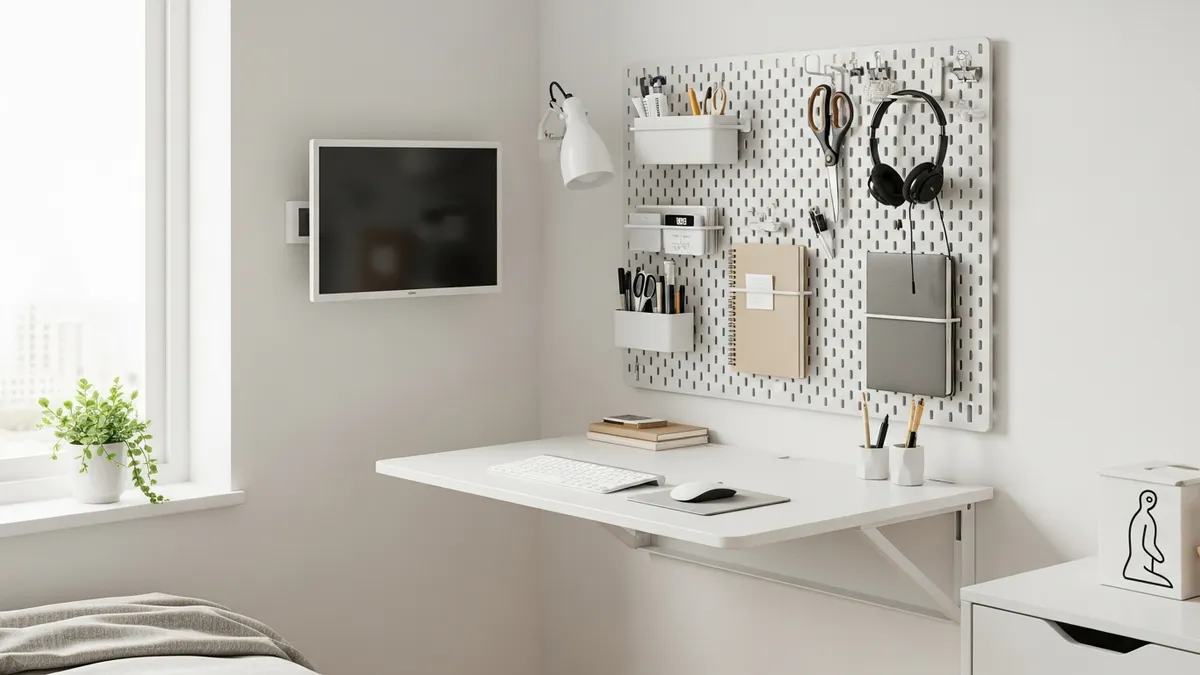
Not everyone has a dedicated home office. If you are working from a studio apartment, a bedroom corner, or a tiny nook, these desk setup ideas will help you make the most of limited square footage.
Try a Wall-Mounted Floating Desk
A floating desk mounts directly to the wall and folds up when not in use, freeing up the floor completely. These are ideal for bedrooms and studio apartments where every square foot counts. Standard floating desks range from about 24 inches wide up to 48 inches wide, giving you options for compact or slightly more generous setups.
Use a Pegboard Above the Desk
A pegboard mounted on the wall above your desk turns dead vertical space into a functional storage system. You can hang hooks for headphones, small shelves for speakers or plants, cups for pens, and clips for notes. Lay out the arrangement on the floor first, then mount frequently used items between shoulder and eye level so the wall remains easy to use.
Choose Furniture with Built-In Storage
Desks with built-in drawers, shelves, or hutch tops help you keep everything in one place without spreading into the rest of the room. Look for pieces that combine desk surface area with at least one or two storage compartments.
Vertical Shelving Is Your Best Friend
When floor space is tight, go up. A narrow bookshelf or set of floating wall shelves next to or above the desk can hold books, binders, decorative items, and storage bins without taking up any additional floor area. Explore our collection of home storage solutions for slim organizer options designed for small-space setups.
Quick tips for small desk setups:
- Use a laptop stand with a separate keyboard to free up desk surface
- Choose a slim profile chair that tucks fully under the desk
- Mount your power strip under the desk using adhesive brackets
- Use a monitor with built-in USB ports to reduce hub clutter
- Store rarely used items in labeled bins on nearby shelves
Gaming Desk Setup Ideas for a High-Performance Battlestation
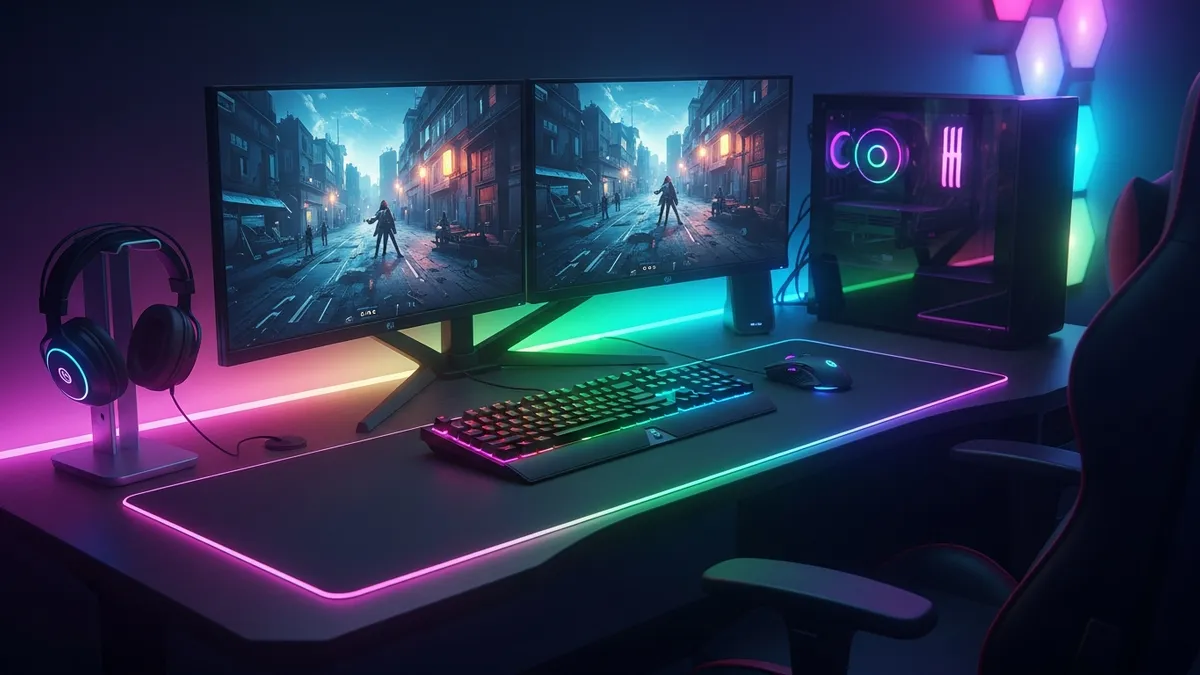
Gaming setups are a category all their own. Whether you are a casual player or a dedicated streamer, your desk setup needs to balance performance, comfort, and personal style. Here is how to build a gaming workspace that delivers on all three.
Start with the Right Desk Size
Gaming setups often involve multiple monitors, a large mouse pad, a mechanical keyboard, speakers, and streaming gear. You will want a desk that is at least 55 inches wide and 25 inches deep to have enough room for everything without feeling cramped. An L-shaped desk can work exceptionally well for setups that include a secondary monitor for chat or streaming dashboards.
Layer Your Lighting
RGB LED strips under the desk and behind the monitors create the signature gaming atmosphere that looks great on camera. Pair these with a good desk lamp for functional task lighting so you are not straining your eyes during long sessions. Smart bulbs with adjustable color temperature let you shift between a warm focus mode and a cooler, energizing tone.
Invest in a Headset Stand
A dedicated headset stand keeps your headset within reach without taking up drawer space or getting tangled in cables. Many headset stands also include a built-in USB hub or wireless charging pad, making them a multi-functional addition to any gaming setup.
Organize Your Gaming Peripherals
- Use a cable management spine to bundle cords along the back of the desk leg
- Add a controller stand for consoles or extra controllers
- Keep a small tray or drawer for memory cards, earbuds, and adapters
- Use a wide extended mouse pad that covers the full keyboard and mouse area for a clean, unified look
Desk Setup Ideas for Storage and Organization
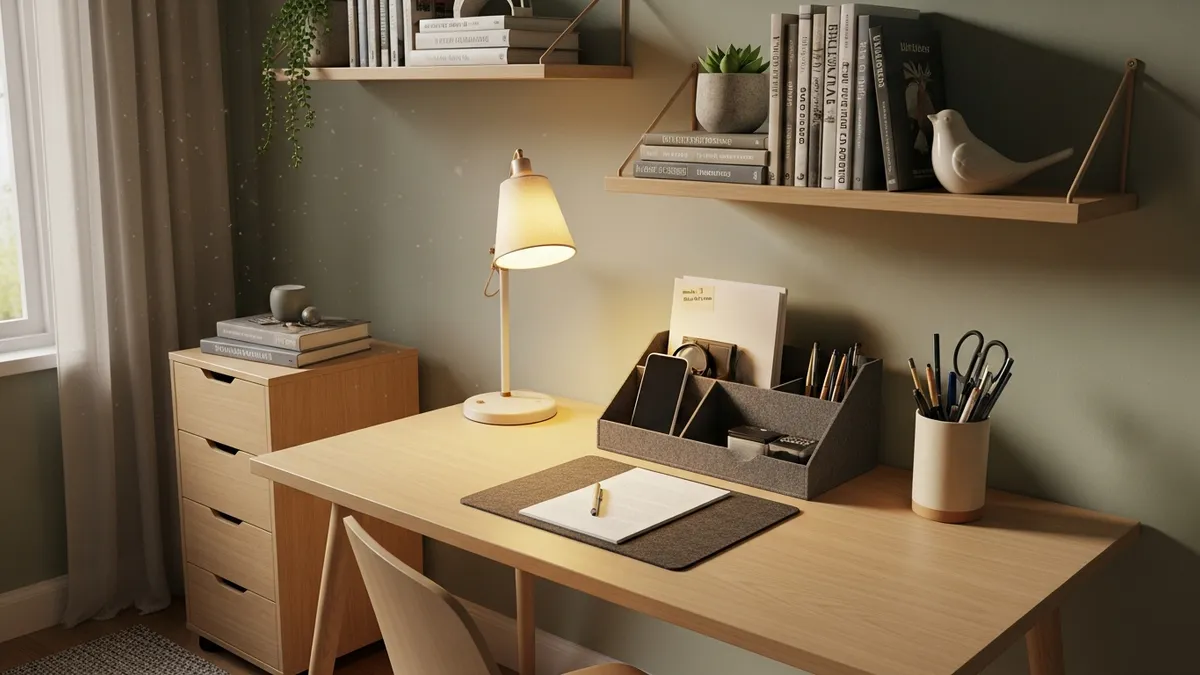
No matter how beautiful your desk looks at the start of the week, it can quickly turn into chaos without a solid storage plan. These desk setup ideas focus specifically on keeping everything organized and easy to find.
Use a Desktop Organizer Tray
A compartmentalized organizer tray on your desk surface keeps pens, sticky notes, paper clips, and small tools sorted without requiring you to dig through drawers. Look for trays with multiple sections and a compact footprint so they do not dominate the surface area.
Add a Small Drawer Unit
A two or three drawer unit that fits under or beside the desk is one of the highest-value storage additions you can make. Use the top drawer for daily supplies, the middle for documents or notebooks, and the bottom for less-used items like extra charging cables or backup supplies.
Label Everything
Labeled drawers, bins, and trays make it easy to put things back in the right place every time. Our label organizer guide walks through the best labeling systems for home workspaces.
Use Wall Shelves for Overflow Storage
Books, binders, decorative items, and storage boxes all belong on shelves, not on your desk surface. Installing two or three floating shelves above or beside the desk creates a dedicated home for everything that would otherwise pile up on the work surface. Take a look at our wall shelf ideas for living room for shelf styling inspiration that works just as well in a home office.
The golden rule of desk organization: if you do not use it every single day, it does not belong on the desk surface.
Ergonomic Desk Setup Ideas for All-Day Comfort
A desk that looks great but causes back pain or eye strain is not actually working for you. Ergonomic desk setup ideas focus on making your workspace physically comfortable so you can work longer without discomfort.
Get Your Monitor Height Right
The top of your screen should be at or slightly below eye level. If your monitor sits flat on the desk, a monitor riser or stand of about 4 to 6 inches is usually enough to bring it to a comfortable height for most people.
Choose the Right Chair Height
Your feet should rest flat on the floor with your knees at roughly a 90-degree angle. Your elbows should also sit at about 90 degrees when your hands are resting on the keyboard. If your chair does not adjust low enough, a footrest can bridge the gap.
Add a Wrist Rest
A wrist rest for your keyboard and mouse pad reduces strain during long typing sessions. Gel-filled options are widely available and affordable.
Take Lighting Seriously
Position your monitor so it is not directly facing a bright window, which creates glare. Instead, place the desk perpendicular to the window for balanced natural light. Add a desk lamp with adjustable brightness for evening work sessions.
Consider a Standing Desk Converter
You do not need to buy a full motorized standing desk to get the benefits of alternating between sitting and standing. A standing desk converter sits on top of your existing desk and raises your monitor and keyboard to standing height when you need a change. These typically start around US$60 to US$150 depending on size and features.
Aesthetic Desk Setup Ideas Inspired by 2026 Trends
Desk aesthetics are a genuine trend in 2026, with millions of people sharing their workspace photos and videos across social media. If you want a setup that is both functional and genuinely beautiful, here are the aesthetic directions driving inspiration right now.
Dark Academia
Dark wood surfaces, brass accents, vintage-style desk lamps, leather notebooks, and antique-style pen holders. Think warm, moody, and intellectual.
Japandi (Japanese + Scandinavian)
Light natural wood, white or cream surfaces, ceramic accessories, clean lines, and a strict limit on items visible on the desk. Calm, serene, and breathable.
Cottagecore
Plenty of plants, dried flowers, warm lighting, soft fabric mouse pads, illustrated notebooks, and earthy tones. Cozy and nature-forward.
Tech Minimalist
All-white or all-black color scheme, sleek aluminum accessories, hidden cables, and just enough tech to get the job done. Modern and professional.
Colorful and Maximalist
Bold desk mats, colorful organizers, fun stationery, and personality-driven decor. Vibrant and motivating.
For visual inspiration across all of these styles, Pinterest is one of the best resources available, with millions of real-world examples from everyday people and design professionals alike.
You can also find organizational tools that fit any of these aesthetic styles in the Sesoris new arrivals section, where we regularly stock fresh products for home and office organization.
Cable Management: The Secret to Every Great Desk Setup
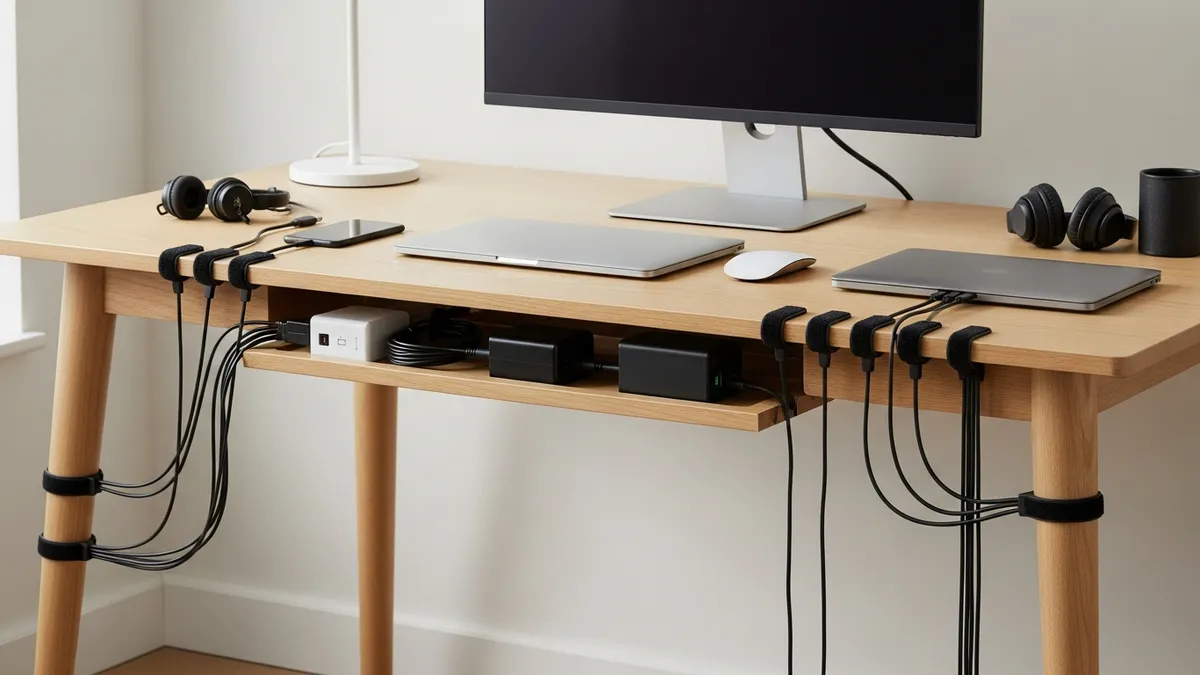
Cables are the number one thing that make a desk setup look messy, even when everything else is perfectly arranged. Here are the most effective cable management techniques for any desk setup.
- Use an under-desk cable tray to route power strips and cable bundles out of sight completely
- Apply adhesive cable clips along the underside and back edge of the desk to guide individual cables neatly
- Bundle cables with velcro ties rather than zip ties, so you can adjust and reroute without cutting
- Use a cable spine or sleeve for vertical runs from desk to floor, especially useful in standing desk setups
- Label your cables at both ends so you can identify what goes where without tracing the whole run
- Use a single power strip hub mounted under the desk so all devices plug into one centralized location
Our dedicated guide on cable management covers all of these methods in detail with step-by-step instructions.
Budget-Friendly Desk Setup Ideas Under US$200
You absolutely do not need to spend thousands of dollars to have a great desk setup. Here is a practical breakdown of how to build a solid, functional, and good-looking workspace on a tight budget.
Prioritize These Items First
- A solid desk with enough surface area (at least 48 inches wide is ideal)
- An ergonomic chair with lumbar support
- Good task lighting
- A monitor riser or stand if needed
Save Money Here
- Use your existing laptop instead of buying a desktop
- Find a basic desktop organizer tray for under US$15
- Use a tension rod under the desk to hang a power strip instead of a cable tray
- Shop the Sesoris all products page for affordable desk and workspace organizers
- Thrift stores and Facebook Marketplace are great sources for affordable desks and shelving
Upgrade Over Time
Start with the essentials and add upgrades gradually as your budget allows. A good monitor arm, a quality headset stand, or a custom desk mat can all be added later without requiring you to rebuild the whole setup from scratch.
Related Products from Sesoris
If you want to turn this guide into a real setup, start with Slide-Out Cabinet Drawer, Black Steel and Stackable Storage Bins, 24 Pack. For broader options, browse the Home & Decor collection so the article journey does not stop at reading only.
Our practical rule: choose one product that solves the main clutter problem first, then add supporting organizers only when the daily workflow is already clear. This keeps the shopping path useful, not pushy.
FAQ: Frequently Asked Questions About Desk Setup Ideas
What is the best desk size for a home office setup?
For most home office users, a desk that is at least 48 inches wide and 24 inches deep provides enough room for a monitor, keyboard, and a few desktop accessories without feeling cramped. If you plan to use dual monitors, aim for 60 inches or wider.
How do I keep my desk setup organized day to day?
The easiest habit is to do a quick 5-minute desk reset at the end of each workday. Put everything back in its designated spot, clear any paper clutter, and wipe down the surface. This makes it much easier to start fresh the next morning without having to deal with yesterday's mess.
What desk accessories do I actually need vs. what looks nice?
Essentials include a good monitor riser or arm, a cable management solution, a desktop organizer for daily supplies, and proper task lighting. Everything else, including fancy pen holders, decorative trays, and aesthetic accessories, is optional and should only be added if it genuinely improves your workflow or motivates you.
How can I make a small desk setup feel bigger?
Use vertical space with a pegboard or wall shelves, keep the desk surface as clear as possible, choose furniture in light colors to reflect more light, and use a monitor arm to reclaim the space under your screens. A large desk mat in a light neutral color also helps unify the surface and make it feel more expansive.
What is the most important thing I can do for my desk setup in 2026?
Invest in ergonomics first, then aesthetics. A beautiful setup that causes back pain or eye strain is not serving you. Get your monitor height, chair height, and lighting right before spending money on decorative accessories.
Conclusion: Build the Desk Setup That Works for You
The best desk setup ideas are the ones that actually fit your life, your workflow, your space, and your personality. Whether you are going for a sleek minimalist corner, a power-user dual monitor arrangement, a cozy aesthetic workspace, or a compact small-space solution, the fundamentals are the same: keep the surface clear, manage your cables, use smart storage, and make sure your setup is physically comfortable for long sessions.
In 2026, there has never been a better time to invest in your workspace. The tools, accessories, and inspiration are all out there, and building a setup you love does not have to break the bank.
Ready to take the next step? Explore the full range of workspace and home organization products at Sesoris to find the organizers, storage solutions, and desk accessories that will help you build your best setup yet. Check out our best sellers for the most popular picks from our customers, or browse new arrivals for the freshest additions to our collection. Live more organized, one desk at a time.
Liked this guide?
Get new organizing guides and the occasional new product by email. No spam, unsubscribe anytime.
Related articles
Explore more articles
- 20 Essential Travel Accessories That Make Your Journey More Comfortable (2026)
- Very Small Closet Organization Ideas: Transform Your Tiny Storage Space in 2026
- 10 Best Container Boxes for Home and Office Storage (2026)
- Shoe Storage Ideas for Bedroom Spaces Without the Clutter
- Kitchen Wine Rack Ideas: Smart Ways to Store Bottles and Glasses
- Garage Organization Ideas on a Budget: 20 Cheap Fixes That Actually Last
- How to Organize a Junk Drawer Once and For All: Complete Step-by-Step Tutorial for 2026
- Best Under-Stair Storage Solutions: Complete 2026 Review & Buying Guide to Reclaim Hidden Space