
30+ Best Gaming Desk Setup Ideas to Build Your Ultimate Battle Station in 2026
Discover 30+ gaming desk setup ideas to build the ultimate battle station in 2026. Practical tips, gear picks & organization hacks. Read now!
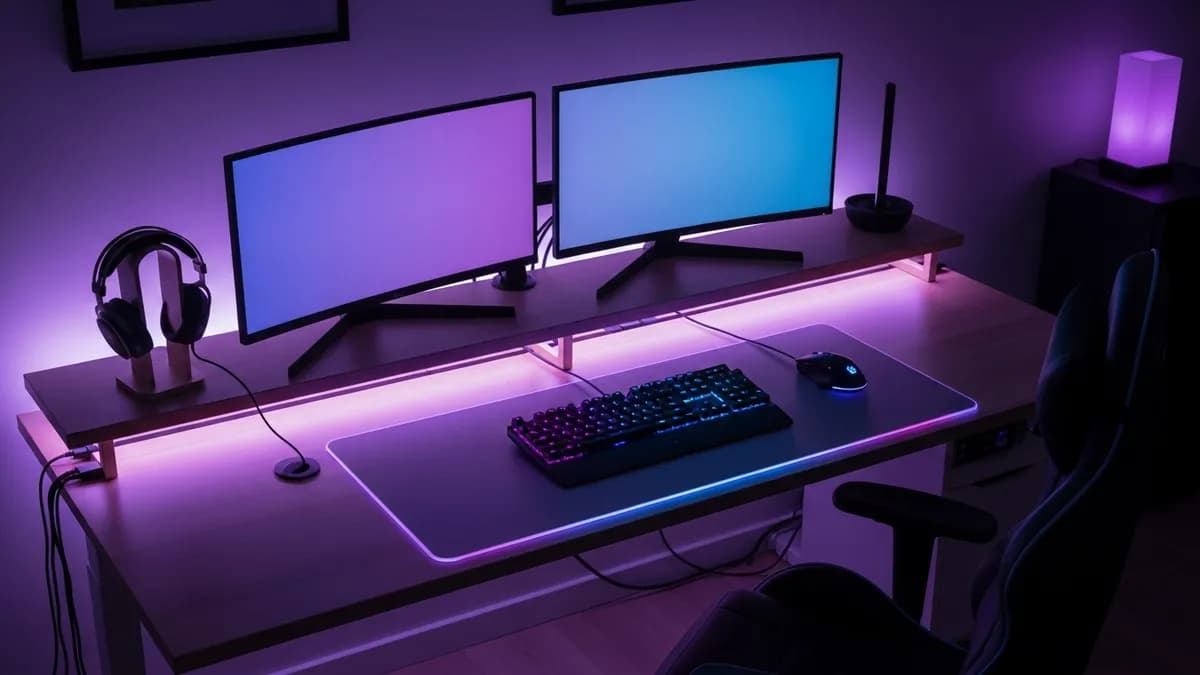
If you have been searching for gaming desk setup ideas that actually work in a real home, you are in exactly the right place. Whether you are building your first battle station in a spare bedroom or trying to squeeze an epic rig into a studio apartment corner, the way you set up your gaming desk makes a huge difference in your comfort, focus, and overall enjoyment. In 2026, gaming setups have evolved far beyond a monitor and a chair. They are now thoughtfully designed personal spaces that blend performance, organization, and style. I have put together 30+ of the best gaming desk setup ideas, covering everything from ergonomics and cable management to lighting and desk organization, so you can create a setup that truly works for you.
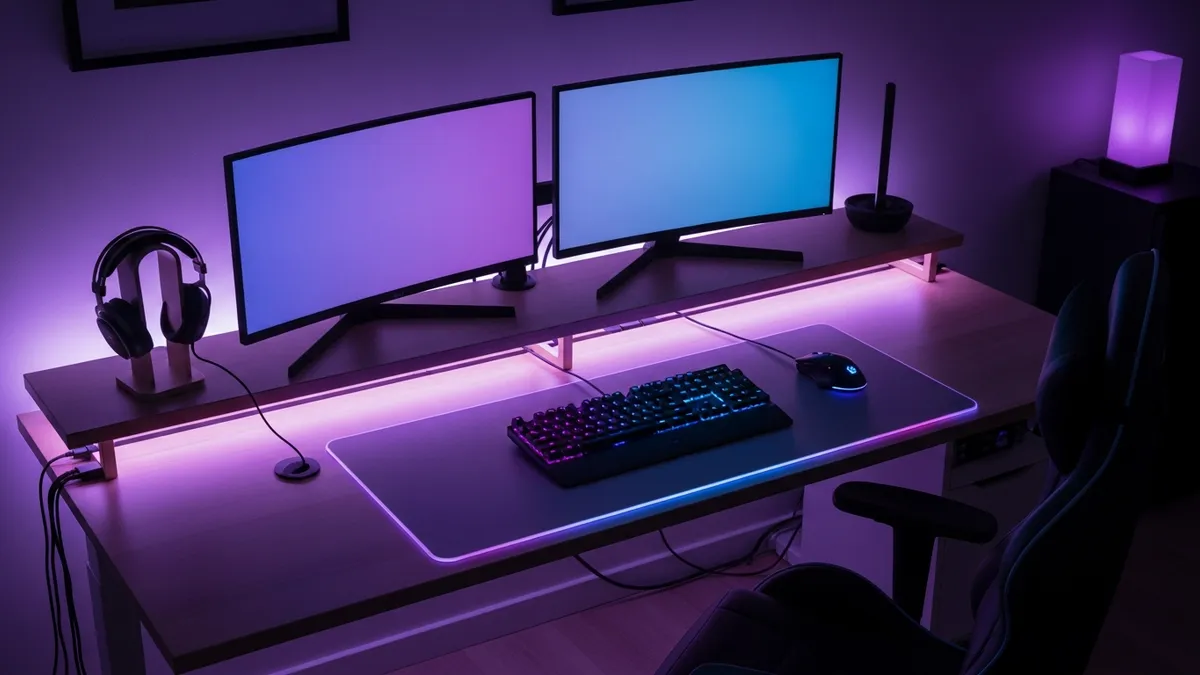
Why Your Gaming Desk Setup Matters More Than You Think
A great gaming desk setup is not just about looking cool on social media. It directly affects your gameplay, your posture, and your mental clarity. A cluttered, poorly arranged desk creates visual noise that quietly drains your focus during long sessions. On the flip side, a clean, well-organized setup lets you sink into the zone faster and stay there longer.
Organization is not only cosmetic. OSHA's workstation guidance recommends enough surface area for proper equipment placement and keeping frequently used devices within easy reach. The same principle applies to gaming: when controllers, charging cables, and input devices have designated spots, you can reset the desk quickly between sessions.
Beyond performance, a well-designed setup is an investment in your space. Your gaming area is a part of your home, and it deserves the same thoughtful organization you would give any other room. If you are already into home organization, check out our desk setup ideas guide for even more workspace inspiration that crosses over between gaming and productivity.
30+ Gaming Desk Setup Ideas Organized by Style and Space
1. The Dual Monitor Power Station
Dual monitors are one of the most popular gaming desk setup ideas for a reason. One screen handles your game while the other shows Discord, a walkthrough, or a streaming overlay. To pull this off cleanly, use a dual monitor arm mount to free up desk surface space and keep both screens at the exact same height. Pair it with a cable spine or raceway along the back edge of your desk to keep all the cords invisible.
2. The Ultrawide Single Monitor Setup
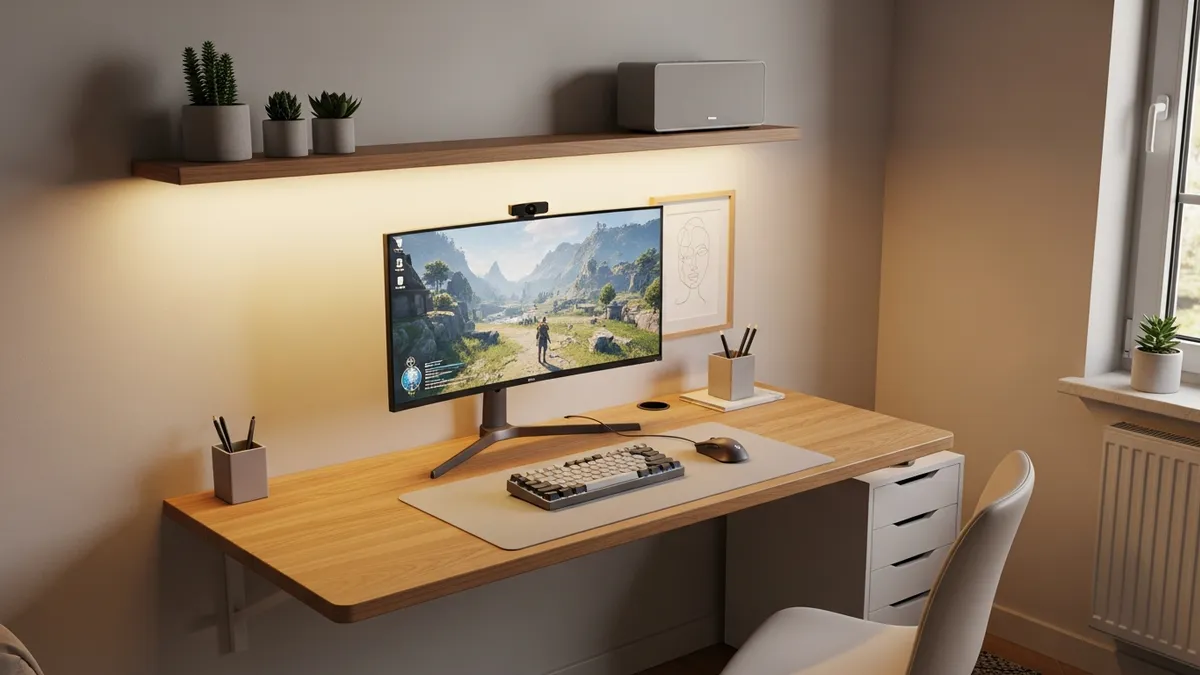
If you prefer a clean, single-screen aesthetic, an ultrawide monitor, typically 34 to 49 inches wide, delivers immersive visuals without the bezels of a dual setup. This works especially well on a smaller desk where you want maximum screen real estate without visual clutter. A monitor arm is still a smart add here because it lets you tilt, swivel, and adjust height precisely.
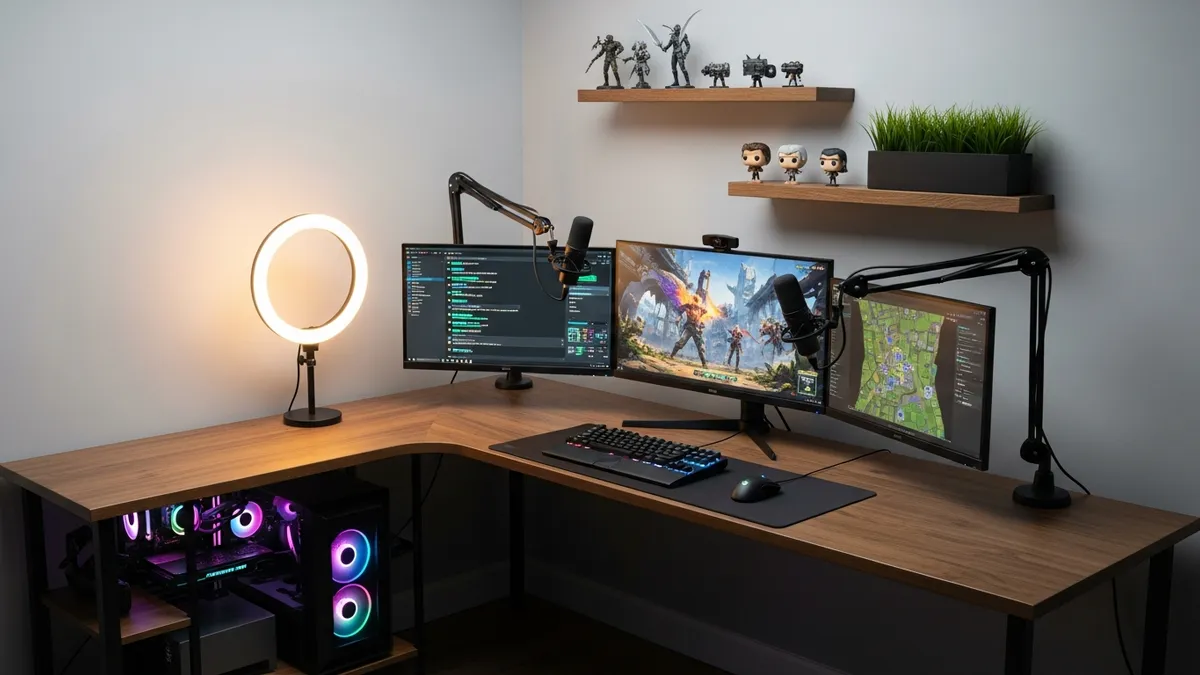
3. The Triple Monitor Streaming Rig
For streamers and content creators, a triple monitor or an L-shaped desk with a side monitor is the ultimate gaming desk setup idea. Dedicate one screen to your game, one to streaming software like OBS, and one to chat and alerts. Add a microphone arm, a ring light or key light, and a dedicated camera mount and you have a professional streaming corner without needing a separate studio.
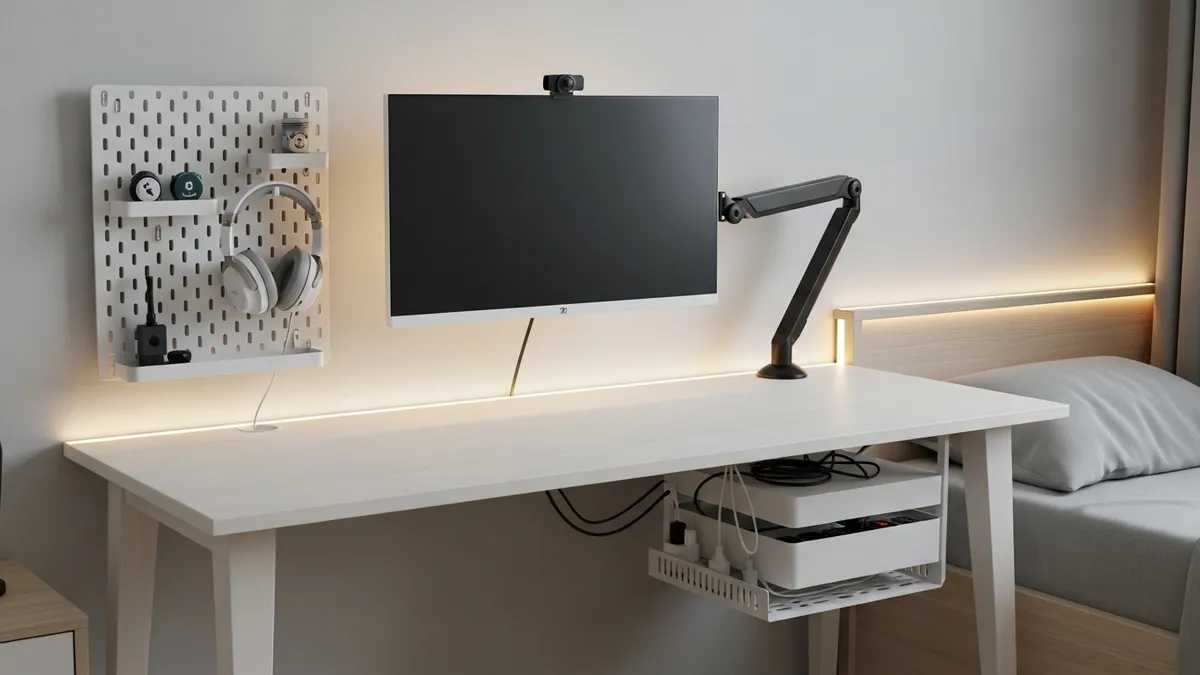
4. The Minimalist Clean Desk
Not every gamer wants RGB lighting and a dozen accessories on display. The minimalist gaming setup keeps only the essentials on the desk surface: monitor, keyboard, mouse, and maybe a headset stand. Everything else goes in drawers, under the desk, or on a nearby shelf. A clean white or natural wood desk with a single monitor and no visible cables is surprisingly stylish and deeply satisfying.
5. The Floating Wall-Mounted Desk Setup
For small rooms and studio apartments, a floating wall-mounted desk is one of the most space-saving gaming desk setup ideas available. These desks mount directly to the wall and have no legs on the floor, which visually opens up the room. You can pair one with a wall-mounted power strip and cable channels to keep everything tight and tidy.
6. The L-Shaped Corner Desk Setup
An L-shaped desk is a classic for a reason. It gives you a large primary surface for your monitors and peripherals, plus a secondary surface for a side PC tower, notebooks, snacks, or a secondary monitor. Corner setups also wrap around you in a way that feels immersive. Look for an L-shaped desk with built-in grommets for cable routing.
7. The Standing Desk Gaming Setup
Standing desks are not just for office workers. A height-adjustable standing desk lets you game sitting or standing, which is great for your back and circulation during marathon sessions. Many gamers alternate between sitting and standing every hour or so. Pair one with an anti-fatigue mat for standing and an ergonomic chair for sitting.
8. The Console Gaming Desk Setup
PC is not the only option. Console gamers need solid desk setups too. A TV stand or monitor at eye level, a comfortable chair or couch with a lap desk nearby, and a dedicated shelf for your console, controllers, and games makes for a clean and functional console gaming area. Velcro cable ties and a small cable management box under the desk keep controller cables and HDMI cords under control.
9. The RGB Aesthetic Setup
RGB lighting is almost synonymous with gaming culture. LED strips under the desk, behind the monitor, and inside the PC case create that signature glow. For a cohesive look, sync all your RGB components through a single app so the colors match. Keep the rest of the desk clean and minimal so the lighting becomes the star rather than a distraction.
10. The Cozy Bedroom Gaming Corner
Not everyone has a dedicated gaming room. If your setup lives in your bedroom, the goal is to keep the gaming zone separate from your sleep zone both visually and mentally. A room divider, a curtain, or even a specific rug under the desk helps define the space. Use warm LED lighting instead of harsh white to keep the ambiance relaxing while still functional.
Gaming Desk Setup Ideas for Small Spaces
Small spaces require creative thinking. Here are the gaming desk setup ideas I recommend most for compact rooms, tight corners, and shared spaces.
11. Use Vertical Space with a Pegboard
A pegboard mounted directly above or beside your desk is one of the most flexible small-space gaming desk setup ideas. You can hang hooks for headphones, bins for cables, small shelves for controllers, and even a small monitor or tablet arm. Pegboards are inexpensive, customizable, and keep your desk surface clear. Test the layout before drilling so heavy accessories sit near secure mounting points and everyday items remain within easy reach.
12. Wall Shelves Above the Desk
Floating shelves above your gaming desk give you extra storage without eating into floor space. Use them to store games, gaming books, collectibles, or even a secondary speaker. Keep at least one shelf at arm's reach for things you grab often, like headphones or a game case.
13. Under-Desk Storage Solutions
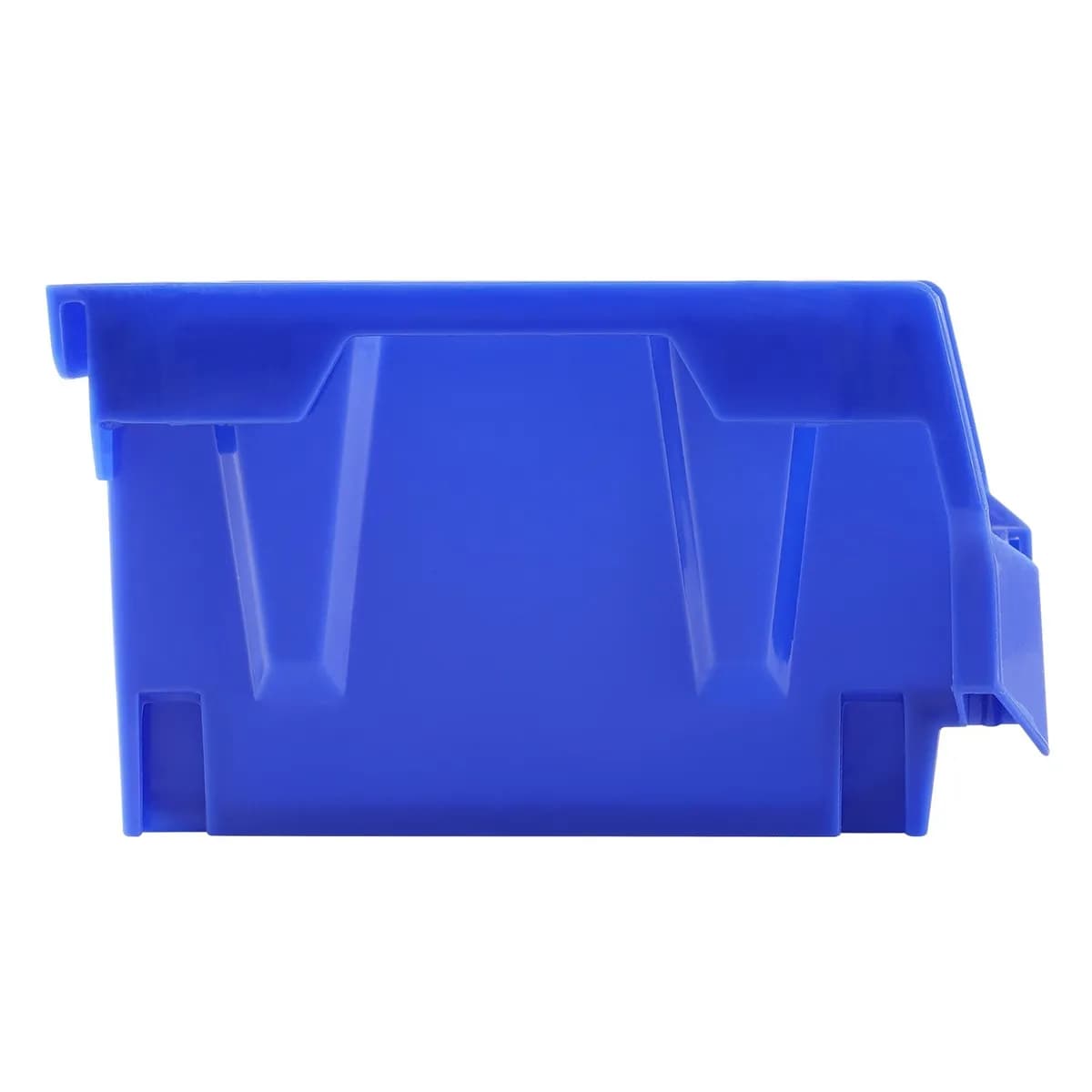
The space under your desk is seriously underutilized in most gaming setups. A small rolling drawer unit, a cable management box, or even a few storage bins can hold extra controllers, headsets, charging cables, and accessories. Keep it contained so it does not become a dumping ground. For more inspiration on keeping storage neat, browse our best sellers at Sesoris.
14. Monitor Riser with Built-In Storage
A monitor riser elevates your screen to a healthier eye level while creating a sheltered storage zone underneath. You can slide your keyboard there when not in use, store a controller, or keep a charging pad there. This single product solves two problems at once, which is exactly what small-space gaming desk setup ideas should do.
15. Compact Desk with Clamp-On Accessories
When the desk itself is small, clamp-on accessories become your best friend. A clamp-on monitor arm, clamp-on headphone stand, clamp-on microphone arm, and clamp-on power strip all attach to the desk edge, freeing up every inch of surface space for your actual gaming.
Cable Management: The Unsung Hero of Gaming Desk Setup Ideas
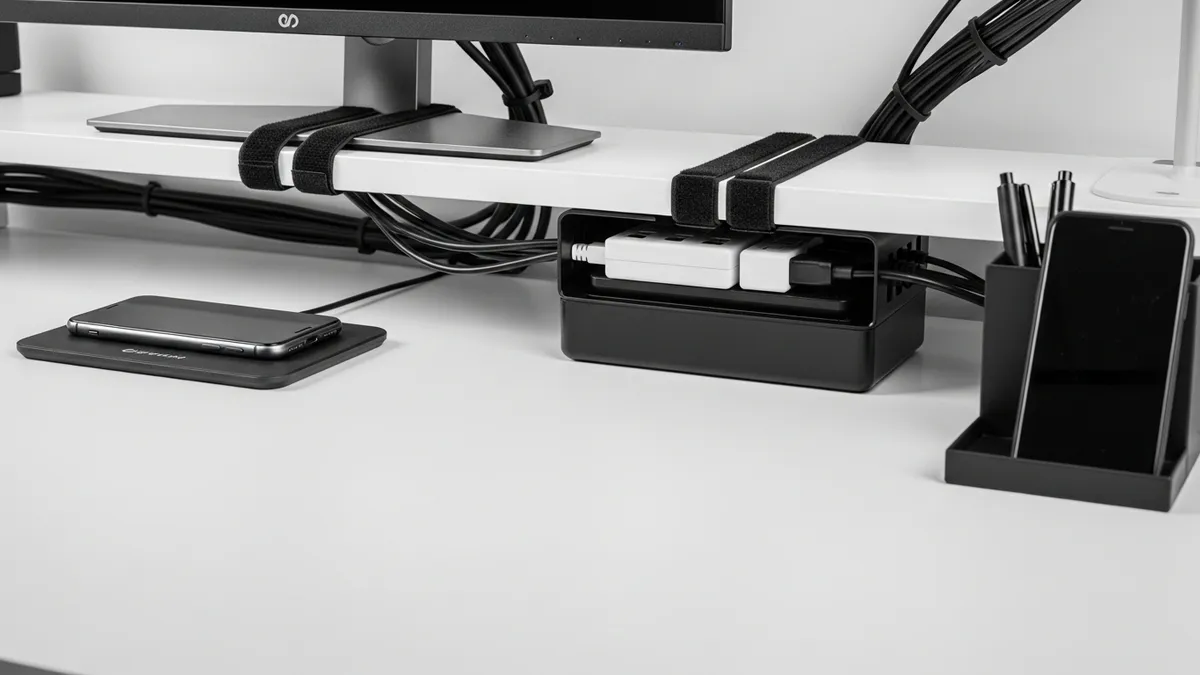
No gaming desk setup idea matters if your cables are a tangled disaster. Messy cables make even an expensive setup look cheap and chaotic. Here is how to handle it properly.
16. Use a Cable Management Box
A cable management box sits on or under your desk and hides your power strip and excess cable length inside. From the outside, you see a clean box with a single cable running to the wall. This one product eliminates the single biggest source of visual clutter in most gaming setups.
17. Velcro Cable Ties Over Zip Ties
Velcro cable ties are reusable and adjustable, which makes them far superior to zip ties for a gaming desk. You will inevitably add, remove, or rearrange cables over time. Velcro ties let you do that without cutting anything. Bundle your cables into groups, for example, all monitor cables together and all USB cables together, and secure each group with a tie.
18. Cable Raceways and Channels
Wall-mounted cable raceways are plastic channels that you stick along the wall or the back edge of your desk. You feed cables through them and snap the cover closed. The result is a clean, professional look where cables appear to vanish into the wall. These are especially useful for running cables from a wall-mounted monitor or a PC tower on the floor.
19. Wireless Everything Where Possible
The best cable management is no cable at all. In 2026, wireless gaming peripherals have reached a point where there is virtually zero latency difference compared to wired options for most gamers. A wireless keyboard, wireless mouse, and wireless headset instantly cut the number of cables on your desk surface by a significant margin.
20. Label Your Cables
Once cables are bundled and routed, label each one at both ends so you always know what is what without crawling under the desk. Small cable label tags or even a label maker work great. This tip sounds boring but saves huge amounts of frustration when you need to swap something out.
Gaming Desk Setup Ideas for Ergonomics and Comfort
A setup that looks great but destroys your back, neck, and wrists is not actually a good setup. These gaming desk setup ideas prioritize long-term health and comfort.
21. Get Your Monitor Height Right
Your monitor should be positioned so that the top of the screen is at or just below eye level when you are sitting with proper posture. If your monitor is too low, you hunch forward. If it is too high, you crane your neck. A monitor arm or a monitor riser adjusts this easily.
22. Keep Your Keyboard and Mouse at Elbow Height
Your elbows should be at roughly a 90-degree angle when your hands rest on the keyboard and mouse. If your desk is too high, a keyboard tray that mounts under the desk surface can drop your typing surface by a few inches without changing the desk height.
23. Invest in a Quality Chair
Your gaming chair is arguably the most important piece of hardware in your setup. Look for adjustable lumbar support, adjustable armrests, and a seat height that lets your feet rest flat on the floor. A footrest under the desk is a great add-on for shorter gamers.
24. Add Wrist Rests
A padded wrist rest for your keyboard and a separate one for your mouse helps reduce strain during long gaming sessions. Memory foam options are especially comfortable. This small addition can make a noticeable difference if you game for several hours at a time.
25. Use Proper Lighting to Reduce Eye Strain
Bias lighting, which is a strip of LEDs mounted on the back of your monitor facing the wall, reduces the harsh contrast between your bright screen and a dark room. This significantly reduces eye fatigue during long sessions. You can find bias lighting kits for under US$20 that make a real, visible difference.
Gaming Desk Decor and Personalization Ideas
Your gaming desk setup should feel like yours. Here are some gaming desk setup ideas that add personality without adding clutter.
26. Gaming Collectibles and Figures on Shelves
Keep your favorite gaming figures, Funko Pops, or collectibles on the floating shelves above your desk rather than on the desk surface itself. This keeps them visible and meaningful without taking up workspace.
27. A Plant or Two
A small succulent or pothos on the corner of your desk or on a shelf above it adds life and a pop of natural color to an otherwise tech-heavy setup. Plants also improve air quality in a small room. Low-maintenance options are ideal so they do not become a chore.
28. A Custom Desk Mat
A large extended desk mat, sometimes called a mouse pad, covers most of your desk surface. It defines your workspace, protects the desk from scratches, and gives the entire setup a polished, cohesive look. They come in hundreds of designs, from solid colors to gaming-themed artwork.
29. A Themed Color Palette
Pick two or three colors and stick to them throughout your setup. For example, black, white, and purple. Your desk, chair, peripherals, LED color, and accessories should all tie back to the same palette. This simple constraint makes even a budget setup look intentional and professional. You can browse Pinterest for color palette inspiration that fits your personal style.
30. A Headset Stand That Doubles as Decor
A stylish headset stand on your desk keeps your headset off the surface and at arm's reach. Many headset stands now incorporate USB hubs or wireless charging pads, which makes them genuinely functional and not just decorative.
31. Cable Clips That Match Your Aesthetic
Small details matter. Choose cable clips, velcro ties, and cable management accessories in colors that match your setup's theme. Black cable clips on a black desk disappear. White clips on a white desk look clean and intentional.
Organization Products That Elevate Any Gaming Desk Setup
The right organization products turn a messy desk into a clean battle station. Here are some of the most useful categories to look for.
- Desktop organizer tray for small items like earbuds, USB drives, and styluses
- Cable management box to hide power strips and excess cable lengths
- Monitor riser to elevate your screen and add under-desk storage
- Headset stand with USB hub integration for clean cable routing
- Desk drawer organizer to keep a slim under-desk drawer tidy
- Velcro cable ties for grouping and managing all cable bundles
- Storage bins or baskets under the desk for controllers and accessories
- Wall-mounted hooks or pegboard for headphones and frequently used items
For premium organization products that work beautifully in a gaming setup, explore the Sesoris shop and our latest new arrivals for fresh workspace organization solutions.
How to Start Building Your Gaming Desk Setup from Scratch
If you are starting completely fresh, here is a simple order of operations I recommend.
- Choose your desk first. Everything else is built around it. Consider the size of your room, whether you want a standing desk, and how many monitors you plan to run.
- Plan your monitor configuration. Decide between single, dual, ultrawide, or triple monitors before you buy anything else, because this determines how much desk space you need.
- Sort out cable management before you set anything up. Install grommets, raceways, and cable channels before placing your monitors and PC. It is ten times harder to add cable management after everything is already in place.
- Add your chair and ergonomics. Get the chair height right, then adjust your monitor and keyboard positions to match.
- Add lighting last. Bias lighting and LED strips are the finishing touch. Add them once everything else is in place so you can see exactly where they will have the most impact.
- Decorate with restraint. Add only the decor items that genuinely bring you joy. Every item on your desk that is not functional should earn its place visually.
The best gaming desk setup is not the most expensive one. It is the one that is organized, comfortable, and completely your own.
Related Products from Sesoris
If you want to turn this guide into a real setup, start with Slide-Out Cabinet Drawer, Black Steel and Stackable Storage Bins, 24 Pack. For broader options, browse the Home & Decor collection so the article journey does not stop at reading only.
Our practical rule: choose one product that solves the main clutter problem first, then add supporting organizers only when the daily workflow is already clear. This keeps the shopping path useful, not pushy.
FAQ: Frequently Asked Questions About Gaming Desk Setup Ideas
What is the best desk size for a gaming setup?
For a single monitor setup, a desk that is at least 47 inches wide gives you enough room for a monitor arm, keyboard, mouse, and a few accessories without feeling cramped. For dual monitors or an L-shaped setup, aim for at least 60 inches on the primary side. Depth matters too. A desk that is at least 28 to 30 inches deep lets you position your monitor at a proper distance from your eyes.
How do I keep my gaming desk clean and organized long term?
The key is giving every single item a designated home. If you have to think about where something goes when you are done using it, you will probably just set it down anywhere. Use a desktop organizer for small accessories, cable ties to keep cords grouped, and a cable management box to hide the power strip. A weekly five-minute tidy-up goes a long way. For more desk organization ideas, visit our desk organizer guide.
What kind of lighting is best for a gaming setup?
A combination of bias lighting behind the monitor, ambient LED strips under the desk, and a decent room light source creates the best gaming environment. Pure darkness with only a glowing monitor causes significant eye strain. Warm or neutral white room lighting paired with colored RGB strips gives you both comfort and atmosphere.
Do I need an expensive gaming chair for my setup?
You do not need the most expensive chair, but you do need a chair with proper lumbar support, adjustable armrests, and a seat height that lets your feet rest flat on the floor or on a footrest. Spending more on an ergonomic chair is genuinely worth it if you game for more than an hour at a time because the difference in long-term comfort and back health is significant.
How do I set up a gaming desk in a small bedroom?
Use vertical space aggressively with wall shelves and a pegboard. Choose a desk that fits the corner if possible, either an L-shaped desk or a corner triangular desk. A monitor arm keeps the monitor up and off the surface. Use a cable management box and velcro ties to keep everything tidy. A floating wall-mounted desk is another great option for very small rooms because it takes up zero floor space.
What organization products does Sesoris recommend for a gaming desk setup?
At Sesoris, we recommend desktop organizer trays, cable management boxes, and storage bins for under-desk storage as the three most impactful starting points. These three products alone transform the typical cluttered gaming desk into something that actually looks and functions well. Browse our collections to find exactly what your setup needs.
Conclusion: Build the Gaming Desk Setup That Fits Your Life in 2026
Great gaming desk setup ideas are really about three things: organization, ergonomics, and personal style. You do not need a massive budget or a dedicated gaming room to build a setup that feels incredible. You need a clear plan, the right organization tools, smart cable management, and a design aesthetic that reflects who you are as a gamer.
Start with the fundamentals: a desk that fits your space, a monitor at the right height, and cables that are actually managed. Then layer in the personality: the RGB lighting, the collectibles on the shelves, the custom desk mat, and the plants in the corner. Whether you are working with a 6-foot-wide dedicated gaming room or a 47-inch desk wedged into a studio apartment corner, these gaming desk setup ideas will help you make the most of what you have.
Ready to level up your workspace organization? Explore Sesoris for premium home organization products that keep your gaming setup, and your entire home, looking clean, functional, and genuinely enjoyable. Check out our best sellers to see what other organized households are already using in 2026.
Liked this guide?
Get new organizing guides and the occasional new product by email. No spam, unsubscribe anytime.
Related articles
Explore more articles
- Minimalist Shoe Rack for Your Home's Foyer
- 25+ Best Entryway Organization Ideas to Transform Your Home's First Impression in 2026
- Container Storage Box: Best Space-Saving Solutions Guide 2026
- 30+ Creative Kitchen Drawer Organizer Ideas to Transform Your Cooking Space in 2026
- Aluminum Dish Cabinets: Strength Meets Style in Modern Kitchen Storage
- Dish Rack Above Sink: Ultimate Guide to Kitchen Space Organization
- Best Desk Organizers for a Productive Work Desk
- Craft Storage Room Ideas: Transform Your Creative Space with Smart Organization in 2026