
How to Set Up a Home Office Desk Step by Step: Complete Tutorial for a Productive Workspace in 2026
Learn how to set up a home office desk step by step in 2026. Follow this complete tutorial for a productive, organized workspace you'll love.
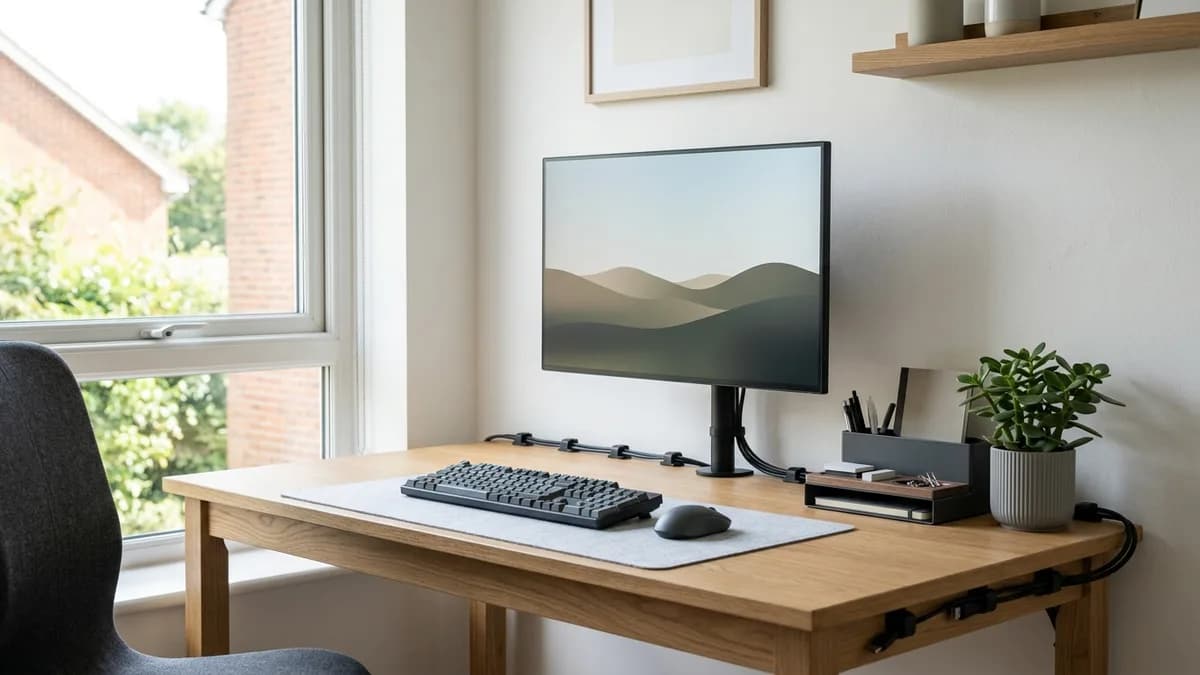
If you have been staring at a cluttered desk and wondering why you can never seem to focus, you are not alone. Setting up a home office desk the right way is one of the single most impactful things you can do for your daily productivity, mental clarity, and physical comfort. In 2026, with remote and hybrid work remaining a major part of American life, a thoughtfully arranged desk is no longer a luxury but a genuine necessity. This step-by-step tutorial walks you through everything from choosing the right spot in your home all the way to adding the finishing touches that make your workspace feel both functional and personal.
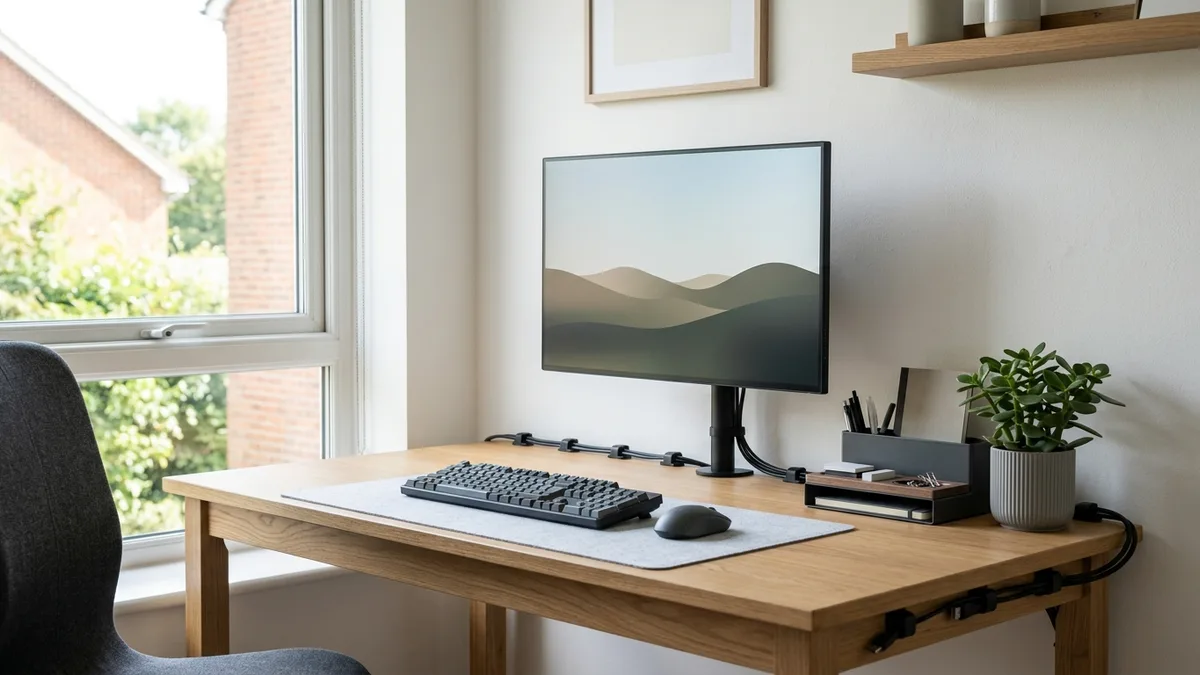
Why a Well-Organized Home Office Desk Changes Everything
Before we dive into the how, it is worth taking a moment to understand the why. According to The Spruce, a disorganized workspace can contribute to mental fatigue and reduced focus over the course of a workday. When your desk is chaotic, your brain is essentially processing all that visual noise in the background, even when you are trying to concentrate on a task.
A properly set up home office desk does three things at once: it supports your body ergonomically so you do not end up with neck and back pain, it organizes your tools so you are not wasting time searching for things, and it creates a psychological boundary between work mode and rest mode. That last point is especially important in a home environment where the lines between personal and professional life can easily blur.
You do not need an expensive renovation or a dedicated room to achieve this. Even a small corner desk in a bedroom or living room can be transformed into a high-performing workspace when you approach the setup intentionally. Let us get into the actual steps.
Step 1 - Choose the Right Location for Your Home Office Desk
The very first decision you need to make is where your desk will live. This single choice affects lighting, noise levels, temperature, and how easily you can mentally switch into work mode.
Assess Natural Light
Natural light is one of the biggest contributors to alertness and mood during the workday. Whenever possible, position your home office desk near a window. The ideal placement puts the light source to your side, either left or right, rather than directly behind or in front of your monitor. Light directly behind you creates glare on your screen, and light directly in your face causes eye strain over time.
Consider Noise and Foot Traffic
If you live with family members or roommates, think about which areas of your home have the least foot traffic during your core work hours. A corner of a bedroom, a converted closet, or a quiet end of a living room all work well. The goal is a spot where you can get into a focused state without constant interruptions.
Think About Power Outlets
Before you commit to a location, count the power outlets nearby. A typical home office desk setup might require outlets for a computer, monitor, lamp, phone charger, and possibly a printer or external hard drive. If your chosen spot only has one outlet, plan to use a quality surge-protected power strip. Running cables across open floor space is both a safety hazard and an aesthetic problem, so proximity to outlets really does matter.
Step 2 - Set Up the Desk Surface and Ergonomics for Your Home Office Desk
Once you have chosen your location, it is time to set up the physical desk and ensure everything is ergonomically sound. Poor ergonomics are one of the leading causes of work-from-home discomfort, and a few simple adjustments make an enormous difference.
Desk Height and Chair Alignment
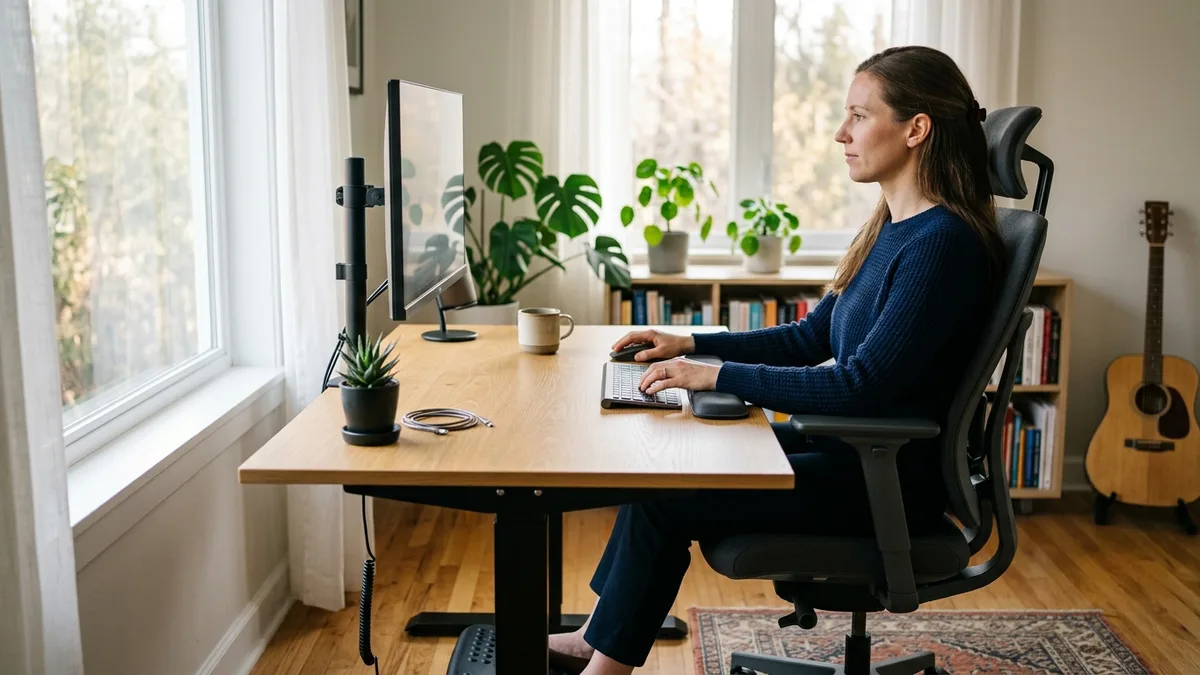
According to Good Housekeeping, your elbows should rest at approximately a 90-degree angle when your hands are on the keyboard. For most adults, this means a desk surface height of roughly 28 to 30 inches off the floor. Adjust your chair so your feet rest flat on the floor or on a footrest, and your thighs are roughly parallel to the ground.
If you are using a standing desk or a convertible sit-stand surface, the same elbow rule applies when standing. Your monitor height should place the top of the screen at or just below eye level, so you are looking very slightly downward rather than craning your neck up.
Monitor Positioning
Place your monitor approximately an arm's length away from your face, which is typically 20 to 30 inches. If you work with two monitors, angle them slightly inward so the center point sits directly in front of you. A monitor riser or an adjustable arm can help you dial in the exact height without wasting desk surface space.
Keyboard and Mouse Placement
Keep your keyboard and mouse on the same level and close enough that your arms do not need to stretch outward. A wrist rest for both your keyboard and mouse pad can reduce the risk of repetitive strain, especially during long sessions.
Step 3 - Tackle Cable Management Before Anything Else
If there is one step that most people skip and later deeply regret, it is cable management. Doing this before you place your accessories and organizers makes the whole process far cleaner and easier.
Gather Your Cables First
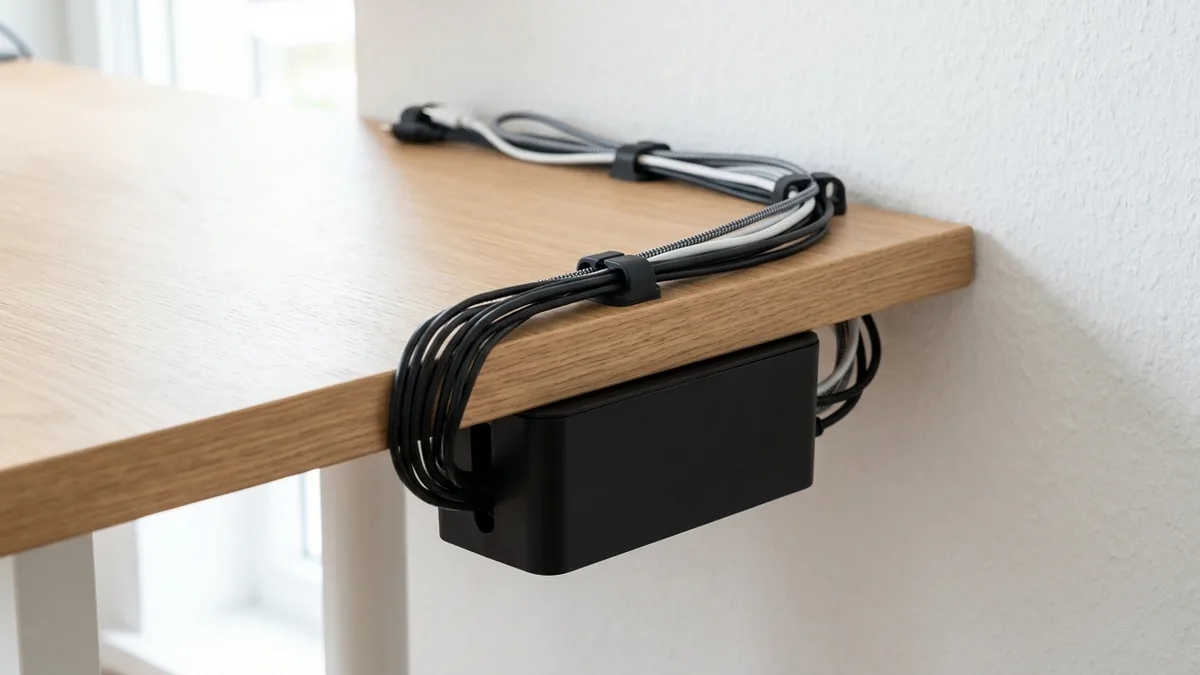
Lay out every cable you will need: your monitor cable, power cords, USB hub cable, laptop charger, phone cable, and anything else. Seeing them all together gives you a realistic picture of what you are working with before you start routing.
Use Cable Clips and Raceways
Adhesive cable clips are inexpensive and attach directly to the underside or back edge of your desk. Run cables along these clips to keep them off the surface and out of sight. For a cleaner look, a cable raceway or a cable management box mounted under the desk can hide a power strip and bundle multiple cords into a single tidy channel.
Label Your Cables
This is a small step that pays enormous dividends later. Use small adhesive labels or colored cable ties to identify each cord. When you need to unplug something, you will know instantly which cable is which without crawling under the desk.
For a deeper dive into wire organization solutions, check out our guide on cable management ideas for home offices.
Step 4 - Add a Desk Organizer System to Your Home Office Desk
With your cables sorted, you can now focus on the surface itself. The goal is to keep only the items you use daily within arm's reach, and everything else stored away.
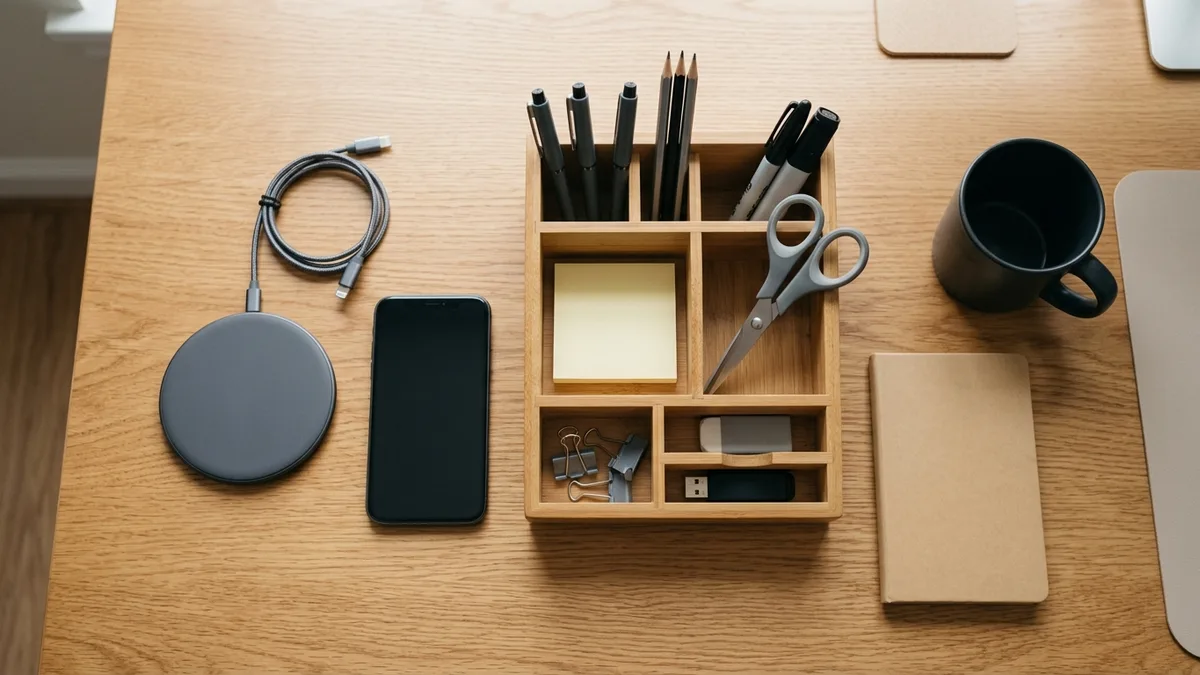
Choose the Right Desk Organizer
A good desk organizer should match the scale of your desk. A large multi-compartment tray works well on a full-size desk, while a compact vertical organizer with a few slots is better for a smaller surface. Look for organizers that include compartments for pens and pencils, a slot for your phone or tablet, a small tray for paper clips and sticky notes, and a space for a notepad.
You can explore our full range of workspace organization tools at Sesoris to find options that fit your desk size and aesthetic.
Apply the Zones System
Divide your desk into three zones based on how frequently you use each item:
- Primary zone (directly in front of you): Your monitor, keyboard, mouse, and whatever you are actively working on right now.
- Secondary zone (within arm's reach to either side): Your desk organizer, notepad, phone, and any reference materials you consult regularly.
- Tertiary zone (edges and storage): Items you need occasionally, such as a stapler, extra pens, or a second monitor. These can sit at the far edges of the desk or in a drawer.
This zoning system prevents the desk surface from gradually becoming a dumping ground for everything that does not have a proper home.
Use Vertical Space
A monitor riser with a small shelf underneath is one of the most efficient ways to add storage without expanding your desk footprint. You can keep a small notebook, a few frequently used items, or even a tiny plant in that space. Floating wall shelves above your desk can hold books, binders, or decorative items that would otherwise crowd the surface. For inspiration, browse our desk setup ideas for visual examples of how real home offices use vertical space effectively.
Step 5 - Organize Your Desk Drawers and Nearby Storage
A clean desk surface is only half the battle. If your drawers are a jumbled mess, you will still waste time hunting for things.
Drawer Dividers
Use a simple drawer divider tray to separate your top drawer into sections. A typical top drawer might hold pens, scissors, a small stapler, tape, sticky notes, and a few important documents. Keeping each category in its own compartment means you can find what you need in under two seconds.
The One-Drawer Rule for Personal Items
Designate exactly one drawer for personal items: chargers, headphone cases, snacks, or anything non-work-related. This creates a clear boundary between work tools and personal items, making it easier to stay focused when the drawer is closed.
Filing System for Papers
Even in a largely digital world, paper still accumulates. A small desktop file box or a two-slot paper tray with an inbox and an outbox keeps documents from piling up on your surface. Aim to process your inbox at least once a week, filing what needs to be kept and shredding or recycling what does not. For more on broader workspace organization, our article on home and office organization covers the full picture.
Step 6 - Set Up Lighting for Your Home Office Desk
Lighting is one of the most underappreciated elements of a productive home office desk setup. Poor lighting causes eye strain, fatigue, and even headaches over the course of a long workday.
Task Lighting
A dedicated desk lamp positioned to the side of your monitor reduces glare and provides focused light exactly where you need it. Look for lamps with adjustable color temperature so you can shift from a cooler, more alerting light during work hours to a warmer tone in the evenings. Bulbs in the 4000K to 5000K range tend to support alertness, while bulbs below 3000K feel warmer and more relaxing.
Ambient Lighting
If your home office area is in a room with overhead lighting, make sure the overall ambient light level is reasonably consistent with your screen brightness. A very bright screen in a very dark room, or vice versa, forces your eyes to constantly readjust and causes fatigue. A simple floor lamp or a smart light strip behind your monitor can help balance the room light without adding glare.
Bias Lighting
For video calls and extended screen sessions, a bias light placed behind your monitor reduces the perceived contrast between the bright screen and the darker background, which measurably reduces eye strain over long sessions according to Wikipedia's entry on bias lighting. LED strips designed for this purpose are widely available and typically run under US$20.
Step 7 - Add Personal Touches and Finishing Details
Once the functional elements are in place, it is time to make the space feel like yours. A workspace that reflects your personality and values is one you will actually want to spend time in.
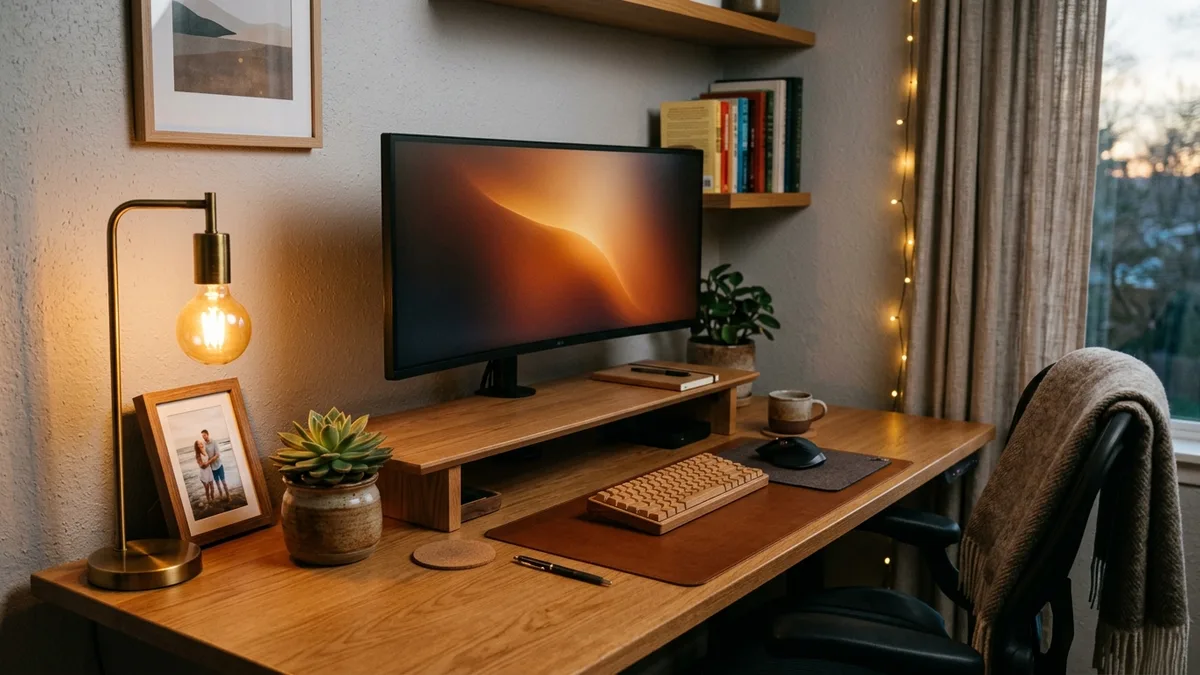
Plants
A small plant on or near your desk adds a touch of nature that has been shown to reduce stress and improve mood in work environments. Low-maintenance options like a small succulent, a pothos cutting in a small pot, or a peace lily work well on a desk because they do not require much direct sunlight or frequent watering. For more on incorporating plants into your home spaces, check out our indoor plant shelf ideas for display inspiration.
A Curated Personal Item or Two
One framed photo, a small piece of art, or a meaningful object can make your desk feel personal without creating clutter. The key word is one or two. A desk that is covered in personal items stops feeling personal and starts feeling overwhelming.
A Consistent Aesthetic
Choose two or three colors that work well together and stick to them for your desk accessories. For example, if your desk is light wood tone, you might pair it with black or white accessories and one warm accent color. A cohesive aesthetic makes even a small desk feel intentional and polished.
Step 8 - Build Daily Habits to Maintain Your Home Office Desk
Setting up a great desk is one thing. Maintaining it is another. The best setup in the world degrades in about two weeks if you do not build simple maintenance habits alongside it.
The End-of-Day Reset
Spend three to five minutes at the end of every workday resetting your desk to its clean starting state. Clear any papers back to your inbox tray, cap your pens and return them to the organizer, and put away anything that crept onto your secondary or primary zones. This habit means you always start the next day with a clear surface, which sets a positive tone immediately.
Weekly Mini-Declutter
Once a week, usually on a Friday afternoon or a Sunday evening, spend an additional five to ten minutes doing a slightly deeper pass. Clear out your inbox tray, wipe down the surface, check your cable clips to make sure nothing has slipped out of place, and remove anything from your desk that does not belong there.
A three-minute daily reset costs almost nothing and pays back an enormous amount of focus and calm the following morning.
Monthly Review
Once a month, ask yourself whether your current desk setup is still working for you. Have your work habits changed? Are you reaching for things that are not within easy reach, or storing things on your desk that you never actually use? A monthly review allows you to make small adjustments before small problems become big ones. Our morning routine organization guide pairs well with this habit if you want to build a broader daily structure around your workspace.
Related Products from Sesoris
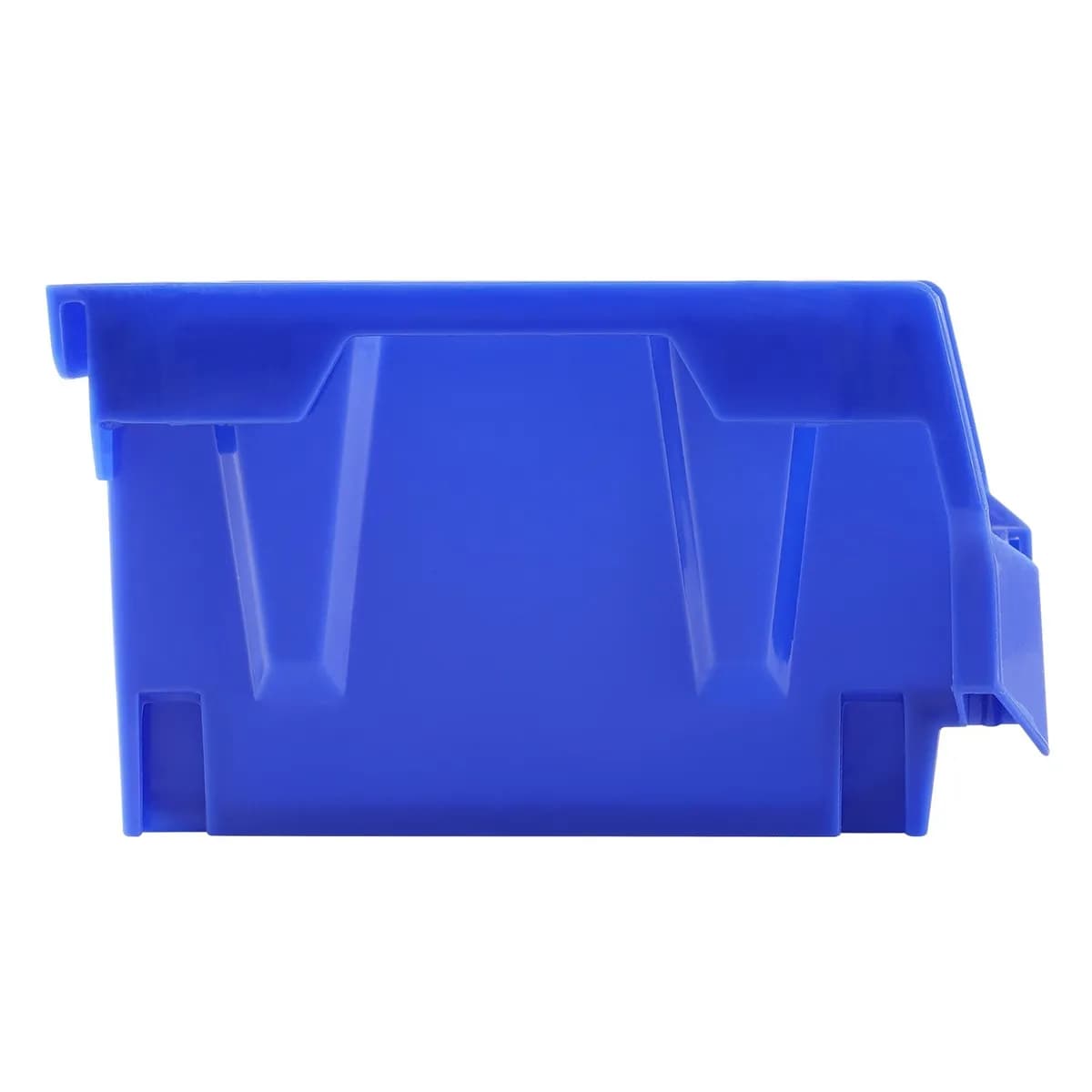
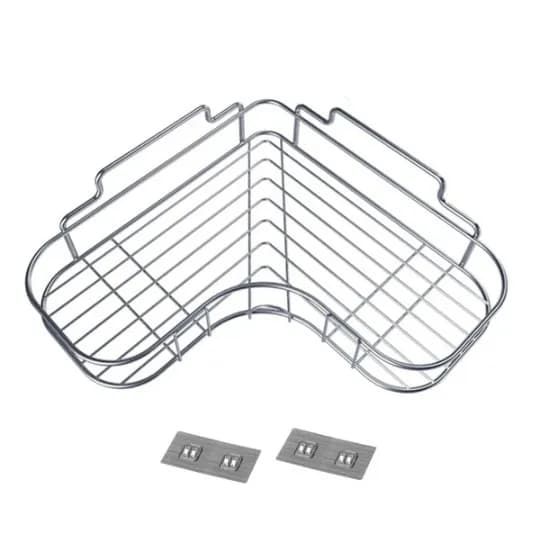
If you want to turn this guide into a real setup, start with Stackable Storage Bins, 24 Pack and Slide-Out Cabinet Drawer, Black Steel. For broader options, browse the Home & Decor collection so the article journey does not stop at reading only.
Our practical rule: choose one product that solves the main clutter problem first, then add supporting organizers only when the daily workflow is already clear. This keeps the shopping path useful, not pushy.
FAQ: Frequently Asked Questions About Setting Up a Home Office Desk
Q: What is the most important first step when setting up a home office desk?
The single most important first step is choosing the right location. Every other decision, from lighting to cable management to ergonomics, flows from where your desk lives. A spot with good natural light, low foot traffic, and proximity to power outlets will make all the subsequent steps much easier and more effective.
Q: How much should I spend on setting up my home office desk?
You do not need to spend a lot. A basic but highly functional desk setup can be assembled for under US$150 by prioritizing a good chair adjustment, a simple cable management kit (typically US$10 to US$20), a quality desk organizer tray (US$15 to US$40), and a task lamp (US$20 to US$50). Invest more in ergonomics first, specifically your chair and monitor height, before spending on aesthetics.
Q: How do I keep my desk clutter-free long-term?
The most reliable method is the three-minute end-of-day reset described in Step 8. Returning every item to its designated home before you close down for the day is the single habit that separates permanently tidy desks from desks that look great for a week and then revert to chaos. Pair this with the zones system from Step 4 so every item has a defined home to return to.
Q: What should I not keep on my desk surface?
Avoid keeping food and drinks directly on the desk surface when not actively using them, storing items you only use once a week or less in your primary or secondary zones, piling up papers without a clear filing system, and allowing personal items to outnumber work tools. Each of these tends to gradually crowd out the functional tools you actually need quick access to.
Q: Is a standing desk worth it for a home office?
A sit-stand desk can be a worthwhile investment if you find yourself sitting for six or more hours a day and experiencing discomfort. However, even a fixed-height desk with an ergonomic chair and proper monitor positioning will serve most people well. If you are on a budget, a simple monitor riser and a footrest can replicate some of the ergonomic benefits of a standing desk at a fraction of the cost.
Conclusion: Your Home Office Desk Is a Foundation, Not a Finish Line
Setting up a home office desk step by step is not a one-time event. It is the foundation of a daily work environment that either supports or undermines your focus, comfort, and output. By choosing the right location, dialing in your ergonomics, managing your cables before anything else, applying a sensible zone system, organizing your drawers, getting your lighting right, adding a few personal touches, and building simple maintenance habits, you create a workspace that genuinely works for you in 2026 and beyond.
The best part is that none of these steps require a big budget or a dedicated home office room. A thoughtfully arranged desk in a bedroom corner or a quiet living room nook can be just as productive as a custom-built office suite, as long as the fundamentals are in place.
Ready to level up your workspace with the right organizational tools? Browse our best sellers and new arrivals at Sesoris to find desk organizers, cable management solutions, storage trays, and everything else you need to build a workspace you are proud to sit down at every single day. Live more organized.
Liked this guide?
Get new organizing guides and the occasional new product by email. No spam, unsubscribe anytime.
Related articles



Explore more articles
- Food Storage Containers for Rice: The Complete 2026 Tutorial Guide to Keeping Rice Fresh
- Best Food Storage Containers Glass: Complete 2026 Review & Buying Guide for a Smarter Kitchen
- Storage Containers for Food BPA Free: The Complete 2026 Guide to Safe, Healthy Kitchen Organization
- Rubbermaid Brilliance Food Storage Containers: Complete Review & Buying Guide for 2026
- Glass Containers for Food Storage: The Complete 2026 Review & Buying Guide
- 25+ Best Under Stairs Closet Storage Ideas to Transform Dead Space in 2026
- 30+ Best Pantry Cabinet Ideas to Transform Your Kitchen Storage in 2026
- Kitchen Organization Dish Rack Alternatives: 10 Smart Solutions for a Tidier Kitchen in 2026