
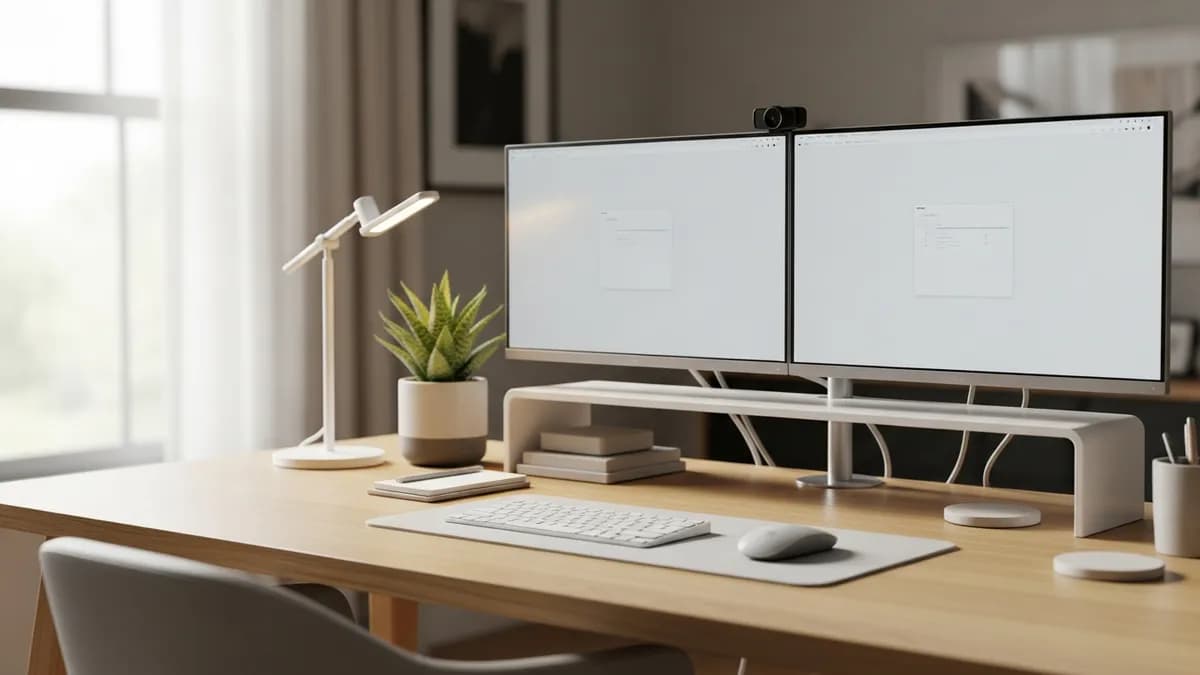
30+ Best Office Desk Setup Ideas to Build a Productive Workspace in 2026
Whether you work from home full time or just need a dedicated spot for bills and side projects, having the right office desk setup ideas can completely transform how you feel and function throughout the day. A thoughtfully designed desk space is not just about looks. It directly impacts your focus, comfort, and overall productivity. In 2026, home offices have become a permanent fixture in American homes, and people are investing more than ever in creating workspaces that truly work for them. In this article, I am walking you through 30+ of the best office desk setup ideas, from minimalist layouts to ergonomic powerhouses, so you can build a workspace that fits your life perfectly.
Why Your Office Desk Setup Ideas Matter More Than You Think
Most people underestimate just how much their desk environment affects their output. A cluttered, uncomfortable, or poorly lit desk can lead to fatigue, distraction, and even physical discomfort over time. On the flip side, a well-planned desk setup can make you feel energized and focused the moment you sit down.
A well-organized workspace can make the start of a work session feel more deliberate. When the desk has a defined layout and supplies return to the same places, you spend less time searching and more time getting into the task at hand.
Here is why investing time into your desk setup is worth it:
- Improved focus - When everything has a place, your brain is not wasting energy searching for things
- Better posture - The right ergonomic setup reduces neck and back strain significantly
- Faster workflows - Having your most-used tools within arm's reach saves time and reduces friction
- Boosted motivation - A space you actually enjoy sitting at makes starting work less of a struggle
- Reduced stress - Organization creates a sense of calm and control over your environment
Before you spend a single dollar on gear or furniture, think about how you actually use your desk every day. Do you video call frequently? Do you sketch or write by hand? Do you have multiple screens? Your answers will shape every decision you make.
30+ Office Desk Setup Ideas Organized by Style and Need
1. The Minimalist Clean Desk Setup
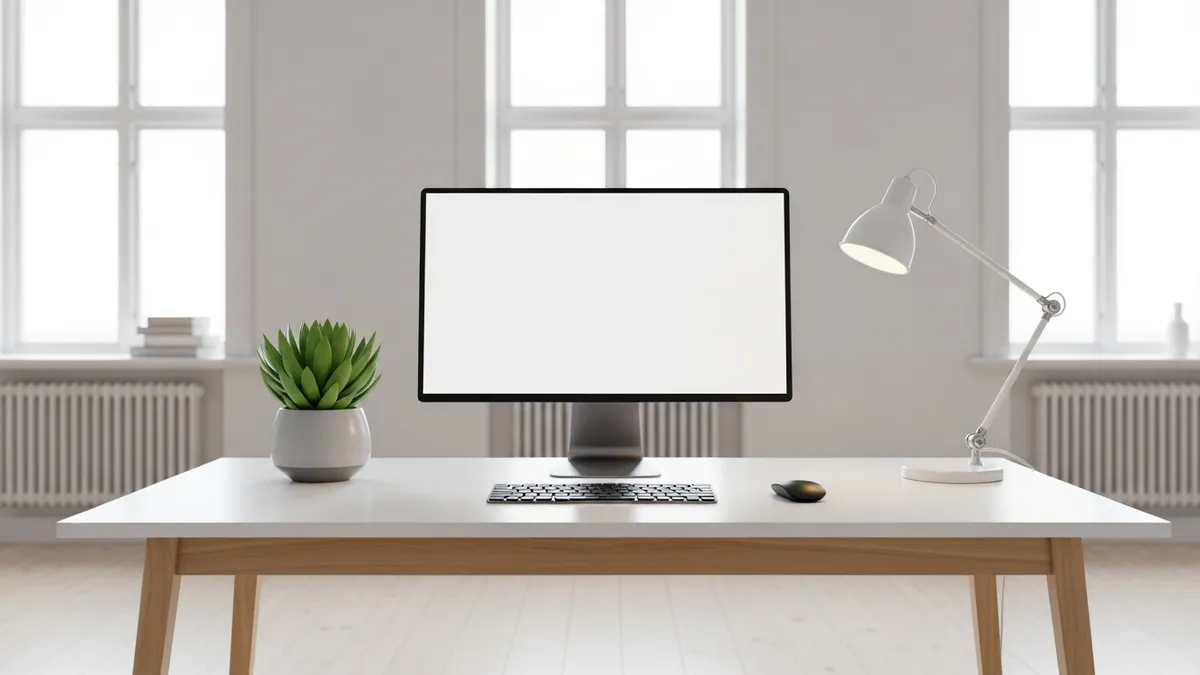
The minimalist approach is one of the most popular office desk setup ideas in 2026, and for good reason. Less visual noise means fewer distractions. The goal here is to keep only what you absolutely need on the desk surface.
Key elements of a minimalist desk setup:
- A single monitor or laptop stand
- Wireless keyboard and mouse to eliminate cable clutter
- One small plant for a touch of life
- A single pen holder or small tray
- A clean, neutral desk surface in white, light wood, or gray
To achieve this look, everything that does not belong on the desk needs a home somewhere else. That means drawers, shelves, or desk organizer solutions should handle all your supplies behind the scenes.
2. The Ergonomic Productivity Setup
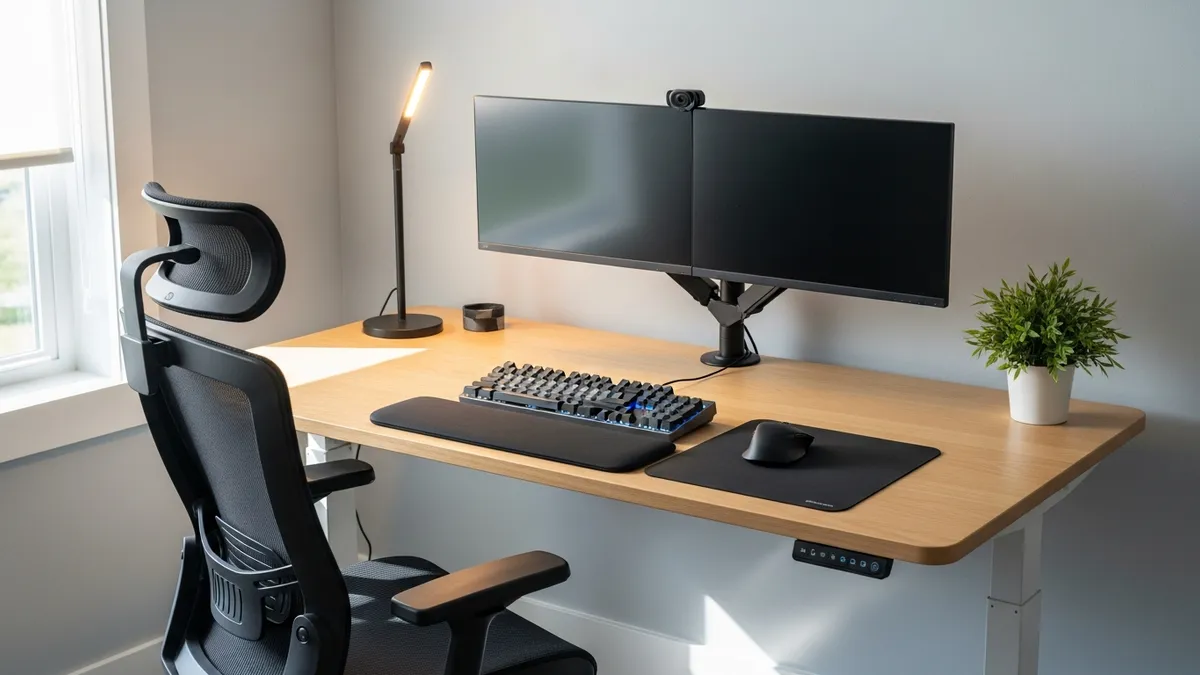
If you spend six or more hours at your desk daily, ergonomics should be your top priority. OSHA's computer workstation guidance is a useful reference for monitor height, chair adjustment, and neutral working positions.
Must-have ergonomic desk setup components:
- Height-adjustable standing desk - Alternating between sitting and standing reduces fatigue
- Monitor arm - Positions your screen at eye level, reducing neck strain
- Ergonomic chair - Look for lumbar support and adjustable armrests
- Wrist rest - Keeps your wrists in a neutral position while typing
- Anti-fatigue mat - Essential if you plan to stand for extended periods
The monitor should sit so the top of the screen is at or just below eye level, and your elbows should rest at roughly 90 degrees when your hands are on the keyboard.
3. The Dual Monitor Power User Setup
Two screens dramatically expand your workspace without needing a larger desk. A dual monitor setup works best for people who multitask heavily, such as developers, designers, content creators, and analysts.
Tips for a dual monitor desk setup:
- Use a dual monitor arm stand to free up desk space
- Position the primary monitor directly in front and the secondary monitor slightly angled to the side
- Match monitor sizes if possible for a seamless visual experience
- Use a monitor light bar instead of a traditional desk lamp to reduce glare
- Route all monitor cables through a cable management spine or tray
A cable management system is non-negotiable here. Learn more about cable management strategies to keep a dual monitor setup looking sharp.
4. The Small Space Corner Desk Setup
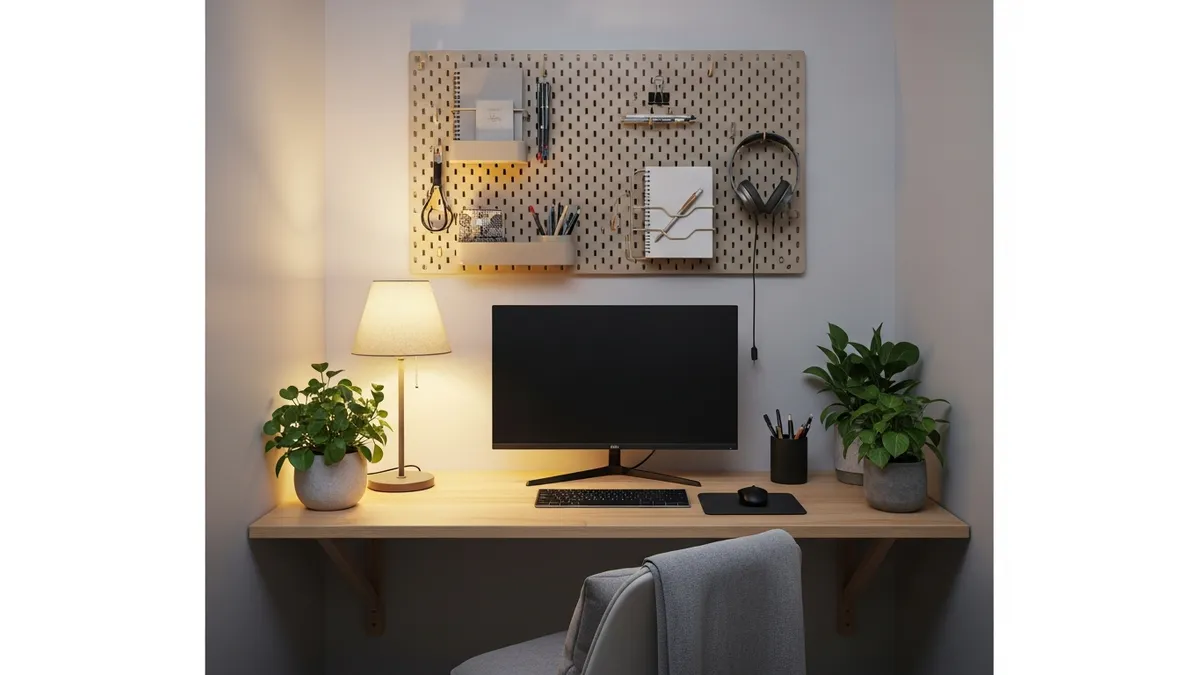
Not everyone has a dedicated office room. Many Americans are carving out workspace in bedrooms, living rooms, or apartment corners. The good news is that a small space can still be a highly functional one.
Small space office desk setup ideas:
- Floating wall desk - Mounts directly to the wall and folds up when not in use
- Corner desk - Takes advantage of an otherwise dead corner and provides more surface area
- Pegboard wall organizer - Mounts above the desk to move storage off the desk surface entirely
- Under-desk storage cart - Rolls in and out as needed without taking permanent floor space
- Vertical shelving - Go up, not out, when floor space is limited
For apartment dwellers and small bedroom setups, I always recommend thinking vertically first. The wall above your desk is your best friend.
5. The Aesthetic or Cozy Vibe Setup
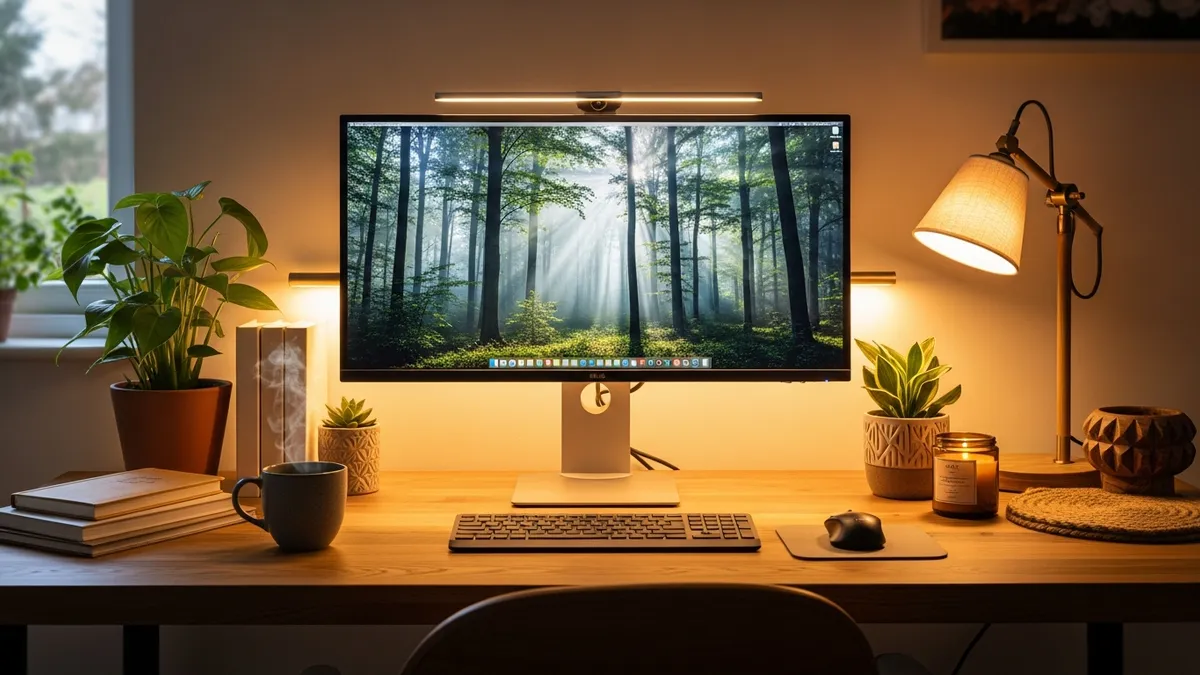
The aesthetic desk setup trend continues to thrive in 2026, and it is more than just looking good for social media. When your desk feels inviting and personally meaningful, you actually want to spend time there.
Elements of an aesthetic desk setup:
- Warm-toned LED light strips behind the monitor
- A wooden or walnut-finish desk surface
- A mix of small indoor plants or succulents
- A matching desk mat in leather, cork, or fabric
- Coordinated colors for your accessories like your pen holder, mouse pad, and cable organizer
- Framed prints or a small mood board above the desk
The key to making an aesthetic setup also functional is to never sacrifice organization for decoration. Every decorative element should either have a use or be small enough that it does not eat into your working surface.
6. The Home Office Organizer-First Setup
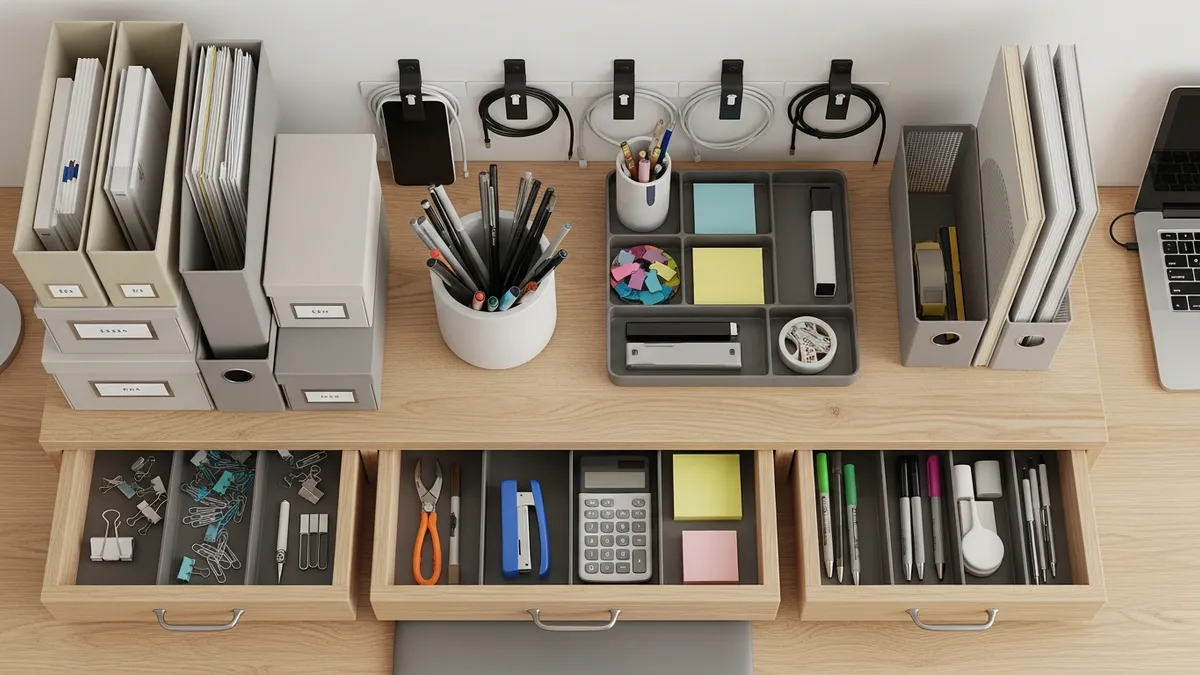
Some people do not need a full workstation overhaul. They just need better organization. If your desk is drowning in papers, chargers, pens, and random items, start here.
Office desk organization ideas that actually work:
- Desk organizer trays - Sort pens, sticky notes, scissors, and small tools into compartments
- Drawer dividers - Transform a cluttered junk drawer into a structured supply cabinet
- Cable clips and ties - Attach cables to the back of the desk to keep the surface clear
- Monitor riser with storage - Elevates your screen while providing shelf space underneath
- Labeled bins or boxes - Group like items together so you always know where everything lives
- Paper tray or file sorter - Keeps documents visible but organized
Explore Sesoris desk organizer products to find trays, bins, and cable solutions that work with your existing desk.
A clean desk is not just about aesthetics. It is a daily commitment to giving your brain the environment it needs to do its best work.
7. The Work-From-Home Professional Setup
For those who video call daily and need to look polished on camera, your desk setup has to work in two directions: functional for you and professional for everyone watching.
WFH professional desk setup tips:
- Position your monitor so the camera captures a clean, uncluttered background
- Use a ring light or an LED desk lamp positioned in front of your face to light your calls well
- Invest in an external webcam for sharper image quality
- Keep a small whiteboard or notepad nearby for call notes
- Use a USB hub to keep your desk free of multiple adapters
- A headset or quality external microphone goes a long way in professional video calls
You can also explore home and office organization tips for a broader look at structuring your entire work-from-home environment.
8. The Gaming-to-Work Hybrid Desk Setup
Many Americans now use the same desk for both work and gaming. Making this dual-purpose setup function well requires some intentional planning.
Tips for a gaming-work hybrid setup:
- Use a large desk mat that covers the full desk surface
- Invest in a monitor that supports both a high-refresh-rate gaming mode and a standard work mode
- Keep gaming peripherals in a drawer or bin when working to create a mental separation
- Use good lighting that works for both gaming ambiance and video calls
- Cable management is critical when you have gaming gear, monitors, and work peripherals sharing the same space
Check out our dedicated gaming desk setup ideas guide for an in-depth breakdown of battle station builds.
9. The Budget-Friendly Desk Setup
A great desk setup does not require a thousand-dollar investment. In 2026, there are more affordable options than ever for creating a productive workspace.
Budget office desk setup ideas:
- A simple IKEA desk or a sturdy table from a thrift store can serve as an excellent base
- A clip-on monitor light is far cheaper than a premium desk lamp and works just as well
- DIY cable management using Velcro ties and binder clips costs almost nothing
- A foam seat cushion can improve comfort on a basic chair without buying a new one
- Repurpose kitchen containers as desk organizers for pens, clips, and small tools
- Free desktop wallpapers and a well-organized file system cost nothing but have a big impact
10. The Standing Desk Setup
Standing desks have gone mainstream, and for good reason. Alternating between sitting and standing throughout the day is one of the best things you can do for your long-term health if you have a sedentary job.
Standing desk setup essentials:
- Choose a desk with memory presets so you can switch heights with a single button
- Pair with a high-quality anti-fatigue mat
- Adjust monitor height every time you switch positions
- Keep a balance board nearby to keep your body moving while standing
- Set a timer or use an app to remind yourself to alternate every 30 to 60 minutes
Office Desk Setup Ideas for Every Aesthetic
Beyond function, the visual style of your desk setup matters. Here is a quick reference for matching popular home design aesthetics:
Scandinavian or Nordic Style:
- Light wood desk, white or gray accessories, minimal decor, one plant
Industrial Style:
- Dark wood or concrete desk surface, black metal accessories, Edison bulb desk lamp
Japandi Style:
- Low-profile furniture, neutral tones, bamboo or natural wood elements, negative space
Mid-Century Modern:
- Walnut desk, warm accent lighting, retro-inspired accessories, bold colors used sparingly
Boho or Eclectic:
- Rattan accents, mixed textures, lots of plants, warm string lights, personal items displayed
You can browse inspiration and collections at Sesoris to find organization products that match your preferred aesthetic.
The 5 Essential Components of Any Great Office Desk Setup
No matter which style you gravitate toward, five components are universal to a great desk setup:
- The desk itself - Size and material should match your work style and available space
- Seating - Comfort and support are non-negotiable for long sessions
- Lighting - Natural light is best, but a quality desk lamp or monitor light is essential for evening work
- Organization system - Drawers, trays, bins, and cable management keep the surface clear
- Personalization - A plant, a photo, or a meaningful object makes the space yours
For a deep dive into desk organization tools, read our guide on how to set up a desk organizer rack and find the right products for your workflow.
The strongest home office setups balance function and personal style. Choose a restrained palette, keep the frequently used tools easy to reach, and let decoration support the workflow instead of crowding the working surface.
Common Mistakes to Avoid in Your Office Desk Setup
Even well-intentioned desk setups can fall short. Here are the most common mistakes I see and how to fix them:
- Ignoring lighting - Harsh overhead lighting causes eye strain. Add a warm desk lamp or a monitor light bar
- No cable management - Tangled cables are distracting and make cleaning nearly impossible. Use clips, ties, or a cable box
- Desk too cluttered - Apply a one-in, one-out rule. If something new comes to the desk, something else must be stored elsewhere
- Monitor at the wrong height - Your neck will feel it. Use a monitor arm or riser to get the screen to eye level
- No dedicated storage - If there is nowhere for items to go, they end up on the desk. Add a drawer, shelf, or organizer
- Forgetting about ventilation - Electronics generate heat. Make sure your desk area has airflow and does not block vents
- Skipping personalization - A completely sterile desk can feel uninspiring. Add one or two items that bring you joy
How to Set Up Your Office Desk Step by Step
If you are starting from scratch or doing a full desk reset, here is a practical step-by-step process:
- Clear everything off the desk completely - Start with a blank slate
- Deep clean the surface - Wipe down the desk, clean your monitor screen, and dust any accessories
- Identify your essentials - What do you actually need on the desk every single day? Keep only those items
- Set up your monitor at eye level - Adjust your chair height so your feet are flat on the floor and your elbows are at 90 degrees
- Route your cables first - Before placing anything, clip or tie your cables so they run along the back of the desk
- Place your most-used items within arm's reach - Keyboard, mouse, notepad, and pen should be right there
- Add storage for everything else - Use drawer dividers, a desk tray, or small bins for supplies
- Set up your lighting - Position your lamp so it does not create glare on your screen
- Add one or two personal touches - A plant, a small print, or a meaningful object
- Step back and assess - Sit in your chair and check if everything feels right from your working position
This process takes about an hour but the payoff lasts for months. You can find a full range of organization products at Sesoris to support every step of this process.
Related Products from Sesoris
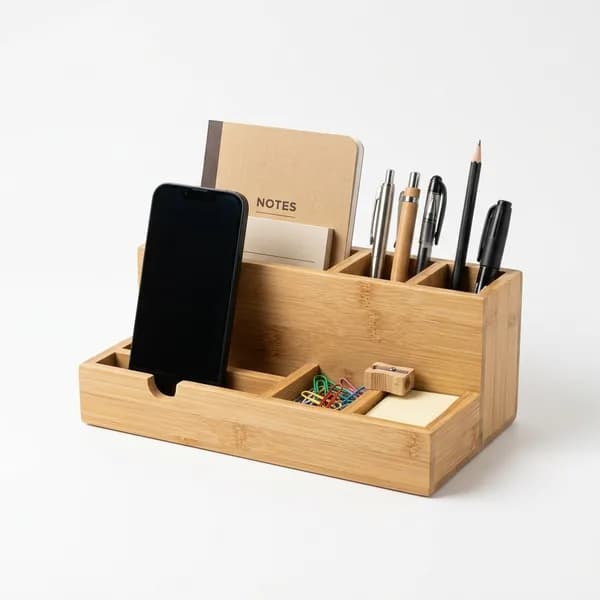
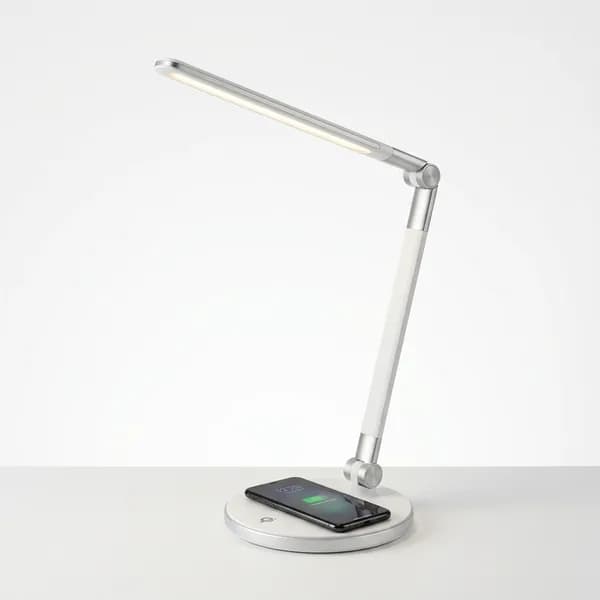
If you want to turn this guide into a real setup, start with LED Desk Lamp with Wireless Charger and Bamboo Desk Organizer. For broader options, browse the Desk & Workspace collection so the article journey does not stop at reading only.
Our practical rule: choose one product that solves the main clutter problem first, then add supporting organizers only when the daily workflow is already clear. This keeps the shopping path useful, not pushy.
FAQ: Frequently Asked Questions About Office Desk Setup Ideas
Q: What is the best desk size for a home office?
For most people, a desk that is at least 48 inches wide and 24 inches deep provides enough room for a monitor, keyboard, and some working space. If you use dual monitors or need more working surface, look for desks in the 60 to 72 inch range.
Q: How do I manage cables in my desk setup?
Start with Velcro cable ties to bundle cables together. Then use adhesive cable clips to route them along the back legs and underside of the desk. A cable management box under the desk hides power strips and excess cable length. For a full breakdown, read our cable management guide.
Q: How can I make my desk look aesthetic without spending a lot?
Focus on a consistent color palette, keep the surface clean, and add one or two small plants. A simple desk mat pulls the whole look together for under US$20. Lighting makes the biggest visual impact, and an LED light strip behind your monitor is both affordable and effective.
Q: Is a standing desk worth it for a home office?
For people who sit for six or more hours daily, a standing desk can make a meaningful difference in energy levels and back comfort. Electric height-adjustable desks have come down in price significantly, and there are solid options available starting around US$300 to US$400.
Q: What should I put on my desk versus in storage?
The rule I use is simple: if you use it every single day, it belongs on the desk. If you use it occasionally, it belongs in a drawer or bin nearby. If you rarely use it, it belongs in a closet or storage area entirely.
Q: How do I set up a desk in a small bedroom or studio apartment?
Look for floating wall desks or compact corner desks. Use vertical space with pegboards or floating shelves above the desk. Keep everything on the desk surface to a strict minimum and rely on wall-mounted or under-desk storage. Our small home office organization ideas article covers this topic in depth.
Q: What lighting is best for a desk setup?
Natural light from a window positioned to the side of your monitor is ideal. For supplemental lighting, a monitor light bar eliminates glare while lighting your desk surface. A warm-toned LED desk lamp positioned to your non-dominant side reduces shadows when writing.
Conclusion
Getting your office desk setup ideas right in 2026 is one of the highest-return investments you can make in your daily life. Whether you are building a sleek minimalist workstation, a cozy aesthetic corner, or a fully ergonomic productivity powerhouse, the principles are the same: clear the clutter, organize everything, light the space well, and make it yours.
The right desk setup is not a one-time project. It evolves with you as your work changes, your taste develops, and you discover what truly helps you focus. Start with the basics, get your organization system in place first, and then layer in the style.
Ready to start building your ideal workspace? Explore the full range of desk organization tools, storage solutions, and home office essentials at Sesoris. From cable management to desk trays to storage bins, everything you need to go from cluttered chaos to calm productivity is right there. Browse our best sellers or check out new arrivals to find exactly what your desk setup needs next.
Weekly Home Tips
Get home organization ideas, product picks, and exclusive deals delivered weekly.
No spam. Unsubscribe anytime.


Explore More Articles
- 30+ Best Small Closet Organization Ideas to Transform Your Tiny Space in 2026
- How to Declutter Your Home Before Moving: The Complete 2026 Guide
- Compression Packing Cubes: The Complete 2026 Review & Buying Guide for Smarter Travel
- Best Budget Kitchen Racks in 2026: Top Picks for Every Home
- Simple Kitchen Decor Ideas: 25+ Easy Looks for 2026
- Clothes Storage Organizer: The Complete 2026 Guide
- Wall Mounted Dish Rack: Complete Buying & Install Guide 2026
- Minimalist Shelf Ideas: 25+ Stylish Picks for 2026